# LilacMC Guides

Do you need assistance with how to play on LilacMC? If so, that means you are in the perfect place. If you need more help, you can participate in the general chat and ask other players for help on the [Discord server](https://discord.com/invite/7TVsdEZwdQ). If you can't find what you're looking for, you can message our [staff](https://lilacmc.net/staff) directly.

### :globe\_with\_meridians: Joining LilacMC

1. In the home screen of your game, press **"**<mark style="color:yellow;">**Multiplayer**</mark>**"** button.
2. Click **"**<mark style="color:yellow;">**Add Server**</mark>**"** button.
3. On the server address bar, enter the **IP address:** <mark style="color:orange;">**`play.lilacmc.net`**</mark>
4. Save and join the server!

### :paperclip: Info & Links

📍 **Server IP:** `play.lilacmc.net`\
🌐 **Website:** <https://lilacmc.net>\
🗣️ **Discord** <https://discord.com/invite/7TVsdEZwdQ>\
[📚](https://emojipedia.org/books) **Rules:** [https://l](https://store.lilacmc.net)[ilacmc.net/rules](https://lilacmc.net/rules)\
🛒 **Store:** <https://store.lilacmc.net>\
[🗳️](https://emojipedia.org/ballot-box-with-ballot) **Voting:** <https://lilacmc.net/vote>\
[🗺️](https://emojipedia.org/world-map)**Live Map:** <https://map.lilacmc.net><br>


# LilacMC Rules

All rules and regulations apply on both LilacMC and the Discord server. These rules exist so that the server can be as fun, healthy, and safe as possible for all players!

* Report rule breakers and provide screenshots if you can. Rule breakers will be punished accordingly.
* Report any bugs or issues that appear on the server as soon as you see them to a staff member or on the Discord server as a support ticket.
* If you have any questions, do not hesitate to contact any staff members.
* These rules are subject to change without prior notice.

LilacMC is a privately run server and we reserve the right to ban anyone we feel would be toxic, or a detriment to the community. ALL rules stated are subject to change without prior notice.

{% content-ref url="/pages/4YL6MPFdSxILDcx0DeW6" %}
[General Rules](/community/lilacmc-rules/general-rules)
{% endcontent-ref %}

{% content-ref url="/pages/P2nsgvX5Ktc4GMMon6Nt" %}
[Chat Rules](/community/lilacmc-rules/chat-rules)
{% endcontent-ref %}

{% content-ref url="/pages/Kz6VjiRIbfOWROFHuam9" %}
[Gameplay Rules](/community/lilacmc-rules/gameplay-rules)
{% endcontent-ref %}


# General Rules

<mark style="color:yellow;">**1**</mark><mark style="color:yellow;">)</mark> <mark style="color:yellow;"></mark><mark style="color:yellow;">**BE NICE TO OTHER PLAYERS AND STAFF. BEING RUDE AND/OR DISRESPECTFUL TO OTHER PLAYERS AND STAFF WILL RESULT IN A PUNISHMENT.**</mark>

* Do not disrespect and/or slander towns.
* &#x20;Do not spread rumors or lies about players/staff/towns. Do not harass or talk negatively about people behind their backs. This includes in local, nation, town, and party chats. Staff will review chat logs if such behavior is reported.

<mark style="color:yellow;">**2**</mark><mark style="color:yellow;">)</mark> <mark style="color:yellow;"></mark><mark style="color:yellow;">**PLAYERS ARE NOT ALLOWED TO USE MULTIPLE ACCOUNTS. IF YOU ARE FOUND USING AN ALT, THE ALT WILL BE PERMANENTLY BANNED AND YOU WILL BE PUNISHED.**</mark>

* If you have multiple players within your household, please let a staff member know.

<mark style="color:yellow;">**3**</mark><mark style="color:yellow;">)</mark> <mark style="color:yellow;"></mark><mark style="color:yellow;">**DO NOT BUILD INAPPROPRIATE OR OFFENSIVE STRUCTURES. IF YOU HAVE A QUESTION IF SOMETHING IS INAPPROPRIATE OR NOT, ASK A STAFF MEMBER OR MAKE A SUPPORT TICKET IN THE DISCORD SERVER.**</mark>

<mark style="color:yellow;">**4**</mark><mark style="color:yellow;">)</mark> <mark style="color:yellow;"></mark><mark style="color:yellow;">**MODS AND MACROS THAT GIVE YOU AN UNFAIR ADVANTAGE ARE NOT ALLOWED.**</mark>

* Allowed Mods: Game engine performance mods (Optifine, Sodium, Starlight, etc.), Minimaps (caves, maps and mines on mini-map are allowed), Litematica (no printer), Fullbright Mod. If you are unsure if a mod is allowed, ask staff first!
* Disallowed Mods: Cheaty clients, X-ray mods, automatic functions (auto-mining, auto-clicking)
* Macro programs and any other outside programs that aim to give the player an unfair advantage are also not allowed.
  * Macros that aren’t directly tied to jobs are allowed to be used by players. This includes but is not limited to: simple command macros (/pv, /ec, /teleport, /spawn, /fly, /feed), action macros (auto eating when hungry, auto storing of items in pvs/ecs, etc).
  * Macros that can be used to gain advantages in jobs are not allowed. This includes but is not limited to the automation of crafting, killing of mobs, farming, mining, fishing, item salvaging, condensing, etc.
* Rebinding mouse keys or modifying your keyboard/mouse to click or place faster or to continue clicking while not at your keyboard is not permitted.

<mark style="color:yellow;">**5**</mark><mark style="color:yellow;">)</mark> <mark style="color:yellow;"></mark><mark style="color:yellow;">**ABUSING PLUGIN OR VANILLA BUGS/EXPLOITS WILL LEAD TO A PERMANENT BAN.**</mark>

* This includes attempting to duplicate items, breaking blocks not intended to be broken, bypassing certain limits such that of jobs block placement timer or fishing spot limitation, obtaining unobtainable items, and getting into areas you aren't allowed in. Anything that will give you, your group/party, your town, or your nation any advantage that are not meant to happen without the occurrence of a bug, glitch, and/or feature exploitation are all under this rule.

<mark style="color:yellow;">**6**</mark><mark style="color:yellow;">)</mark> <mark style="color:yellow;"></mark><mark style="color:yellow;">**USING INAPPROPRIATE SKINS OR NAMES WILL RESULT IN A PERMANANT BAN UNTIL YOU CHANGE IT.**</mark>

* Any skin or name that is seen as NSFW or political fall under this rule.

<mark style="color:yellow;">**7**</mark><mark style="color:yellow;">)</mark> <mark style="color:yellow;"></mark><mark style="color:yellow;">**SCAMMING PLAYERS IS NOT ALLOWED**</mark><mark style="color:yellow;">.</mark>

* Adding deceptive items such as fake in-game currencies, fake artifact shards, etc. on the auction house will be removed and you will be punished.
* Selling goods for an abnormal about of money is punishable (i.e. 1 dirt block for $1,000,000)
  * &#x20;No CHEST SHOPS buying items at ridiculously below market value. (i.e. Chest Shops buying a Divine Core for $0.01)
* Deals made with a player must be followed through.
  * If you are hired to do a job, you must fully complete it, unless the mutual agreement states otherwise.
  * If you hire someone to do a job, you must pay your employee according to the mutual agreement.
* Do not take advantage of price mistakes in player shops. If you notice an obvious price mistake; do not buy said item and contact a staff member or the owner of said shop.

<mark style="color:yellow;">**8**</mark><mark style="color:yellow;">)</mark> <mark style="color:yellow;"></mark><mark style="color:yellow;">**SELLING 'ADVERTISEMENT ITEMS' ON AUCTION HOUSE IS PROHIBITED.**</mark>

* Use Trade Chat (/tr \[message]) to advertise properly.

<mark style="color:yellow;">**9**</mark><mark style="color:yellow;">)</mark> <mark style="color:yellow;"></mark><mark style="color:yellow;">**DO NOT ATTEMPT TO EVADE BANS OR MUTES.**</mark>

* For mutes, this includes using signs, renaming items, using another player to speak for you, and other forms in in-game communication.
* For bans, this includes using an alternate account.
* If you feel a punishment was unfair or are needing to make a ban appeal, please make a support ticket on our Discord server.

<mark style="color:yellow;">**10**</mark><mark style="color:yellow;">)</mark> <mark style="color:yellow;"></mark><mark style="color:yellow;">**IMPERSONATING A STAFF MEMBER, WHETHER IT BE IN DISCORD OR IN-GAME WILL RESULT TO A PERMANENT BAN.**</mark>

<mark style="color:yellow;">**11**</mark><mark style="color:yellow;">)</mark> <mark style="color:yellow;"></mark><mark style="color:yellow;">**IRL TRADING (REAL LIFE TRADING - IN-GAME MONEY/ITEM FOR REAL MONEY) IS NOT ALLOWED.**</mark>

* There is no way to track/confirm payments outside of our platforms.
* Trading store items for in-game money is allowed as we can keep track of every movement.
* Trading in-game money for real money, and vice versa, is not allowed.

<mark style="color:yellow;">**12**</mark><mark style="color:yellow;">)</mark> <mark style="color:yellow;"></mark><mark style="color:yellow;">**ACCUMULATING A NUMBER OF WARNINGS WILL RESULT IN HARSHER PUNISHMENTS.**</mark>

* Previous bans/mutes will also be taken into account when being punished.

<mark style="color:yellow;">**13**</mark><mark style="color:yellow;">)</mark> <mark style="color:yellow;"></mark><mark style="color:yellow;">**LILACMC HAS ZERO TOLERANCE FOR HATE SPEECH. RACISM, HOMOPHOBIA, AND OTHER FORMS OF DISCRIMINATION/PREJUDICE WILL LEAD TO A PERMANENT BAN. DO NOT USE ANY RACIAL SLURS IN ANY CONTEXT.**</mark>

<mark style="color:yellow;">**14**</mark><mark style="color:yellow;">)</mark> <mark style="color:yellow;"></mark><mark style="color:yellow;">**REPORT PLAYERS TO STAFF (PREFERABLY WITH CLEAR EVIDENCE) IF YOU SEE THEM BREAKING ANY RULES.**</mark>

* If a player is trying to start a fight with you, do not respond, screenshot the conversation and immediately report to staff.
* Do not try to be a vigilante, this often causes more problems. Do not stoop to their level or give them attention.
* If the player you're reporting is a staff member, take it directly to an admin via Discord.
* Repeated false reports with no evidence can lead to a ban if we do not find proof of your claim.


# Chat Rules

<mark style="color:green;">1)</mark> <mark style="color:green;"></mark><mark style="color:green;">**DO NOT ADVERTISE OTHER MINECRAFT/DISCORD SERVERS IN ANY FORM - UNLESS IT HAS CONNECTIONS TO THE SERVER SUCH AS A TOWN/NATION DISCORD.**</mark>

* This includes talking about other servers in the global channels (both in-game and on Discord)
* Soliciting is not allowed. This includes but is not limited to donation links, business links, etc.

<mark style="color:green;">2)</mark> <mark style="color:green;"></mark><mark style="color:green;">**SPAMMING AND UNNECESSARY USE OF LETTERS, SENTENCES, AND SYMBOLS WILL RESULT IN A MUTE.**</mark>

* This includes dragging characters, using excessive capitalization and/or symbols, flooding chat, and repeating similar messages over and over.
* This is an English speaking server. Players should only use English in global chat.

<mark style="color:green;">3)</mark> <mark style="color:green;"></mark><mark style="color:green;">**SWEARING IS ALLOWED SO LONG AS IT IS NOT EXCESSIVE, NOT WITH AN INTENT TO OFFEND/BERATE SOMEONE, AND NOT DIRECTED AT ANOTHER PLAYER.**</mark>

<mark style="color:green;">4)</mark> <mark style="color:green;"></mark><mark style="color:green;">**DO NOT SHARE ANY PERSONAL INFORMATION OF OTHER PLAYERS WITHOUT THEIR EXPLICIT PERMISSION. LILACMC IS NOT RESPONSIBLE IF YOU SHARE YOUR OWN INFORMATION.**</mark>

<mark style="color:green;">5)</mark> <mark style="color:green;"></mark><mark style="color:green;">**DO NOT USE INAPPROPRIATE NICKNAMES OR USERNAMES.**</mark>

* This includes name that could be seen as NSFW/political/etc.
* Do not use nicknames to impersonate other players or staff.

<mark style="color:green;">**6) STEER AWAY FROM INTRODUCING CONTROVERSIAL TOPICS.**</mark>

* This includes, but is not limited to: politics, religion (including cults and sects), R18+/NSFW topics (Sex, violence, etc.), and dark history (Genocide, slavery, war, etc.)
* Topics of harmful drugs, or the abuse of drugs, are not allowed.
* Weed & smoking as a global topic is allowed in moderation so as long as the following are not discussed:
  * Sending details on obtaining substances.
  * Encouraging players to try smoking any sort of substance.
  * Experiences that could trigger other people (bad side effects, abuse, addiction, etc.)

<mark style="color:green;">7)</mark> <mark style="color:green;"></mark><mark style="color:green;">**HARASSING PLAYERS/STAFF THROUGH THE USE OF MESSAGE SPAM, THREATS, INSULTS AND OTHER RELATED ACTIONS ARE NOT ALLOWED.**</mark>

* This includes attempting to bait other players/staff into lashing out at them, trash talking towns, nations, player warps, or player shops.

<mark style="color:green;">8)</mark> <mark style="color:green;"></mark><mark style="color:green;">**ANY DEAL MADE BETWEEN PLAYERS SHOULD BE MADE OR STATED IN GAME SO THAT STAFF CAN VERIFY IN THE CASE OF ONE MEMBER NOT HOLDING UP THEIR END.**</mark>

<mark style="color:green;">9)</mark> <mark style="color:green;"></mark><mark style="color:green;">**LILACMC IS A LGBTQIA+ INCLUSIVE SERVER. ANY HOMOPHOBIC REMARKS/ACTIONS TOWARD A PLAYER OR A GROUP OF PLAYERS WILL RESULT IN A BAN.**</mark>

<mark style="color:green;">10)</mark> <mark style="color:green;"></mark><mark style="color:green;">**FAILURE TO LISTEN TO STAFF WHEN ASKED TO CHANGE THE CHAT TOPIC MAY RESULT IN A PUNISHMENT.**</mark>


# Gameplay Rules

<mark style="color:red;">1)</mark> <mark style="color:red;"></mark><mark style="color:red;">**DO NOT DESTROY OR DEFACE ANY PLAYER BUILDS IN THE SERVER (AKA NO GRIEFING).**</mark>

* Destroying or placing blocks within 10 chunks of a town without permission (Border Griefing) is not allowed.
* Player-built structures in Resource worlds and unclaimed areas also fall under this rule, even if it seems abandoned.
* Small builds from inactive players that haven't logged on for more than six months or larger builds wherein the player hasn't logged in for more than nine months can be claimed, with staff permission. Chests, barrels, shulkers, etc associated with such builds will be removed. This includes structures in the wilderness and deleted towns.
* Do not use the main worlds to gather materials. Use the resource worlds for this instead.
* Failing to respect areas which are made publicly accessible by other players (i.e. not replanting in public farm areas for crops and trees or failing to report blocks that have been accidentally broken) can result in a punishment.

<mark style="color:red;">2)</mark> <mark style="color:red;"></mark><mark style="color:red;">**PVP REQUIRES CONSENT FROM BOTH PARTIES.**</mark>

* There is a designated PvP arena for this which has Keep Inventory and Keep EXP.
* Killing a player without their consent can lead to a punishment.

<mark style="color:red;">3)</mark> <mark style="color:red;"></mark><mark style="color:red;">**CLAIMING TOWNS/HOMES 10 CHUNKS NEAR ANOTHER TOWN WITHOUT PERMISSION CAN RESULT IN THE TOWN BEING DELETED.**</mark>

* Upon request, your town structures can be moved to a different location if you accidentally built too close to another town.
* Both parties in this case are expected to respect one another. Failure to do so may lead to a punishment.
* No spider claiming is allowed in Main World 3. We reserve the right to remove these claims and take further action if necessary. We highly suggest that you do not do this in Main Worlds 1 and 2, either. Spider claiming is the act of placing claims around a town or area in order to block off players from claiming a large area of land or not having to use as many claims.

<mark style="color:red;">4)</mark> <mark style="color:red;"></mark><mark style="color:red;">**DO NOT TRY TO FIND OR ABUSE A WAY AROUND THE ANTI-AFK PLUGIN.**</mark>

<mark style="color:red;">5)</mark> <mark style="color:red;"></mark><mark style="color:red;">**STEALING ITEMS, ANIMALS, LOOT, AND MOB KILLS FROM OTHER PLAYERS IS NOT ALLOWED.**</mark>

* The following are examples that fall under this rule:
  * Using a map with the intent to steal mapart.
  * Looting unlocked containers or any type of storage in abandoned towns (this is considered griefing)
  * Following players during events to steal kills/items.
  * Killing animals within 1-2 chunks of a town.
  * Stealing/copying original designs built by other players on Lilac is not permitted without explicit permission from the builder of said design.
  * Not letting people finish using the End arena by spawning another dragon, participating in killing without permission, and kill stealing. Players can stay at the end arena for one hour at a time, or until another player requests to grind in the arena.
* Do not resell or copy ARTMAPS or MAPARTS that you did not make yourself without explicit permission from the player who did.

<mark style="color:red;">6)</mark> <mark style="color:red;"></mark><mark style="color:red;">**BUILDING REDSTONE MACHINES OR FARMS THAT CAUSE SERVER LAG WILL BE REMOVED AUTOMATICALLY BY STAFF.**</mark>

* The following falls under this rule:
  * Flying machines
  * Mob farms that spawn an unreasonable amount of mobs.
  * Any contraption that is proven to cause lag in the server such as chunk loaders or machines that utilizes extremely fast clocks and are constantly on. If you are unsure about a certain contraption, ask staff first!
  * Fully automated farms that utilize observers.
  * Any zero-tick farms.
* Auto cookers and auto brewers are allowed so long as the machines are under the redstone limit. However, if staff members find your machine to be causing immense lag, it will be removed without prior warning.
* Do not use redstone machines in the /shop marketplace, as these cause server lag. Such contraptions will be deleted without warning with the potential loss of items.

<mark style="color:red;">7)</mark> <mark style="color:red;"></mark><mark style="color:red;">**NO EXPLICIT/INAPPROPRIATE CONTENT VIA MAPART, PIXEL ART, BUILDS, BOOKS, AND OTHER MEANS.**</mark>

* If you are unsure if the mapart/pixel art you wish to make, or the topic of your book, is allowed, please ask a staff member or make a ticket.

<mark style="color:red;">8)</mark> <mark style="color:red;"></mark><mark style="color:red;">**ANY ATTEMPTS TO SABOTAGE (BREAK RULES OR EXPLOIT BUGS) EVENTS CAN AND WILL BE MET WITH AN UNAPPEALABLE BAN UNTIL THE EVENT IS OVER.**</mark>

* Using an alt or "friend" whom logs in solely to get to get additional event items for you is taking advantage and considered multiplaying and is not allowed. This will result in a ban.

<mark style="color:red;">9)</mark> <mark style="color:red;"></mark><mark style="color:red;">**AFTER 1 MONTH OF INACTIVITY, TOWN MAYORS CAN REQUEST FOR THE CHEST REMOVAL OF THEIR RESIDENTS.**</mark>

* The chests of a permanently banned player will be removed.
* In the case that a player has left the town, or is active, but does not respond to chest removal requests. Chests will be moved to a staff-only world upon request.

<mark style="color:red;">10)</mark> <mark style="color:red;"></mark><mark style="color:red;">**PLAYER WARPS CAN BE CLAIMED 3 DAYS AFTER THEIR EXPIRATION AT THE EARLIEST OR WITH PERMISSION FROM THE PREVIOUS/ORIGINAL OWNER.**</mark>


# LilacMC Staff

Staff are the people you can ask help for. To contact staff, message them directly in-game or head over to the Discord server and open a ticket.

## Admins

<div><figure><img src="/files/u0H9lCpABARsnzvZLlpN" alt="" width="150"><figcaption><p>Brayn<br>(Discord: brayn.)</p></figcaption></figure> <figure><img src="/files/i8CFSsHvfYtlEv6R84Cn" alt="" width="150"><figcaption><p>brokeollie<br>(Discord: brokeollie)</p></figcaption></figure> <figure><img src="/files/i6uA97NTPQFYhYhLLo4O" alt="" width="150"><figcaption><p>korkykorky<br>(Discord: korkykork)</p></figcaption></figure> <figure><img src="/files/lURnge9J97F0vgiDv2dP" alt="" width="150"><figcaption><p>Niromi<br>(Discord: niromi.)</p></figcaption></figure></div>

## Moderators

<div><figure><img src="/files/Ff6AShSJE1YcAGOQ96zJ" alt="" width="150"><figcaption><p>JuniBears</p></figcaption></figure> <figure><img src="/files/SqZ40xV2kkHwnaBuwvAk" alt="" width="150"><figcaption><p>rec427</p></figcaption></figure> <figure><img src="/files/OQb2W7tjscv5hGZWxRmA" alt="" width="150"><figcaption><p>SgtVesker</p></figcaption></figure> <figure><img src="/files/r6FfOeMvOml4WgKm2NtX" alt="" width="150"><figcaption><p>SoloWingPixy_</p></figcaption></figure></div>

## Helpers

<div><figure><img src="/files/DRSRV0YvwtxzfF7MIC4W" alt="" width="150"><figcaption><p>ARoseByAnyName</p></figcaption></figure> <figure><img src="/files/3dzEDFZQR7otvD2PoJR2" alt="" width="150"><figcaption><p>Nonaaaa</p></figcaption></figure></div>


# Installing resource pack

The official server resource pack is a key part of your experience here! We’ve put a lot of effort into creating custom content with it, so to get the most out of the server, we highly recommend installing the resource pack. Don’t worry, it’s super easy! Below, you’ll find a step-by-step guide to help you install the server’s resource pack. Let’s get started!<br>

1. In your Minecraft menu, press the "<mark style="color:yellow;">Multiplayer</mark>" button and click "<mark style="color:yellow;">Add Server</mark>".
2. Input the server IP <mark style="color:red;">**play.lilacmc.net**</mark> in the "<mark style="color:blue;">Server Address</mark>" text box.
3. Set "<mark style="color:yellow;">Server Resource Packs</mark>" to <mark style="color:green;">**Enabled**</mark>.
4. Press done and connect to the server!<br>

<figure><img src="/files/pb22Me3ul3i5wKfSiKyX" alt=""><figcaption></figcaption></figure>


# Finding base location

### Random Teleport (RTP) Guide

<figure><img src="/files/WdkOalinubhlAdZQ9z12" alt=""><figcaption><p>LilacMC's Random Teleport (RTP) GUI</p></figcaption></figure>

RTP (Random Teleport) lets you use <mark style="color:yellow;">**/rtp**</mark> to teleport to random spots in various worlds: Main Worlds (1.17, 1.18, 1.19), Resource World, Nether World, Nether Resource World, and End World. Track your location on the live map at [map.lilacmc.net](https://map.lilacmc.net/).

### <mark style="color:green;">MAIN WORLDS</mark>

Ideal for permanent homes or towns. Towns can disable hostile mobs (toggleable), but outside towns, mobs roam freely. You drop items on death, but ranking up unlocks `/back` and keep inventory. Includes villages, dungeons, ravines, and more.

### <mark style="color:blue;">RESOURCE WORLDS</mark>

Gather materials here with all biomes and structures. No hostile mobs spawn, and piglins/hoglins in the Nether Resource World won’t attack. You can set up a home, but these worlds reset monthly, so builds aren’t permanent.

###


# Earning in-game money

<figure><img src="/files/d3T3A7NMy8TwfZ69FpPd" alt=""><figcaption></figcaption></figure>

**LilacMC offers a completely player-driven economy**, meaning every transaction is kept between players and there is no real fixed value for each item or service. This allows players to control how valuable some items are compared to others and uses an intuitive and realistic system of supply and demand. **There is no server shop or shop GUI**, but there are many ways to put your goods on the market!

***

### <mark style="color:red;">Where do I start?</mark>

New players receive a bit of money to help them get settled and buy a few things on the server. Your total balance is displayed on the scoreboard on the right. You can view this value at any time using the <mark style="color:green;">**/bal**</mark> command.<br>

The five most common ways to make money on the server are by **joining a job, running player shops, using the auction house, voting for rewards, and participating in events.** Almost anything you do on LilacMC can make you money.

***

### <mark style="color:purple;">Are there fast ways to make money?</mark>

Of course! LilacMC encourages players to vote for the server as it ups our ranking in server lists and helps the server grow. You can support the server by voting using the **/vote** command and going to the voting links, or by visiting [the voting page](https://lilacmc.net/vote/). All you need to vote is your username. Once you vote, you will be given a Tulip key you can use at **/crates** for rewards. **Simply right-click the corresponding crate to receive your reward.** Rewards include money, tags, divine cores and other valuable items.<br>

Click on the next page for <mark style="color:green;">Jobs</mark>, <mark style="color:yellow;">Ranks</mark>, and information about <mark style="color:orange;">Selling Items</mark>.


# Jobs

Joining a job is the easiest way to earn money on LilacMC! Assign yourself a profession, and related actions (like killing mobs as a <mark style="color:orange;">Hunter</mark> or mining as a <mark style="color:green;">Miner</mark>) will earn you cash. Starter jobs include Farmer, Hunter, and Miner. You start with one job slot, but ranking up to <mark style="color:blue;">Commoner</mark> unlocks a second, and further ranks allow up to <mark style="color:blue;">4 slots</mark>.

To join a job, use <mark style="color:green;">**/jobs**</mark> to see the list. Left-click for details or right-click to join. Tasks earn money and increase job experience, shown via tooltips and a progression bar. McMMO isn’t tied to the economy, but job actions often boost skills.

To switch jobs, use <mark style="color:green;">**/jobs leave \[JobName]**</mark>. There’s no EXP penalty, but you can’t rejoin the same job for 48 hours. Check cooldowns with <mark style="color:green;">**/jobs archive**</mark>: a "-" means it’s on cooldown, and a "+" means it’s ready. New jobs won’t appear in your archive until joined.


# Ranks

LilacMC’s ranks reward players with perks for playing on the server and this is achieved by participating in the economy. Essentially, you can use the money you have earned to purchase ranks in-game to get things like more homes, the ability to <mark style="color:purple;">start towns</mark>, <mark style="color:orange;">more job slots</mark>, etc.&#x20;

You also gain access to cosmetics such as the <mark style="color:yellow;">**/nick**</mark> command, which changes your display name on the server, as well as the tag for your rank in chat, with the **/tags** command. Higher ranks also offer utility commands like **/ec, /craft, /back, /pv, and many others**.&#x20;

You can view LilacMC’s rank progression using the <mark style="color:green;">**/ranks**</mark> command. The green blocks are what ranks you have previously earned, the yellow block is the next rank, and the red blocks are locked until you get the rank in the yellow block.


# Selling items

By far, the best way to sell your things is to visit player shops. Lots of markets can be found on <mark style="color:yellow;">LilacMC’s marketplace</mark>, which can be accessed with <mark style="color:green;">**/market**</mark>. Here, players can rent spaces to set up shops, and other players can visit these shops and buy and sell their items.&#x20;

**If you are looking to make your own shop, it will be covered in a** [**separate guide**](https://wiki.lilacmc.net/features/chest-shops)**.**&#x20;

However, you might be more interested in just selling your job-related things. Take a look around the <mark style="color:yellow;">marketplace</mark> and look for a <mark style="color:purple;">**chest with a sign**</mark> that has the item you are looking to sell. Here, you can simply **left-click on the sign** and a message will pop up asking how many you want to sell, as well as other information about the shop. Then, <mark style="color:green;">**enter in chat the number of items you are selling**</mark>**, or “**<mark style="color:orange;">**all**</mark>**” to sell everything.**

***

The <mark style="color:red;">**Auction House**</mark> is an alternative option for selling items and offers a more immediate system of buying and selling. There is no cost to use it, and every player has access to list and purchase items.&#x20;

You can view the Auction House by running <mark style="color:green;">**/ah**</mark>, which will bring up a GUI showing existing listings. **To buy an item, simply left-click on the item and confirm your purchase.**&#x20;

To sell an item you must hold the item in your hand and type <mark style="color:yellow;">**/ah sell**</mark>, followed by the price of the item and how many items to sell. **Every listing expires after a few days**, and you can recover unsold items from the Expired Items tab.


# Locking your chests
![Chest Protection Guide](https://lilacmc.net/content/images/2022/11/chests.png)

### CHEST PROTECTION GUIDE

#### HOW TO PROTECT CHESTS & OTHER ITEMS <a href="#how-to-protect-chests-other-items" id="how-to-protect-chests-other-items"></a>

> **LOCKING**

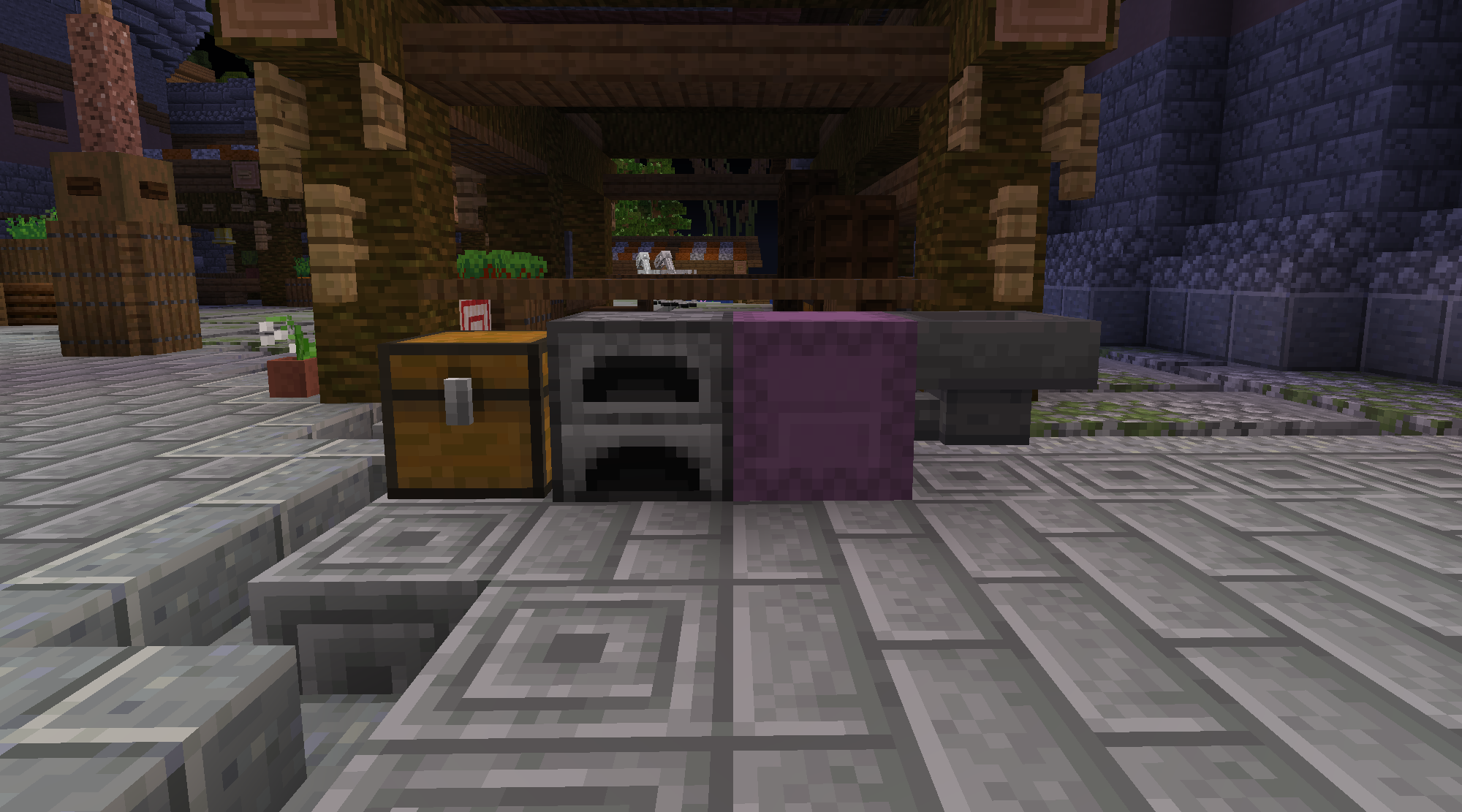
Locking chests, furnaces, doors, and other items is easy. Type **/lock** and left-click the target item. You will receive confirmation that the item was locked.

> **UNLOCKING**

If you need to unlock an item or chest for any reason, type **/unlock** and left-click the target item. You will receive confirmation that the lock was removed.

> **ALLOWING ACCESS**

Being able to allow others access to your doors, fences, chests, and other items is quite useful. Keeping them locked to the rest of the server is also important. To do this type **/bolt modify add normal player \<username>** and then left-click the target item.

If you need to lock, unlock or modify multiple chests you can first type **/bolt mode persist** and then the desired command. That will allow you to type the command once, rather than repeatedly. Then repeat **/bolt mode persist** when finished.

> **LOCKABLE ITEMS**

Chest and item protection allows you to lock certain blocks and containers to protect your goods and valuables from theft or grief.

> **ITEMS THAT CAN BE LOCKED**

Barrel\
Blast Furnace\
Chest\
Dispenser\
Doors (Any)\
Dropper\
Fence Gate (Any)\
Furnace\
Lectern\
Shulker Box\
Smoker

> **USEFUL COMMANDS**

/lock\
/unlock\
/bolt modify add normal player \<username>\
/bolt lock deposit\
/bolt mode persist\
/bolt info


# Making your first town

{% embed url="<https://youtu.be/2BfaFGGjgIQ>" %}

To get the list of all Towny commands, visit this link:&#x20;

<https://code.google.com/archive/a/eclipselabs.org/p/towny/wikis/Commands.wiki>


# Emerald Shores

<figure><img src="/files/dY9hHx6Px7bndiktz9J5" alt=""><figcaption><p>A render of the server's spawn/Emerald Shores</p></figcaption></figure>

In the far east lies a hidden paradise known as <mark style="color:green;">**Emerald Shores**</mark>. This island is rich with unique resources not found anywhere else. Emerald Shores is a community filled with love, laughter, and mysteries waiting to be uncovered. It allows you to participate in tasks such as mining precious ores and crystals, harvesting delicious fruits, and getting to know the locals and their fascinating backgrounds. And who knows what else?&#x20;

<mark style="color:green;">**Emerald Shores**</mark> is permanent server content and we are still in the process of adding more features to it. Stay tuned for more content updates and in the meantime make sure to roam around the island because you are sure to uncover some secrets!&#x20;

Click on the next page for more information.


# Errands

The Emerald Shores Errands are daily tasks separated into three difficulty-based categories. They include a variety of tasks such as placing and breaking blocks, taming animals, shearing sheep, breaking pumpkins, fishing, etc. Completing each task provides you with a chance to receive different rewards. Reaching Errand Milestones also comes with exclusive rewards, one of which is the **Errand Badges**. The badges appear next to your name on the Tab list as well as above your character. You can view your list of errands by heading over to **/spawn** where you can see the Errand Board straight ahead of you.


# Farming

One of the main features of Emerald Shores is farming, and to be more specific - harvesting fruits. The rich soil on the island is perfect for growing high-quality crops at exceptional speed. The type of crops available for harvesting rotate on a daily basis and the schedule is as follows:

**Monday:** <mark style="color:red;">strawberry</mark>, <mark style="color:yellow;">pineapple</mark>, <mark style="color:orange;">peach</mark>, <mark style="color:purple;">blueberry</mark>, <mark style="color:yellow;">banana</mark>

**Tuesday:** <mark style="color:red;">strawberry</mark>, <mark style="color:yellow;">pineapple</mark>, <mark style="color:purple;">grapes</mark>, <mark style="color:purple;">blueberry</mark>

**Wednesday:** <mark style="color:red;">strawberry</mark>, <mark style="color:yellow;">lemon</mark>, <mark style="color:purple;">grapes</mark>, <mark style="color:yellow;">banana</mark>

**Thursday:** <mark style="color:red;">strawberry</mark>, <mark style="color:yellow;">lemon</mark>, <mark style="color:orange;">mango</mark>

**Friday:** <mark style="color:red;">strawberry</mark>, <mark style="color:green;">melon</mark>, <mark style="color:orange;">mango</mark>

**Saturday:** <mark style="color:red;">strawberry</mark>, <mark style="color:green;">melon</mark>, <mark style="color:orange;">orange</mark>, <mark style="color:yellow;">banana</mark>

**Sunday:** <mark style="color:red;">strawberry</mark>, <mark style="color:orange;">orange</mark>, <mark style="color:orange;">peach</mark>, <mark style="color:yellow;">banana</mark>

Once you right-click one of the fruit crops, a menu will open where you need to select the fruits without accidentally cutting the surrounding leaves. Upon successfully harvesting the fruit and clicking on the shears at the bottom, you will then receive a fruit of varying quality: regular, silver, golden or legendary. The higher the tier, the better but also the harder it is to obtain. Harvesting high-tier fruits is hefty work and as we all know teamwork makes the dream work which is why some of the locals are there to help you:

**Maeve Wildflower:** Maeve will reward you for the amount of fruits you have harvested as well as give you some insights on the number of fruits you've received from each tier or how many cuts you have made overall. Her rewards include Emerald Shells - the official currency of Emerald Shores, tags and Guardian Eggs.

**Elias Greenfield:** Elias offers advice on proper, efficient harvesting in exchange for some of your money and produce. He can teach you how to harvest your crops with fewer cuts, make a few mistakes without damaging the crop, improve the quality of your harvested crops, harvest some of the fruits with just one snip or even get several fruits out of a single harvest. Each skill you learn has several levels you can unlock and this is where those higher-tier crops can be very handy.

**Bernard, the island llama:** Bernard can provide you with a free tour around the farm...at a very slow pace. Enjoy the scenery!

**Felicity:** Felicity offers decorative versions of the Emerald Shores crops so you can bring some of that tropical magic into your home.

In case you end up with an excessive amount of fruits you feel like you don't need, you can compost them into the Emerald Shores Farm Compost Shed and get the following rewards: Emerald Shells, mcMMO tokens, legendary tier fruits, summoner shards, artifact shards, legendary orbs, Durability Charms and E.S. Mine baskets.


# Mining

An abundance of precious gems rests right beneath the surface of Emerald Shores which led to the prosperity of this tiny island nation. Entering the mine is quite easy, however, getting access to mine the gems is not as straightforward as equipping your favorite pickaxe. The quest to obtain a special Emerald Shores pickaxe includes some delicious food, a raccoon, and a little bit of dumpster diving. Sounds like a prank but make sure to speak to **Jorge** inside the mine so he can provide you with more information.

The mine consists of six levels. You spawn at the Gate which is also the first level. It's unlocked and available as soon as you obtain your pickaxe and it is also where all the friendly miners of Emerald Shores like to hang out. The other five levels need to be unlocked but money alone isn't enough, you also need to work hard to earn it. Once again, these locals are here to help you:

**Prospector Pete:** Pete loves numbers and keeping track of things. He will reward you for the amount of ores and crystals you mine with Emerald Shells - the official currency of Emerald Shores, Guardian Eggs and tags.

**Operator Otis:** Otis is who you need to work with in order to access the lower levels of the mine. He's not much into small talk but can take you to the deepest level with just one click of a button.

**Forger Fran:** Fran is there to help you smelt your ore nuggets into chunks, ingots or blocks, depending on your needs. She can also repair your pickaxe after all the hard work you've done.

**Miner Mark:** Mike is where you can enchant your pickaxe. He provides efficiency and fortune along with some other special enchants that will help you progress further into the mine.

But beware! The mines of Emerald Shores are infested with creatures called <mark style="color:red;">Mine Crawlers</mark>. They look cute and innocent at first but they can strike out when they feel threatened in their stony homes. Killing them will reward you with some nuggets.

Another creature that calls the Emerald Shores mines its home is the <mark style="color:orange;">Ore Golem</mark>. Unlike the Mine Crawlers who strike alone and out of nowhere, the Ore Golems prefer working in groups, attacking miners in waves at random times throughout the day. Their arrival is announced in chat, which allows you to teleport to the mines, hit them with a pickaxe and get some extra chunks and ingots for killing them. The drops from each killed Ore Golem are shared between players within a small range of the kill.


# Guardians

The most unique feature of Emerald Shores is the ability to obtain and hatch Guardian Eggs thanks to the island's very own **Dr. Zoe** and her dedication to preserving the local fauna.

Guardians are separated into four tiers, with each tier possessing unique perks, and they are as follows:

1. <mark style="color:red;">**Blossom Guardian:**</mark> A small, decorative pet that follows you around.
2. <mark style="color:blue;">**Apex Guardian:**</mark> A mountable pet that can help you fight enemies.
3. <mark style="color:orange;">**Mythical Guardian:**</mark> A small pet that has special abilities, can help you fight enemies and perform spells.
4. <mark style="color:purple;">**Eternal Guardian:**</mark> A dragon that can evolve from a baby to fully grown, can fly and be mounted, help you fight enemies and perform spells.

You can obtain Guardian Eggs by:

\- Reaching Farming and Mining milestones, more information can be found in the previous two guides.

\- Buying them from the **/voteshop**. Keep in mind that only Blossom and Apex tier eggs are available for purchase that way.

\- Composting fruits into the Emerald Shores Farm Compost Shed. Keep in mind that only Blossom and Apex tier eggs can be obtained that way.

\- The Relic Seeker upgrade for the Emerald Shores pickaxe. Keep in mind that only Blossom tier eggs can be obtained that way.

Apart from the regular Blossom guardians you can hatch from eggs, there are also two other types of Blossom guardians you can obtain:&#x20;

\- Exclusive event Blossom Guardians. You can only obtain them during events.

\- Moobloom Blossom Guardians. A wave of Mooblooms spawns at random intervals throughout the day in the Emerald Shores farm. Chasing and right-clicking the Mooblooms can reward you with random fruits or even tame one of the 42 varieties of Mooblooms and add it to your **/pets** list.

The Event and Moobloom Blossom Guardians do not require hatching.

Being proactive in harvesting fruits and mining ores not only helps you gain access to the Guardian Eggs but is also an essential part of hatching said eggs and levelling up your Guardians, also known as pets. Once you get your hands on an egg, head over to the Emerald Shores Lab and speak to Dr. Zoe. She will provide a list of requirements as well as the amount of time it takes for an egg to hatch.

Once your pet hatches, you can use the command **/pets** to summon your pet and get more information on its tier, favorite type of fruit and the type of perks it provides. Leveling up your pets will provide you with extra storage space, as well as special perks for each tier. Feeding your pets their favorite fruits is important as they provide more experience and help you level them up faster.

If, for some reason, you wish to part ways with a specific guardian you have hatched, you can speak to **Wendy**, the Guardian Researcher inside the lab. She will accept your guardian to furher her research and reward you with 50% of the hatching materials.


# Fishing

Off the coast of Emerald Shores lies an archipelago of diverse islands rich in aquatic life. Harsh weather, underwater traps and difficult terrain prevent players from traversing these waters, but the experienced fishermen of Emerald Shores are more than happy to help.

The exotic species of fish found around these remote islands are vastly different from the ones that randomly appear in the main worlds during fishing contests, and require a special fishing rod in order to catch them.

In order to obtain the Emerald Shores fishing rod, you need to talk to the island fisherman **Gaco**. You can find him next to the farm, standing in front of the fishing hut. You can also use the command **/fish** and head up the stairs. Right-click **Gaco** and he will share that he requires a legendary tier catch in order to trade one of his special fishing rods with you. You can obtain a legendary tier fish during one of the fishing contests covered in [this guide](/features/fishing-contests).

Keep in mind that the emerald shores aquatic life is more stubborn than normal fish. Unlike regular fishing where you cast your lure, wait some time for the fish to bite and then simply right-click to catch it, these special fishes require you to have more experience and muscle strength in order to add them to your collection. Once a fish bites your lure, a minigame pops up:

<figure><img src="/files/lbz3ycrLy6KY40dZiU6J" alt=""><figcaption></figcaption></figure>

Keep right-clicking to keep the line green and fill up the fishing meter. If you take too long your catch will escape.

There are five different locations where special fish spawn, with each location containing different types of fish. Visit each location to collect all available specimen and fill out the special Emerald Shores category in the Marine Encyclopedia.

The first location is the Emerald Shores island itself. You can fish right there on the pier without any travelling. The other four locations require you to talk to **Salty Pete** who is standing guard in front of his ship. The five total locations and the fish they contain are as follows:

1. <mark style="color:$info;">Emerald Shores island</mark>. The main island with all the friendy NPCs you spawn at. Includes: aurora, azure, celestial, coral, crystalfin and ember.
2. <mark style="color:$success;">Ellio's Garden</mark>. A tiny islet to the far north that is still lush even in the harsh winter conditions. Includes: enchanted, enigma, frostbite, frostfin, frostfire and frostscale.
3. <mark style="color:yellow;">Mirion's Peak</mark>. A tall, chilly mountain surrounded by icy waters. Includes: gilded, glimmering, luminous, moonbeam, moonlit and mystic.
4. <mark style="color:$danger;">Ykrok's Infernum</mark>. A hellish land of fire and death. Includes: oilchar, phantom, radiant, shadowfin, spectral and starbright.
5. <mark style="color:purple;">Runixstone</mark>. A garden, once brimming with activity, that now houses a ruined tower and enchanting flower fields. Includes: stardust, sylvan, thunderstrike, twilight, veilfin and whispering.

All fish types have a regular, silver and golden variants. On top of that, each fish has a shiny version which is extra exclusive, has only 1% chance of being caught but gives you 3x as many gutting points. And bragging rights.

No one around Emerald Shores is willing to buy your special catch, due to all the superstitions that have been spread over the years about their mystic abilities. Instead, you can gut your fish to collect gutting points and exchange those points with **Marlin** for fishing rod upgrades. The rarer the catch, the more gutting points you will get. Helpful commands:

* **/gutfish** to open up a menu where you can pick which fish you want to gut.
* **/gutfishall** to automatically gut all fish in your inventory.
* **/gutpoints** or **/guttingpoints** to see the amount of gut points you currently have.

You can find **Marlin** near Gaco. Marlin's upgrades include vanilla enchantments such as Lure, Luck of the Sea, Unbreaking and Mending for when you use the Emerald Shores rod as a regular rod elsewhere in the main worlds. He also offers three special enchantments. Make sure to hold your Emerald Shores fishing rod in your main hand to access the upgrades menu.

* <mark style="color:orange;">Big Catch</mark>: Increases the average size of Emerald Shores fish you catch.
* <mark style="color:purple;">Double Net</mark>: Gives you a chance of catching two fish at once.
* <mark style="color:red;">Ocean's Favor</mark>: Improves the rarity of Emerald Shores fish you catch.

Another thing to look out for are the **wooden barrels** that sometimes wash ashore in the five special locations. When a specific location is announced in chat, head over and cast your rod. Catching a wooden barrel can give you Emerald Shores fruits and ores.


# Pizzeria

A brand-new pizza chain owned by the infamous Don Emeraldo chose the main boulevard of the Emerald Shores island as its first location. The locals are obviously excited, this being the only pizza place on the island, and Chef Garbanzo is struggling to keep up. It's up to you to help him meet the demand.

You can help Chef Garbanzo by either making pizza for the walk-in customers or by going out for deliveries on one of the trusty Delivery Donkeys provided by the company. You will also need your donkey to do supply runs when ingredients run low.

Earn exclusive badges and upgrade the speed and capacity of your Delivery Donkey by completing pizzeria tasks!

<figure><img src="/files/4n1gCFQN2wgaPUlK9mAq" alt=""><figcaption></figcaption></figure>

### <mark style="color:$warning;">Making Pizzas:</mark>

To make a pizza, you will first need a rolling pin and a pizza paddle, found in the kitchen.

1. Get dough from the pantry and place it on one of the counters.
2. Right-click the dough with a rolling pin to flatten it.
3. Get the ingredients you need from the pantry and right-click the pizza to place them. Sauce, cheese, or whatever toppings the order needs.
4. Once the pizza is assembled, right-click it with a pizza paddle and place it inside the oven, then wait for it to cook completely (the color of the pizza will change and you will hear a "ding" sound). Cooking a pizza for too long will burn it.
5. Take it out with the paddle and place it in a pizza box if the order is for a walk-in customer. If the order is for a delivery (shown on the monitors above the stations), you can place the pizza directly in the white square under the monitor, no box needed.
6. Your pizza is now complete!

<figure><img src="/files/CaSs4RSC0hAHP0mSFtWz" alt=""><figcaption></figcaption></figure>

You can submit cooked pizza to a customer (by right-clicking the walk-in NPC) or delivery calls (by right-clicking the square under the monitor.)

<figure><img src="/files/IcAhY2LhjaDuu5HSSVzL" alt=""><figcaption></figcaption></figure>

If you mess up at any point in the pizza making process, you can right-click the garbage can with your messed up pizza to dispose of it.

### <mark style="color:red;">Supply Runs:</mark>

Each ingredient in the pizzeria can and will run out. Each ingredient barrel can fit a maximum of 50 of each ingredient. Players will have to work together to make sure that the pizzeria has the required supplies.&#x20;

Next to the employee entrance of the pizzeria, there is a button that spawns your <mark style="color:orange;">Delivery Donkey</mark>. You need your Delivery Donkey to complete tasks outside the pizzeria. Whether it's for supply runs or doing delivery calls.

<figure><img src="/files/Z48yztCELlTDGEhtoHlT" alt=""><figcaption></figcaption></figure>

The supplies are separated into three depots located on the Emerald Shores island:

First one is also near the boulevard at <mark style="color:$success;">**-209, -53, 177**</mark>. In this depot, you can get pizza dough, pizza sauce, and cheese!

<figure><img src="/files/rAKJKHFpPD6xyvC1putM" alt=""><figcaption></figcaption></figure>

The second one is right next to the Emerald Shores farm at <mark style="color:$success;">**62, -37, 473**</mark>. In this depot, you can get the protein-based ingredients you need for toppings, such as ham, pepperoni, sausage and shrimp.

<figure><img src="/files/MmQEqCZ07jXwDvJ5ajDW" alt=""><figcaption></figcaption></figure>

The third and last depot can be found at <mark style="color:green;">**-210, -30, 448**</mark> near the edge of the island. Here you can get the fresh produce that you will need for toppings, such as mushrooms, olives and peppers.

<figure><img src="/files/RZmYqOobz0GgJMyPj6nv" alt=""><figcaption></figcaption></figure>

In order to get supply boxes, you need to place your donkey under the supply chute and press the button for the corresponding ingredient you will need. You only need to press the button once and the depot will send the boxes to your donkey.

Your donkey can hold hold a limited amount of supply boxes, but the amount can increase based on the pizzeria milestones you have completed.

<figure><img src="/files/pkAwC3JayMaboG2P5XvR" alt=""><figcaption></figcaption></figure>

### <mark style="color:blue;">**Deliveries:**</mark>

Completing delivery orders will give you a pizza box with details on it. You need to deliver this pizza, using your <mark style="color:$warning;">**Delivery Donkey**</mark>, to the specified location and right-click the NPC in order to complete the delivery.

<figure><img src="/files/wOnayGkyUU5C470SIOX7" alt=""><figcaption></figcaption></figure>

The delivery details will also be revealed in chat and a beacon will spawn above the NPC, making your delivery task much easier to accomplish! You will also see a compass with the direction of the NPC and how far it is located on your screen.

<figure><img src="/files/wE8D2rUDliYCpvl7vFqh" alt=""><figcaption></figcaption></figure>

When you reach the destination, right-click the NPC with the Pizza in order to complete the delivery job and then you're done!

<figure><img src="/files/4s7Ldx1nUwaEoy7NlLRX" alt=""><figcaption></figcaption></figure>

Remember: customers don't like waiting and they certainly don't like cold pizza. Make sure to prepare and deliver their orders on time and don't forget to wash your hands! Enjoy your time at Don Emeraldo's pizza! 🍕


# ...More?

We are still adding new features to Emerald Shores and will update this guide accordingly. In the meantime, we hope you enjoy your time on Lilac and in Emerald Shores!


# Mob Arena

**Mob Arena** is a **combat-based PvE** experience that occurs once every <mark style="color:$success;">2 hours</mark> at the half hour mark. To check when the next mob arena takes place, type **/next**. The goal of mob arena is to work together to defeat waves of enemies while earning <mark style="color:$danger;">Azalea Tokens</mark>, a currency exclusively obtained from killing mobs on the mob arena maps. There is a two-minute period to join the arena using /ma join, after which the arena is locked on entry.

**Keep inventory is turned on**. So if a player dies during the arena, they will not lose their items and will be returned to the map’s main spawn area. There are no penalties for joining and actively participating, so it’s a great money-making activity for both new and experienced players!

### Mob Arena Maps:

There are currently five maps in rotation: <mark style="color:$danger;">Onyx’s Hellscape</mark>, <mark style="color:$warning;">Veilos Outpost</mark>, <mark style="color:$success;">Mimiri Garden</mark>, <mark style="color:blue;">Icelock Bastion</mark>, and <mark style="color:$info;">Dark Sanctum</mark>. Each map has its own unique sets of enemies to fight. **Five waves** in total must be defeated, with the final wave being a boss fight.

When an arena starts, a random map will be chosen, along with a **difficulty, buff and debuff, and a challenge.** Below is the list of difficulties with their base token rewards:

* <mark style="color:$success;">Easy</mark> – 50 tokens
* <mark style="color:$warning;">Normal</mark> – 75 tokens
* <mark style="color:orange;">Hard</mark> – 100 tokens
* <mark style="color:$danger;">Challenging</mark> – 125 tokens

Each difficulty will determine the mobs’ health and damage.

### <mark style="color:$primary;">Buffs and Debuffs:</mark>

Mob arenas will always start with one of the buffs and debuffs listed below:

#### <mark style="color:green;">Player Buffs</mark>&#x20;

* **Regeneration Aura** - Killing a mob has a 20% chance to restore 2 hearts
* **Speed Boost** - Gives speed 1-3 (random)
* **Luck of the Draw** - Completing the arena has a higher chance of dropping exalted items.
* **Adrenaline Rush** - Going below 30% health will give you 8 seconds of speed 10. (Has 30 seconds cooldown)
* **Thorns Shield** - When damaged by a mob, there's a chance that it will be blocked and will be reflected to the mob.
* **Token Rush** - Each mob has a 100% chance of dropping a token. (Will only run on Hard & Challenging Mode)
* **Double Strike** - Each player attack has a chance to hit twice.
* **Don Emeraldo's Hunt** - You have a chance to get an emerald shell for each mob killed.
* **Last Stand** - Deal 30% more damage while attacking mobs when below 6 hearts.
* **Sharpshooter** - Arrow-based projectiles will deal 50% more damage.
* **Vampiric Strike** - Arrow-based projectiles will deal 50% more damage.
* **Critical Edge** - Critical melee hits deal 40% of their damage to all nearby mobs.
* **Combo Momentum** - Killing a mob increases your overall damage output by 3%. Stacks infinitely and resets after 30 seconds of inactivity.
* **Featherweight** - Grants permanent Jump Boost and completely eliminates all fall damage. (Mutually exclusive with Weight of the World debuff)
* **Alchemists' Echo** - Amplifies healing potions. Thrown splash damage potions deal 500% damage, and negative splash potions exclusively slow enemy mobs only.

#### <mark style="color:red;">Player Debuffs</mark>&#x20;

* **Cursed Health** - Max health is reduced by 5-10 hearts.
* **Sluggish** - Give slowness 1-2 to players
* **Glass Cannon** - Gain 50% more damage, but mobs will deal 100% more damage to you.
* **Melee Only** - Deal 25% more damage with melee but you will not be able to use any bows, crossbows, and wands.
* **Back To You** - When mobs are damaged by a player, there's a small chance that the damage will be reflected back to the player.
* **Explosive Retaliation** - When mobs are killed, there's a chance for it to cause a highly damaging explosion.
* **Fleet-footed** - Mobs will run significantly faster.
* **Vampire** - Mobs will be healed by the amount of damage they deal to players.
* **Fatigue** - Mob attacks will have a chance to give you mining fatigue (slower attack speed).
* **Now You Don't** - Mob attacks will have a small chance of giving you darkness (more forgiving than blindness effect).
* **Infested** - Upon death, mobs will have a chance to spawn buffed silverfishes.
* **One Chance** - Players will have 50% more health but they will be kicked out of the arena once they died.
* **Broken Shield** - Shields will not work in the arena.
* **Weight of the World** - Fall damage will be increased by 800%.
* **Decay** - Natural health regeneration is completely disabled. Players must rely on potions, golden apples, or custom gear traits to heal.
* **Death Blow** - Damages received during boss stage have a 10% chance to instantly kill the target player.
* **Fumble** - Taking damage has a small chance to randomly shuffle the items across your hotbar slots.
* **Shattered Plating** - Player armor values are significantly weakened for the duration of the arena.
* **Toxic Blood** - Defeated mobs have a chance to release a lingering, highly amplified poison cloud upon death.

### <mark style="color:$danger;">**Challenges:**</mark>

Every mob arena will have a challenge for you to complete. Successfully completing it awards extra tokens, and an increase in mob arena drop change:

* **Heavy Feet** – Never jump more than 20 times during the entire arena run
* **Bullseye** – Hit at least 20 shots with a regular bow and maintain 100% accuracy. (Does not run when Melee Only is active)
* **Paladin** – Deal at least 500 melee damage without taking a single hit.
* **Grounded** – Do not use elytra once during the entire arena.
* **Coup de Grace** – Deliver the killing blow to at least 8 mobs in each non-boss wave.
* **Stand Behind** – Block a total of 25 incoming hits using a shield. (Does not run when the *Broken Shield* debuff is active.)
* **Swan Song** – Complete the arena with 5 full hearts or less remaining.
* **Fist Fight** – Kill at least 3 mobs using only your bare hands. (Both main and offhand must be empty.)
* **The Support** – Throw at least 2 healing potions at other players.
* ~~**Team Clean Sweep** – Every participating player must complete the arena without dying.~~ (Removed as of June 8, 2026)
* **Speedrunner** – Complete the arena in under 10 minutes. (Scale dynamically based on total player count)
* **Jack of All Trades** – Complete the arena without your health dropping below 2 full hearts at any point.
* **Critical Condition** – Complete the arena without your health dropping below 2 full hearts at any point.
* **The Floor Is Lava** – Do not remain in the exact same position for 3 consecutive seconds.
* **Surgical Precision** – Register 30 consecutive critical melee hits.
* **Aerial Ace** – Deliver the killing blow to at least 2 mobs while actively flying with an elytra.

### <mark style="color:purple;">Earning and Redeeming Tokens</mark>

To earn Azalea Tokens, players must be within 8 blocks of where a mob is killed for a **50% chance** at earning a token. For every **50 damage dealt**, you will earn **+1 token** with a maximum count of 75.&#x20;

At the end of the arena, players will also receive additional tokens based on their damage dealt, challenge completion, and if they finished with no death.&#x20;

In addition, if you are the only player in mob arena when it is completed, you will receive an additional **30 tokens**.&#x20;

Once a player has gathered **100 Azalea tokens**, they can be redeemed at Grim for a random prize. Grim will show the list of all prizes that can be won with the percentage chance to win. To redeem 100 tokens, right click Grim and click on the key.

<figure><img src="/files/AIJnIIGkYNxDsE3p48vr" alt=""><figcaption></figcaption></figure>

\
Click on the next page for map and drop information.<br>


# 🔥Onyx's Hellscape Map

<figure><img src="/files/gX62mRUhd9CCARf5vJ2W" alt=""><figcaption><p>An image of the Onyx's Hellscape map.</p></figcaption></figure>

**List of exclusive rewards available for Onyx's Hellscape (1/150 drop chance upon arena completion):**

<figure><img src="/files/wAI6t4BlNKXUoQ82l4iF" alt=""><figcaption><p>Wishbane (Diamond Sword)</p></figcaption></figure>

<figure><img src="/files/a1BhFMXl8YZ5pvEJAxfp" alt="" width="445"><figcaption><p>Voltrunner (Netherite Axe)</p></figcaption></figure>


# 👁️ Veilos' Outpost Map

<figure><img src="/files/87ZQpFi2jiDSxmWgDaZL" alt=""><figcaption><p>An image of the Veilos' Outpost map.</p></figcaption></figure>

**List of exclusive rewards available for Veilos' Outpost (1/150 drop chance upon arena completion):**

<figure><img src="/files/vN8vGy5xr9RXsu7KW7IG" alt=""><figcaption><p>False Arbalance (Netherite Sword)</p></figcaption></figure>

<figure><img src="/files/UnGvXPzWSpbJMzU4ZwVi" alt="" width="416"><figcaption><p>Velocity Driver (Crossbow)</p></figcaption></figure>


# 🌿 Mimiri Garden Map

<figure><img src="/files/cyYnwgtqFPbpYUGr7Tbf" alt=""><figcaption><p>An image of the Mimiri Garden map.</p></figcaption></figure>

**List of exclusive rewards available for Mimiri Garden (1/150 drop chance upon arena completion):**

<figure><img src="/files/DYznWcm5A2nrZtsWlT1g" alt="" width="468"><figcaption><p>Trinity Edge (Trident)</p></figcaption></figure>

<figure><img src="/files/3uN8gNmOywfGlATgAQmy" alt="" width="468"><figcaption><p>Mimiri Surf Rod (Fishing Rod)</p></figcaption></figure>


# ❄️ Icelock Bastion Map

<figure><img src="/files/D2uf9pK5RUyVM9x0DvPP" alt=""><figcaption></figcaption></figure>

**List of exclusive rewards available for Icelock Bastion (1/150 drop chance upon arena completion):**

<figure><img src="/files/xctblrTGsRjBnaFJ6lUB" alt="" width="375"><figcaption><p>The Merchant's Hook (Fishing Rod)</p></figcaption></figure>

<figure><img src="/files/8Du5hInXDVAi6wCN0zpD" alt="" width="375"><figcaption><p>Stormpiercer (Crossbow)</p></figcaption></figure>


# 🌑 Dark Sanctum Map

<figure><img src="/files/EttrQAKZ93bhF7mLjqAv" alt=""><figcaption></figcaption></figure>

**List of exclusive rewards available for Dark Sanctum (1/150 drop chance upon arena completion):**

<div data-full-width="false"><figure><img src="/files/sUkMumnFspbpSHVLQLkr" alt="" width="375"><figcaption></figcaption></figure></div>

<figure><img src="/files/DkVE5h5PadcNUIqiuGnR" alt="" width="375"><figcaption></figcaption></figure>


# 🌵 Coyote Creek Map

<figure><img src="/files/ZGZRXK5PlRzmNgz5j300" alt=""><figcaption></figcaption></figure>

&#x20;**List of exclusive rewards available for Coyote Creek (1/150 drop chance upon arena completion):**

<figure><img src="/files/jvjvSirh28tNl4Ijis0v" alt="" width="475"><figcaption></figcaption></figure>

<figure><img src="/files/5ZXuvMY1vKlL77pe53O2" alt="" width="434"><figcaption></figcaption></figure>


# 🪙 More drops info

Upon receiving a drop, there is a **30%** chance that instead of an exalted item, it will be one of the items listed below:

<figure><img src="/files/B0a9JZKItEzROip0zY4f" alt="" width="375"><figcaption></figcaption></figure>

<figure><img src="/files/NBpElaN4BK59fNRhY9BG" alt="" width="375"><figcaption></figcaption></figure>

<figure><img src="/files/iK1PDQXpMmikFlFnRHIj" alt="" width="375"><figcaption></figcaption></figure>

<figure><img src="/files/MbzHMIc5iMpCD6zUrzp2" alt="" width="375"><figcaption></figcaption></figure>

<figure><img src="/files/fPNWouecZCqgU0sAKlq0" alt="" width="375"><figcaption></figcaption></figure>

<figure><img src="/files/th6aLCeplEVIcyokJux1" alt="" width="375"><figcaption></figcaption></figure>

<figure><img src="/files/7ctDSv2SNL5XofIlpdnW" alt="" width="375"><figcaption></figcaption></figure>

<figure><img src="/files/PjdxzTtJQ0hUTwoxG9gT" alt="" width="375"><figcaption></figcaption></figure>

<figure><img src="/files/FKjafaZ4HoeSRo2e6U4Z" alt="" width="375"><figcaption></figcaption></figure>

<figure><img src="/files/zFdSBxlql9iXD6WDO5U1" alt="" width="375"><figcaption></figcaption></figure>

<figure><img src="/files/Ycw7pVoB6vYkMLQyoTYE" alt="" width="375"><figcaption></figcaption></figure>

<figure><img src="/files/JXRQXd1pGPlzwbm6ibof" alt="" width="327"><figcaption></figcaption></figure>


# Lilac Artifacts

ARTIFACTS GUIDE

> **WHAT ARE ARTIFACTS?**

Artifacts are tiered items. That's it. From <mark style="color:blue;">**Common**</mark>**,&#x20;**<mark style="color:purple;">**Rare**</mark>**,&#x20;**<mark style="color:green;">**Epic**</mark>**,&#x20;**<mark style="color:red;">**Legendary**</mark> and <mark style="color:yellow;">**Divine**</mark> tiers, as long as the item has a tier, they're called Artifacts.<br>

{% embed url="<https://media.giphy.com/media/v1.Y2lkPTc5MGI3NjExaWgwdGU3Zjd4eThuc25pdXExOGJ2YzU0aWtjYTR2ZG4xd2swa2VrcyZlcD12MV9pbnRlcm5hbF9naWZfYnlfaWQmY3Q9Zw/2QrYKBXkv1O4KRYJ1y/giphy.gif>" %}

***

> **WHERE DO YOU GET ARTIFACTS?**

You can get Artifacts from mobs (drops), from crates, and from the vote party! And to be more specific:<br>

1. Common, Rare and Epic tiered Artifacts are the only tiers that can drop from mobs.
2. You can get the Legendary tiered artifacts from the Legendary Orb which you can only get from crates and vote parties.
3. The highest tier, Divine, needs to be crafted. How? Continue reading to find out.

***

> **WHAT CAN YOU DO WITH ARTIFACTS?**

Legendary and Divine tiered items are meant to replace your vanilla 'God Tools/Armors'. With these two tiers, enchantments can go something like 'Efficiency IX', or 'Protection VII'.\
\
The same goes for the lower three tiers, except it's way harder to get the more awesome enchantments. This means that most of the common, rare, and epic artifacts will 'suck' most of the time. ***\*So what do I do with them?\****, well, we have what we call the Dismantler.\
\
The Dismantler can 'dismantle' artifacts. And for each dismantle, it will either give you EXP bottles, diamonds, repair gems or ***artifact shards***.

***

> **HOW DO I DISMANTLE AN ARTIFACT IN THE DISMANTLER?**

First, you need to go to The Dismantler by typing **/dismantler**. This command sends you to spawn where the dismantler can be found. Once there, hold the artifact you want to dismantle and left-click The Dismantler two times.\
\
As mentioned, each artifact will give you EXP bottles, diamonds, repair gems or artifact shards. The higher the tier of an artifact, the higher chance it has to give you an artifact shard.

<figure><img src="/files/cnvFh6D8OakuQ7blWJ4j" alt=""><figcaption></figcaption></figure>

We also offer a mass-dismantler option you can purchase from **/extraboy** for in-game money, allowing you to dismantle multiple artifacts at once without the need to teleport.

***

> **WHAT CAN YOU DO WITH ARTIFACT SHARDS?**

The main use of the artifact shards is crafting Divine Orbs. You will need 8 artifact shards as well as a Divine Core to craft the Divine Orb and obtain the highest tier of artifacts we offer. Divine cores can be obtained from crates or vote parties. You also have a small chance of getting them from dismantling divine artifacts.

<figure><img src="/files/5F0syfGBcpbptFHOOZhA" alt=""><figcaption></figcaption></figure>

There's another use for artifact shards: Upgrading Divine items. Divine items are mostly, at their base level, diamond and lacking the mending enchantment. To upgrade them, you will need to create an Upgrade Core that you will combine with the Divine item to make it into a Divine+ item. Some items need more than one Upgrade Core to reach their final upgrade. To craft an Upgrade Core, you will need to place 8 artifact shards in the shape of a circle in a crafting table as shown below:

<figure><img src="/files/stonmwtflGc6bA2RdaSs" alt=""><figcaption></figcaption></figure>

You can combine the Upgrade Core and Divine item in the Upgrade Interface. To open the interface, use the command: **/dupgrade**. Place the Divine item in the left slot, the Upgrade Core in the right slot and click the smithing table icon to combine them.

{% embed url="<https://giphy.com/gifs/gT5mxkFOYwzZ6lCfwA?utm_campaign=Embeds&utm_medium=embed&utm_source=iframe&utm_term=https://lilacmc.net/>" %}

***

> **DIVINE SERIES**

The highest tier of artifacts, the Divine tier, is the only one that comes with a predetermined set of enchantments, unlike the lower tiers where all enchantments are randomized. Each Divine artifact is part of a series with a unique effect, buff or series bonus. If you're looking for a specific series or a type of artifact, you can boost your chances of getting it by using **/corefocusing.** Head over to the next page for a full list of all Divine series.


# Atlas Set

Grants increased movement speed.

1. Atlas Bow

* Power 8
* Flame 4
* Punch 3
* Unbreaking 5
* Mending (after upgrade)

2. Atlas Crossbow

* Power 7
* Piercing 7
* Multishot 5
* Unbreaking 5
* Mending (after upgrade)

3. Atlas Hatchet (axe)

* Efficiency 8
* Silk touch
* Unbreaking 5
* Mending (after upgrade)

4. Atlas Pickaxe

* Efficiency 8
* Silk touch
* Unbreaking 5
* Mending (after upgrade)

5. Atlas Spade (shovel)

* Efficiency 8
* Silk touch
* Unbreaking
* Mending (after upgrade)

6. Atlas Sword

* Sharpness 7
* Sweeping edge 3
* Silk touch
* Unbreaking 5
* Mending (after upgrade)


# Centurion Set

1. Centurion Boots

* Protection 6
* Projectile protection 5
* Feather falling 5
* Unbreaking 6
* Mending (after upgrade)

2. Centurion Platemail (chestplate)

* Protection 6
* Projectile protection 5
* Thorns 3
* Unbreaking 6
* Mending (after upgrade)

3. Centurion Helmet

* Protection 6
* Projectile protection 5
* Aqua affinity
* Unbreaking 6
* Mending (after upgrade)

4. Centurion Strides (leggings)

* Protection 6
* Projectile protection 5
* Unbreaking 6
* Mending (after upgrade)


# Defender Set

Grants +2 max HP.

1. Defender Sabatons (boots)

* Protection 8 (9 after upgrade)
* Unbreaking 5
* Mending (after upgrade)

2. Defender Culet (chestplate)

* Protection 8 (9 after upgrade)
* Unbreaking 5
* Mending (after upgrade)

3. Defender Compound Crossbow

* Power 7
* Flame 2
* Punch 2
* Multishot 10
* Unbreaking 5
* Mending (after upgrade)

4. Defender Barbute (helmet)

* Protection 8 (9 after upgrade)
* Unbreaking 5
* Mending (after upgrade)

5. Defender Tassets (leggings)

* Protection 8 (9 after upgrade)
* Unbreaking 5
* Mending (after upgrade)

6. Defender Tower Shield

* Sharpness 7
* Protection 5
* Thorns 5
* Unbreaking 5
* Mending (after upgrade)

7. Defender Greatsword (grants +4 max HP & +5 damage at the cost of attack speed)

* Sharpness 9
* Unbreaking 5
* Mending (after upgrade)


# Eternal Set

1. Eternal Pickaxe

* Efficiency 8
* Fortune 3
* Unbreaking 4
* Mending (after upgrade)


# Evocator Set

Taking damage will spawn vex to fight for you. Permanent speed 2.

1. Evocator’s Handaxe

* Sharpness 7 (8 after upgrade)
* Bane of Arthropods 6 (7 after upgrade)
* Unbreaking 5
* Mending (after upgrade)

2. Evocator’s Boots

* Protection 7 (8 after upgrade)
* Projectile Protection 6 (7 after upgrade)
* Depth Strider 3
* Feather Falling 3 (5 after upgrade)
* Unbreaking 5
* Mending (after upgrade)

3. Evocator’s Cloak (elytra)

* Protection 7 (8 after upgrade)
* Projectile Protection 6 (7 after upgrade)
* Unbreaking 5
* Mending (after upgrade)

4. Evocator’s Hat

* Protection 7 (8 after upgrade)
* Projectile Protection 6 (7 after upgrade)
* Aqua Affinity
* Respiration 3 (5 after upgrade)
* Unbreaking 5
* Mending (after upgrade)

5. Evocator’s Pants

* Protection 7 (8 after upgrade)
* Projectile Protection 6 (7 after upgrade)
* Unbreaking 5
* Mending (after upgrade)

6. Evocator’s Dagger (sword)

* Sharpness 7 (8 after upgrade)
* Bane of Arthropods 6 (7 after upgrade)
* Sweeping Edge 3 (4 after upgrade)
* Unbreaking 5
* Mending (after upgrade)

7. Evocator’s Wand (magic item)

* Damage: 15 (18 after upgrade)
* Rate of Fire: 1s (0.9s after upgrade)
* Lapis per Shot: 1
* Regular fire: Dealing damage has a small chance to summon vex to fight for you (right click)
* Alternate Fire: Snapmaw; Summon the jaws of a beast under your target, dealing damage and slowing them (left click)


# Fireforged Set

Grants immunity to fire damage. Gain haste 4 while on fire. Fire will not extinguish without water while wairing the armor. Armor self-repairs while on fire

1. Fireforged Axe

* Efficiency 7 (9 after upgrade)
* Fortune 3 (5 after upgrade)
* Fire Aspect 2 (4 after upgrade)
* Unbreaking 5

2. Fireforged Boots

* Protection 7 (9 after upgrade)
* Blast Protection 6 (8 after upgrade)
* Depth Strider 3 (4 after upgrade)
* Feather Falling 3 (6 after upgrade)
* Unbreaking 5

3. Fireforged Greatbow (bow; deals 25% more damage to ignited enemies; will self-repair while wearing the Fireforged armor set if you’re on fire; takes triple the amount of durability damage)

* Power 8 (10 after upgrade)
* Punch 3 (4 after upgrade)
* Flame 2 (4 after upgrade)
* Unbreaking 5

4. Fireforged Repeater (crossbow; deals 25% more damage to ignited enemies; will self-repair while wearing the Fireforged armor set if you’re on fire; takes triple the amount of durability damage)

* Power 8 (10 after upgrade)
* Piercing 7 (9 after upgrade)
* Flame 2 (4 after upgrade)
* Quick Charge 3 (5 after upgrade)
* Unbreaking 5

5. Fireforged Wings (elytra)

* Protection 7 (9 after upgrade)
* Blast Protection 6 (8 after upgrade)
* Unbreaking 5

6. Fireforged Tomahawk (axe; deals 25% more damage to ignited enemies; will self-repair while wearing the Fireforged armor set if you’re on fire; takes triple the amount of durability damage)

* Sharpness 8 (10 after upgrade)
* Fire Aspect 2 (4 after upgrade)
* Unbreaking 5)

7. Fireforged Helmet

* Protection 7 (9 after upgrade)
* Blast Protection 6 (8 after upgrade)
* Aqua Affinity
* Respiration 3 (5 after upgrade)
* Unbreaking 5

8. Fireforged Hoe (will self-repair while wearing the Fireforged armor set if you’re on fire; takes triple the amount of durability damage)

* Efficiency 7 (9 after upgrade)
* Fortune 3 (5 after upgrade)
* Fire Aspect 2 (4 after upgrade)
* Unbreaking 5

9. Fireforged Leggings

* Protection 7 (9 after upgrade)
* Blast Protection 6 (8 after upgrade)
* Swift Sneak 3 (4 after upgrade)
* Unbreaking 5

10. Fireforged Pickaxe (will self-repair while wearing the Fireforged armor set if you’re on fire; takes triple the amount of durability damage)

* Efficiency 7 (9 after upgrade)
* Fortune 3 (5 after upgrade)
* Fire Aspect 2 (4 after upgrade)
* Unbreaking 5

11. Fireforged Shovel (will self-repair while wearing the Fireforged armor set if you’re on fire; takes triple the amount of durability damage)

* Efficiency 7 (9 after upgrade)
* Fortune 3 (5 after upgrade)
* Fire Aspect 2 (4 after upgrade)
* Unbreaking 5

12. Fireforged Greatsword (deals 25% more damage to ignited enemies; will self-repair while wearing the Fireforged armor set if you’re on fire; takes triple the amount of durability damage)

* Sharpness 8 (10 after upgrade)
* Sweeping Edge 3 (5 after upgrade)
* Fire Aspect 2 (4 after upgrade)
* Unbreaking 5

13. Fireforged Dragon Core (magic item)

* Damage: 18 (23 after upgrade)
* Rate of Fire: 1.2s
* Lapis per Shot: 1
* Regular Fire: Deals 25% extra damage to ignited enemies (right click)
* Alternate Fire: Ignition Point; If on fire, cause a large explosion around you, dealing heavy magic damage. Else, ignite yourself (left click)


# Hadalpelagic Set

Slightly lowers movement speed; set bonus grants water breathing and dolphin’s grace while swimming.

1. Hadalpelagic Boots

* Protection 8
* Projectile protection 7
* Depth strider 5
* Unbreaking 10
* Mending (at level 5)

2. Hadalpelagic Platemail (chestplate)

* Protection 8
* Projectile protection 7
* Unbreaking 10
* Mending (at level 5)

3. Hadalpelagic Helmet

* Protection 8
* Projectile protection 7
* Aqua affinity
* Respiration 3
* Unbreaking 10

4. Hadalpelagic Leggings

* Protection 8
* Projectile protection 7
* Unbreaking 10
* Mending (at level 5)

5. Hadalpelagic Mattock (pickaxe)

* Efficiency 8
* Silk touch
* Unbreaking 5
* Mending (at level 3)

6. Hadalpelagic Shovel (allows you to remove water by left-clicking water blocks)

* Efficiency 8
* Fortune 4
* Unbreaking 5
* Mending (at level 3)

7. Hadalpelagic Spade (shovel; sand and gravel mined underwater are placed directly in your inventory)

* Efficiency 8
* Silk touch
* Unbreaking 5
* Mending (at level 3)

8. Hadalpelagic Trident

* Power 8
* Impaling 7
* Riptide 5
* Unbreaking 5
* Mending (at level 3)

9. Hadalpelagic Shard (magic item)

* Damage: 11 (12 at level 2, 13 at level 3)
* Rate of fire: 1s
* Lapis per shot: 1


# Highlord Set

Receiving a negative potion effect instead gives you a positive potion effect.

1. Highlord Doubleaxe (grants temporary +35% damage if you block an attack with a shield)

* Sharpness 10 (11 after upgrade)
* Unbreaking 5
* Mending (after upgrade)

2. Highlord Boots

* Protection 8 (9 after upgrade)
* Depth Strider 3 (4 after upgrade)
* Feather Falling 3 (5 after upgrade)
* Unbreaking 5
* Mending (after upgrade)

3. Highlord Chestplate

* Protection 8 (9 after upgrade)
* Unbreaking 5
* Mending (after upgrade)

4. Highlord Helmet

* Protection 8 (9 after upgrade)
* Aqua Affinity
* Respiration 3 (5 after upgrade)
* Unbreaking 5
* Mending (after upgrade)

5. Highlord Leggings

* Protection 8 (9 after upgrade)
* Unbreaking 5
* Mending (after upgrade)

6. Highlord Greatsword (grants temporary +35% damage if you block an attack with a shield)

* Sharpness 10 (11 after upgrade)
* Sweeping Edge 4 (5 after upgrade)
* Unbreaking 5
* Mending (after upgrade)


# Immortal Set

1. Immortal Axe

* Efficiency 7
* Fortune 4
* Unbreaking 5
* Mending (after upgrade)

2. Immortal Blade (sword)

* Sharpness 7
* Smite 7
* Looting 4
* Unbreaking 6
* Mending (after upgrade)

3. Immortal Hatchet (axe)

* Sharpness 7
* Looting 5
* Unbreaking 5
* Mending (after upgrade)

4. Immortal Pickaxe

* Efficiency 7
* Fortune 3
* Unbreaking 5
* Mending (after upgrade)

5. Immortal Rod

* Lure 5
* Unbreaking 5
* Mending (after upgrade)

6. Immortal Scythe (hoe)

* Sharpness 7
* Fortune 4
* Unbreaking 5
* Mending (after upgrade)

7. Immortal Shovel

* Efficiency 6
* Silk touch
* Unbreaking 7
* Mending (after upgrade)

8. Immortal Spade (shovel)

* Efficiency 6
* Fortune 4
* Unbreaking 7
* Mending (after upgrade)


# Matilda Set

25% mcmmo xp bonus for new sets only.

1. Matilda Axe (damage scales with Woodcutting mcmmo level)

* Efficiency 7 (8 at level 2, 9 at level 3)
* Sharpness 6 (7 at level 2)
* Fortune 3 (4 at level 2)
* Looting 3 (4 at level 2)
* Unbreaking 20 (5 at level 2)
* Mending (at level 3)

2. Matilda Boots

* Protection 7
* Blast protection 6 (8 at level 2)
* Depth strider 3 (5 at level 2)
* Unbreaking 20 (5 at level 2)
* Mending (at level 3)

3. Matilda Plating (chestplate)

* Protection 7
* Blast protection 6 (8 at level 2)
* Unbreaking 20 (5 at level 2)
* Mending (at level 3)

4. Matilda Crossbow (damage scales with Archery mcmmo level)

* Power 7
* Looting 4 (5 at level 2)
* Quick charge 4
* Piercing 4 (5 at level 2)
* Unbreaking 5
* Mending (at level 3)

5. Matilda Cap (helmet)

* Protection 7
* Blast protection 6 (8 at level 2)
* Aqua affinity
* Respiration 3 (4 at level 2)
* Unbreaking 20 (5 at level 2)
* Mending (at level 3)

6. Matilda Hoe (damage scales with Herbalism mcmmo level)

* Sharpness 6 (8 at level 2)
* Fortune 4 (5 at level 2)
* Looting 4 (5 at level 2)
* Loyalty 4 (5 at level 3)
* Unbreaking 20 (5 at level 2)
* Mending (at level 3)

7. Matilda Greaves (leggings)

* Protection 7
* Blast protection 6 (8 at level 2)
* Unbreaking 20 (5 at level 2)
* Mending (at level 3)

8. Matilda Pickaxe (damage scales with Mining mcmmo level)

* Efficiency 7 (8 at level 2, 10 at level 3 for legacy sets or 9 at level 3 for new sets)
* Sharpness 6 (7 at level 2)
* Fortune 3 (4 at level 2)
* Looting 3 (4 at level 2)
* Unbreaking 20 (5 at level 2)
* Mending (at level 3)

9. Matilda Shovel (damage scales with Excavation mcmmo level)

* Efficiency 7 (8 at level 2)
* Sharpness 6 (7 at level 2)
* Fortune 3 (4 at level 2)
* Looting 3 (4 at level 2)
* Unbreaking 20 (5 at level 2)
* Mending (at level 3)

10. Matilda Spear (trident; damage scales with Fishing mcmmo level)

* Sharpness 7 (8 at level 2)
* Power 7 (8 at level 2)
* Impaling 7
* Loyalty 3
* Channeling
* Unbreaking 5
* Mending (at level 3)


# Mystic Set

1. Mystic Axe

* Efficiency 6
* Fortune 3
* Unbreaking 4
* Mending (after upgrade)

2. Mystic Blade (sword)

* Sharpness 6
* Smite 6
* Looting 5
* Unbreaking 5
* Mending (after upgrade)

3. Mystic Boots

* Protection 5
* Blast protection 5
* Unbreaking 5
* Mending (after upgrade)

4. Mystic Bow

* Power 6
* Flame 4
* Unbreaking 5
* Mending (after upgrade)

5. Mystic Platemail (chestplate)

* Protection 5
* Blast protection 5
* Thorns 4
* Unbreaking 5
* Mending (after upgrade)

6. Mystic Hatchet (axe)

* Sharpness 6
* Smite 6
* Looting 5
* Unbreaking 5
* Mending (after upgrade)

7. Mystic Helmet

* Protection 5
* Blast protection 5
* Respiration 4
* Unbreaking 5
* Mending (after upgrade)

8. Mystic Strides (leggings)

* Protection 5
* Blast protection
* Unbreaking 5
* Mending (after upgrade)

9. Mystic Mattock (pickaxe)

* Efficiency 6
* Silk touch
* Unbreaking 4
* Mending (after upgrade)

10. Mystic Pickaxe

* Efficiency 6
* Fortune 3
* Unbreaking 4
* Mending (after upgrade)

11. Mystic Rod

* Luck of the sea 6
* Lure 4
* Knockback 4
* Unbreaking 5
* Mending (after upgrade)

12. Mystic Scythe (hoe)

* Sharpness 6
* Smite 6
* Fortune 4
* Unbreaking 5
* Mending (after upgrade)

13. Mystic Shovel

* Efficiency 6
* Silk touch
* Unbreaking 5
* Mending (after upgrade)

14. Mystic Spade (shovel)

* Efficiency 6
* Fortune 3
* Unbreaking 5
* Mending (after upgrade)


# Paladin Set

Deals damage to undead mobs, occasionally heals the owner and nearby players for 8 HP every 15 seconds.

1. Paladin Boots

* Protection 8
* Unbreaking 5
* Mending (at level 3)

2. Paladin Breastplate (chestplate)

* Protection 8
* Unbreaking 5
* Mending (at level 3)

3. Paladin Helmet

* Protection 8
* Unbreaking 5
* Mending (at level 3)

4. Paladin Greaves (leggings)

* Protection 8
* Unbreaking 5
* Mending (at level 3)

5. Paladin Tower Shield

* Protection 7 (8 at level 2, 9 at level 3)
* Unbreakable

6. Paladin Broadsword (sword/magic item)

* Sharpness 7
* Smite 9
* Sweeping edge 3
* Unbreaking 5
* Mending (at level 3)
* Damage: 17 (20 at level 2, 23 at level 3)
* Rate of Fire: 1.2s
* Lapis per Shot: 1
* Alternate Fire: Sacred Ward; heals ally HP by 4, if the ally is at full health grants absorption


# Phoenix Set

1. Phoenix Axe (grants speed and haste 3 while at full health)

* Efficiency 4 (5 at level 2, 6 at level 3, 7 at level 4, 8 at level 5)
* Fortune 1 (2 at level 2, 3 at level 3, 4 at level 4, 5 at level 5)
* Unbreaking 3 (4 at level 2, 5 at level 3, 6 at level 4, 7 at level 5)
* Mending (at level 5)

2. Phoenix Battleaxe (grants speed and haste 3 while at full health)

* Sharpness 4 (5 at level 2, 6 at level 5)
* Smite 4 (5 at level 3)
* Bane of arthropods 4 (5 at level 4)
* Looting 1 (2 at level 2, 3 at level 3, 4 at level 4, 5 at level 5)
* Unbreaking 1 (2 at level 2, 3 at level 3, 4 at level 4, 5 at level 5)

3. Phoenix Boots (taking fatal damage instead heals you for half of your max HP, works once per life)

* Protection 3 (4 at level 2, 5 at level 3, 6 at level 4, 7 at level 5)
* Blast protection 1 (2 at level 3, 3 at level 5)
* Projectile protection 1 (2 at level 3, 3 at level 5)
* Fire protection 1 (2 at level 3, 3 at level 5)
* Unbreaking 3 (4 at level 2, 5 at level 3, 6 at level 4, 7 at level 5)
* Mending (at level 5)

4. Phoenix Bow (grants speed and haste 3 while at full health)

* Power 4 (5 at level 2, 6 at level 3, 7 at level 4, 8 at level 5)
* Flame 1 (2 at level 3, 3 at level 5)
* Looting 1 (2 at level 2, 3 at level 3, 4 at level 4, 5 at level 5
* Unbreaking 3 (4 at level 2, 5 at level 3, 6 at level 4, 7 at level 5)
* Mending (at level 5)

5. Phoenix Cuirass (chestplate; taking fatal damage instead heals you for half of your max HP, works once per life)

* Protection 3 (4 at level 2, 5 at level 3, 6 at level 4, 7 at level 5)
* Blast protection 1, 2 at level 3, 3 at level 5)
* Projectile protection 1, 2 at level 3, 3 at level 5)
* Fire protection 1, 2 at level 3, 3 at level 5)
* Unbreaking 3 (4 at level 2, 5 at level 3, 6 at level 4, 7 at level 5)
* Mending (at level 5)

6. Phoenix Doubleaxe (grants speed and haste 3 while at full health)

* Efficiency 5 (6 at level 2, 7 at level 4)
* Sharpness 5 (6 at level 3, 7 at level 5)
* Unbreaking 1 (2 at level 2, 3 at level 3, 4 at level 4, 5 at level 5)
* Mending (at level 5)

7. Phoenix Helmet (taking fatal damage instead heals you for half of your max HP, works once per life)

* Protection 3 (4 at level 2, 5 at level 3, 6 at level 4, 7 at level 5)
* Blast protection 1 (2 at level 3, 3 at level 5)
* Projectile protection 1 (2 at level 3, 3 at level 5)
* Fire protection 1 (2 at level 3, 3 at level 5)
* Unbreaking 3 (4 at level 2, 5 at level 3, 6 at level 4, 7 at level 5)
* Mending (at level 5)

8. Phoenix Hoe (grants speed and haste 3 while at full health)

* Fortune 2 (3 at level 2, 4 at level 3, 5 at level 4, 6 at level 5)
* Unbreaking 1 (2 at level 2, 3 at level 3, 4 at level 4, 5 at level 5)
* Mending (at level 5)

9. Phoenix Leggings (taking fatal damage instead heals you for half of your max HP, works once per life)

* Protection 3 (4 at level 2, 5 at level 3, 6 at level 4, 7 at level 5)
* Blast protection 1 (2 at level 3, 3 at level 5)
* Projectile protection 1 (2 at level 3, 3 at level 5)
* Fire protection 1 (2 at level 3, 3 at level 5)
* Unbreaking 3 (4 at level 2, 5 at level 3, 6 at level 4, 7 at level 5)
* Mending (at level 5)

10. Phoenix Mattock (pickaxe; grants speed and haste 3 while at full health)

* Efficiency 4 (5 at level 2, 6 at level 3, 7 at level 4, 8 at level 5)
* Silk touch
* Unbreaking 3 (4 at level 2, 5 at level 3, 6 at level 4, 7 at level 5)
* Mending (at level 5)

11. Phoenix Pickaxe (grants speed and haste 3 while at full health)

* Efficiency 4 (5 at level 2, 6 at level 3, 7 at level 4, 8 at level 5)
* Fortune 1 (2 at level 2, 3 at level 3, 4 at level 4, 5 at level 5)
* Unbreaking 3 (4 at level 2, 5 at level 3, 6 at level 4, 7 at level 5)
* Mending (at level 5)

12. Phoenix Rod (grants speed and haste 3 while at full health)

* Luck of the sea 2 (3 at level 2, 4 at level 3, 5 at level 4, 6 at level 5)
* Lure 1 (2 at level 2, 3 at level 3, 4 at level 4, 5 at level 5)
* Sharpness 1 (2 at level 2, 3 at level 3, 4 at level 4, 5 at level 5)
* Unbreaking 3 (4 at level 2, 5 at level 3, 6 at level 4, 7 at level 5)
* Mending (at level 5)

13. Phoenix Shovel (grants speed and haste 3 while at full health)

* Efficiency 3 (4 at level 2, 5 at level 3, 6 at level 4, 7 at level 5)
* Fortune 1 (2 at level 2, 3 at level 3, 4 at level 4, 5 at level 5)
* Unbreaking 6 (7 at level 2, 8 at level 3, 9 at level 4, 10 at level 5)
* Mending (at level 5)

14. Phoenix Sickle (hoe; grants speed and haste 3 while at full health)

* Sharpness 4 (5 at level 2, 6 at level 5)
* Smite 4 (5 at level 3)
* Bane of arthropods 4 (5 at level 4)
* Looting 1 (2 at level 2, 3 at level 3, 4 at level 4, 5 at level 5)
* Unbreaking 1 (2 at level 2, 3 at level 3, 4 at level 4, 5 at level 5)
* Mending (at level 5)

15. Phoenix Sword (grants speed and haste 3 while at full health)

* Sharpness 4 (5 at level 2, 6 at level 5)
* Smite 4 (5 at level 3, 6 at level 5)
* Bane of arthropods 4 (5 at level 4, 6 at level 5)
* Looting 1 (2 at level 2, 3 at level 3, 4 at level 4, 5 at level 5)
* Unbreaking 1 (2 at level 2, 3 at level 3 (4 at level 4, 5 at level 5)
* Mending (at level 5)


# Shadeborn Set

Gain several buffs under low skylight. Gain several debuffs otherwise. Grants immunity to blindness, confusion and darkness effects.

1. Shadeborn Axe (grants haste 2 in low sky light)

* Efficiency 7 (8 after upgrade)
* Fortune 3 (4 after upgrade)
* Unbreaking 5
* Mending (after upgrade)

2. Shadeborn Boots

* Protection 7 (8 after upgrade)
* Fire Protection 6 (7 after upgrade)
* Depth Strider 3 (4 after upgrade)
* Feather Falling 3 (5 after upgrade)
* Unbreaking 5
* Mending (after upgrade)

3. Shadeborn Bow (deals 25% extra damage in low sky light)

* Power 8 (9 after upgrade)
* Punch 3
* Unbreaking 5
* Mending (after upgrade)

4. Shadeborn Crossbow (deals 25% extra damage in low sky light)

* Power 8 (9 after upgrade)
* Piercing 7
* Multishot 5
* Unbreaking 5
* Mending (after upgrade)

5. Shadeborn Cloak (elytra)

* Protection 7 (8 after upgrade)
* Fire Protection 6 (7 after upgrade)
* Unbreaking 5
* Mending (after upgrade)

6. Shadeborn Hatchet (axe; deals 25% extra damage in low sky light)

* Sharpness 8 (9 after upgrade)
* Unbreaking 5
* Mending (after upgrade)

7. Shadeborn Crown (helmet)

* Protection 7 (8 after upgrade)
* Fire Protection 6 (7 after upgrade)
* Aqua Affinity
* Respiration 3 (5 after upgrade)
* Unbreaking 5
* Mending (after upgrade)

8. Shadeborn Hoe (grants haste 3 in low sky light)

* Efficiency 7 (8 after upgrade)
* Fortune 3 (4 after upgrade)
* Unbreaking 5
* Mending (after upgrade)

9. Shadeborn Pants (leggings)

* Protection 7 (8 after upgrade)
* Fire Protection 6 (7 after upgrade)
* Swift Sneak 3 (4 after upgrade)
* Unbreaking 5
* Mending (after upgrade)

10. Shadeborn Pickaxe (grants haste 3 in low sky light)

* Efficiency 7 (8 after upgrade)
* Fortune 3 (4 after upgrade)
* Unbreaking 5
* Mending (after upgrade)

11. Shadeborn Shovel (grants haste 3 in low sky light)

* Efficiency 7 (8 after upgrade)
* Fortune 3 (4 after upgrade)
* Unbreaking 5
* Mending (after upgrade)

12. Shadeborn Katana (sword; deals 25% extra damage in low sky light)

* Sharpness 8 (9 after upgrade)
* Sweeping Edge 3 (4 after upgrade)
* Unbreaking 5
* Mending (after upgrade)

13. Shadeborn Scepter (magic item)

* Damage: 16 (20 after upgrade)
* Rate of Fire: 1.1s
* Lapis per Shot: 1
* Regular Fire: Deals 25% extra damage in low sky light (right click)
* Alternate Fire: Shadow Ball; Fire a large sphere of haunting energy, damaging and weakening all mobs in its radius (left click)


# Spartan Set

1. Spartan Boots

* Protection 8
* Unbreaking 6
* Mending (after upgrade)

2. Spartan Platemail (chestplate)

* Protection 8
* Thorns 5
* Unbreaking 6
* Mending (after upgrade)

3. Spartan Helmet

* Protection 8
* Respiration 5
* Unbreaking 6
* Mending (after upgrade)

4. Spartan Strides (leggings)

* Protection 8
* Unbreaking 6
* Mending (after upgrade)


# Terranaught Set

Swapping items activates Fortress Mode which grants you significant damage reduction and immunity to arrows and knockback at the cost of movement speed.

1. Terranaught Cleaver (axe; deals double damage to enemies in the air)

* Sharpness 10 (11 after upgrade)
* Unbreaking 5
* Mending (after upgrade)

2. Terranaught Boots

* Protection 8 (9 after upgrade)
* Projectile Protection 9 (10 after upgrade)
* Depth Strider 3 (4 after upgrade)
* Feather Falling 3 (5 after upgrade)
* Unbreaking 5
* Mending (after upgrade)

3. Terranaught Chestplate (slightly lowers movement speed)

* Protection 8 (9 after upgrade)
* Projectile Protection 9 (10 after upgrade)
* Unbreaking 5
* Mending (after upgrade)

4. Terranaught Hatchet (axe; common materials are likely to drop extra blocks)

* Efficiency 7 (8 after upgrade)
* Silk Touch
* Unbreaking 5
* Mending (after upgrade)

5. Terranaught Helmet (slightly lowers movement speed)

* Protection 8 (11 after upgrade)
* Projectile Protection 9 (10 after upgrade)
* Aqua Affinity
* Respiration 3 (5 after upgrade)
* Unbreaking 5
* Mending (after upgrade)

6. Terranaught Hoe (common materials are likely to drop extra blocks)

* Efficiency 7 (8 after upgrade)
* Silk Touch
* Unbreaking 5
* Mending (after upgrade)

7. Terranaught Leggings (slightly lowers movement speed)

* Protection 8 (9 after upgrade)
* Projectile Protection 9 (10 after upgrade)
* Unbreaking 5
* Mending (after upgrade)

8. Terranaught Mattock (pickaxe; common materials are likely to drop extra blocks)

* Efficiency 7 (8 after upgrade)
* Silk Touch
* Unbreaking 5
* Mending (after upgrade)

9. Terranaught Shovel (common materials are likely to drop extra blocks)

* Efficiency 7 (8 after upgrade)
* Silk Touch
* Unbreaking 5
* Mending (after upgrade)

10. Terranaught Claymore (sword; deals double damage to enemies in the air)

* Sharpness 10 (11 after upgrade)
* Sweeping Edge 4 (5 after upgrade)
* Unbreaking 5
* Mending (after upgrade)\
  \
  Common materials that are more likely to drop using the Terranaught Tools:
* Grass Block
* Podzol
* Mycelium
* Dirt
* Rooted Dirt
* Coarse Dirt
* Mud
* Clay
* Gravel
* Sandstone
* Sand
* Red Sandstone
* Red Sand
* Ice
* Packed Ice
* Blue Ice
* Snow Block
* Snow
* Moss Block
* Moss Carpet
* Stone
* Deepslate
* Granite
* Andesite
* Diorite
* Calcite
* Tuff
* Dripstone Block
* Magma Block
* Obsidian
* Netherrack
* Crimson Nylium
* Soul Sand
* Soul Soil
* Blackstone
* Basalt
* End Stone
* ALL Log Blocks
* ALL Leaf Blocks
* Crimson Stem
* Warped Stem
* Mushroom Stem
* Brown Mushroom Block
* Red Mushroom Block
* Nether Wart Block
* Warped Wart Blocks
* Shroomlight
* Terracotta
* Red Terracotta
* Orange Terracotta
* Yellow Terracotta
* Brown Terracotta
* White Terracotta
* Light Gray Terracotta
* Pale Moss Block
* Pale Moss Carpet
* Dried Kelp Block


# Valkyrie Set

Grants the ability to triple jump, negates fall damage.

1. Valkyrie Boots

* Protection 7 (8 after upgrade)
* Projectile Protection 6 (7 after upgrade)
* Depth Strider 3 (4 after upgrade)
* Swift Sneak 3 (4 after upgrade)
* Unbreaking 5
* Mending (after upgrade)

2. Valkyrie Longbow (bow; attacks from this weapon have a small chance to smite enemies, dealing massive damage)

* Power 8 (9 after upgrade)
* Punch 3
* Unbreaking 5
* Mending (after upgrade)

3. Valkyrie Helmet

* Protection 7 (8 after upgrade)
* Projectile Protection 6 (7 after upgrade)
* Aqua Affinity
* Respiration 3 (5 after upgrade)
* Unbreaking 5
* Mending (after upgrade)

4. Valkyrie Leggings

* Protection 7 (8 after upgrade)
* Projectile Protection 6 (7 after upgrade)
* Unbreaking 5
* Mending (after upgrade)

5. Valkyrie Shield (blocking damage with this shield grants strength 2)

* Sharpness 6 (7 after upgrade)
* Smite 6 (7 after upgrade)
* Fire aspect 4
* Knockback 2 (3 after upgrade)
* Unbreaking 5
* Mending (after upgrade)

6. Valkyrie Longsword (attacks from this weapon have a small chance to smite enemies, dealing massive damage)

* Sharpness 8 (9 after upgrade)
* Sweeping Edge 3 (4 after upgrade)
* Unbreaking 5
* Mending (after upgrade)

7. Valkyrie Wings (elytra)

* Protection 7 (8 after upgrade)
* Projectile Protection 6 (7 after upgrade)
* Unbreaking 5
* Mending (after upgrade)


# Varatha Set

1. Varatha Boots

* Protection 6
* Blast protection 4
* Fire protection 4
* Unbreaking 5
* Mending (after upgrade)

2. Varatha Platemail (chestplate)

* Protection 6
* Blast protection 4
* Fire protection 4
* Thorns 4
* Unbreaking 5
* Mending (after upgrade)

3. Varatha Helmet

* Protection 6
* Blast protection 4
* Fire protection 4
* Respiration 4
* Unbreaking 5
* Mending (after upgrade)

4. Varatha Strides (leggings)

* Protection 6
* Blast protection 4
* Fire protection 4
* Unbreaking 5
* Mending (after upgrade)


# Veilian Set

Gain speed 2 and jump 4 in cold climates or in the end dimension, grants immunity to weakness, slowness and freezing.

1. Veilian Axe (while ice is in your inventory, this tool grants haste 3 for a moderate period of time)

* Efficiency 7 (8 after upgrade)
* Fortune 3 (4 after upgrade)
* Unbreaking 5
* Mending (after upgrade)

2. Veilian Trekking Boots

* Protection 7 (8 after upgrade)
* Fire Protection 6 (7 after upgrade)
* Depth Strider 3 (4 after upgrade)
* Feather Falling 3 (4 after upgrade)
* Swift Sneak 3 (4 after upgrade)
* Unbreaking 5
* Mending (after upgrade)

3. Veilian Longbow (bow; deals 25% extra damage in cold climates or the end dimension; arrows fired from this bow travel faster)

* Power 8 (9 after upgrade)
* Punch 3 (4 after upgrade)
* Unbreaking 5
* Infinity (after upgrade)
* Mending (after upgrade)

4. Veilian Fur Coat (chestplate)

* Protection 7 (8 after upgrade)
* Fire protection 6 (7 after upgrade)
* Unbreaking 5
* Mending (after upgrade)

5. Veilian Burstbow (crossbow; deals 25% extra damage in cold climates or the end dimension; arrows fired from this bow travel faster)

* Power 8 (9 after upgrade)
* Piercing 7 (8 after upgrade)
* Quick Charge 4 (5 after upgrade)
* Unbreaking 5
* Mending (after upgrade)

6. Veilian Fur Hood (helmet)

* Protection 7 (8 after upgrade)
* Fire Protection 6 (7 after upgrade)
* Aqua Affinity
* Respiration 3 (5 after upgrade)
* Unbreaking 5
* Mending (after upgrade)

7. Veilian Hoe (while ice is in your inventory, this tool grants haste 3 for a moderate period of time)

* Efficiency 7 (8 after upgrade)
* Fortune 3 (4 after upgrade)
* Unbreaking 5
* Mending (after upgrade)

8. Veilian Salopettes

* Protection 7 (8 after upgrade)
* Fire protection 6 (7 after upgrade)
* Unbreaking 5
* Mending (after upgrade)

9. Veilian Pickaxe (while ice is in your inventory, this tool grants haste 3 for a moderate period of time; ores may drop additional items)

* Efficiency 7 (8 after upgrade)
* Fortune 3 (4 after upgrade)
* Unbreaking 5
* Mending (after upgrade)

10. Veilian Shovel (while ice is in your inventory, this tool grants haste 3 for a moderate period of time)

* Efficiency 7 (8 after upgrade)
* Fortune 3 (4 after upgrade)
* Unbreaking 5
* Mending (after upgrade)

11. Veilian Longsword (deals 25% extra damage in cold climates or the end dimension; attacks cause slowness and freeze damage)

* Sharpness 8 (9 after upgrade)
* Sweeping Edge 3 (4 after upgrade)
* Unbreaking 5
* Mending (after upgrade)

12. Veilian Decalescent Torch (magic item)

* Damage: 16 (20 after upgrade)
* 1.1s
* Lapis per Shot: 1
* Regular Fire: Deals 25% extra damage in cold climates or the end dimension (right click)
* Alternate Fire: Flash Freeze; normal shots slow targets and cause freeze damage; encases the target in ice or creates ice at the impact location; hitting ice with a normal shot shatters the ice, damaging nearby enemies)

13. Veilian Waraxe (deals 25% extra damage in cold climates or the end dimension; attacks cause slowness and freeze damage)

* Sharpness 8 (9 after upgrade)
* Unbreaking 5
* Mending (after upgrade)


# Vice Set

Double-tap sneak to dash in the direction you’re facing, weapons deal increased damage for 4s after dashing with 16s cooldown.

1. Vice Tomahawk (axe, has increased attack speed)

* Sharpness 7
* Bane of arthropods 7
* Unbreaking 5
* Mending (at level 3)

2. Vice Boots

* Protection 7
* Blast protection 6
* Unbreaking 5
* Mending (at level 3)

3. Vice Tunic (chestplate)

* Protection 7
* Blast protection 6
* Unbreaking 5
* Mending (at level 3)

4. Vice Cap (helmet)

* Protection 7
* Blast protection 6
* Unbreaking 5
* Mending (at level 3)

5. Vice Pants (leggings)

* Protection 7
* Blast protection 6
* Unbreaking 5
* Mending (at level 3)

6. Vice Sickle (hoe, has increased attack speed)

* Sharpness 7
* Bane of arthropods 7
* Unbreaking 5
* Mending (at level 3)

7. Vice Dagger (sword, has increased attack speed)

* Sharpness 7
* Bane of arthropods 7
* Unbreaking 5
* Mending (at level 3)

8. Vice Scepter (magic item)

* Damage: 8 (9 at level 2, 10 at level 3)
* Rate of fire: 0.8s
* Lapis per shot: 1


# Viper Set

Drenches enemies in corrosive acid.

1. Viper Tomahawk (axe)

* Sharpness 6 (7 at level 2)
* Smite 4 (5 at level 2)
* Looting 4 (5 at level 2)
* Unbreaking 25 (5 at level 2)
* Mending (at level 3)

2. Viper Boots

* Protection 6 (7 at level 2)
* Projectile protection 4 (5 at level 2, 6 at level 3)
* Thorns 5
* Unbreaking 25 (5 at level 2)
* Mending (at level 3)

3. Viper Shortbow

* Power 6 (7 at level 2)
* Sharpness 6 (7 at level 2)
* Knockback 3
* Unbreaking 5
* Mending (at level 3)

4. Viper Scalemail (chestplate)

* Protection 6 (7 at level 2)
* Projectile protection 4 (5 at level 2, 6 at level 3)
* Thorns 5
* Unbreaking 25 (5 at level 2)
* Mending (at level 3)

5. Viper Crown (helmet)

* Protection 6 (7 at level 2)
* Projectile protection 4 (6 at level 2)
* Thorns 5
* Unbreaking 25 (5 at level 2)
* Mending (at level 3)

6. Viper Cuisses (leggings)

* Protection 6 (7 at level 2)
* Projectile protection 4 (5 at level 2, 6 at level 3)
* Thorns 5
* Unbreaking 25 (5 at level 2)
* Mending (at level 3)

7. Viper Shortsword

* Sharpness 6 (7 at level 2)
* Smite 4 (5 at level 2)
* Looting 4 (5 at level 2)
* Unbreaking 25 (5 at level 2)
* Mending (at level 3)


# Wrathful Set

Taking damage grants strength up to level 4, lasts 8 seconds.

1. Wrathful Waraxe (dealing damage grants haste up to level 4, lasts 8 seconds)

* Sharpness 7 (8 after upgrade)
* Smite 6 (7 after upgrade)
* Unbreaking 5
* Mending (after upgrade)

2. Wrathful Boots

* Protection 7 (8 after upgrade)
* Projectile Protection 6 (7 after upgrade)
* Thorns 3 (5 after upgrade)
* Depth Strider 3
* Feather Falling 3 (5 after upgrade)
* Unbreaking 5
* Mending (after upgrade)

3. Wrathful Wings (elytra)

* Protection 7 (8 after upgrade)
* Projectile Protection 6 (7 after upgrade)
* Thorns 3 (5 after upgrade)
* Unbreaking 5
* Mending (after upgrade)

4. Wrathful Helmet

* Protection 7 (8 after upgrade)
* Projectile Protection 6 (7 after upgrade)
* Thorns 3 (5 after upgrade)
* Aqua Affinity
* Respiration 3 (5 after upgrade)
* Unbreaking 5
* Mending (after upgrade)

5. Wrathful Greaves (leggings)

* Protection 7 (8 after upgrade)
* Projectile Protection 6 (7 after upgrade)
* Thorns 3 (5 after upgrade)
* Unbreaking 5
* Mending (after upgrade)

6. Wrathful Scythe (hoe; dealing damage grants haste up to level 4, lasts 8 seconds)

* Sharpness 7 (8 after upgrade)
* Smite 6 (7 after upgrade)
* Unbreaking 5
* Mending (after upgrade)

7. Wrathful Blade (sword; dealing damage grants haste up to level 4, lasts 8 seconds)

* Sharpness 7 (8 after upgrade)
* Smite 6 (7 after upgrade)
* Sweeping Edge 3 (4 after upgrade)
* Unbreaking 5
* Mending (after upgrade)

8. Wrathful Scepter (magic item)

* Damage: 13 (17 after upgrade)
* Rate of Fire: 0.8s
* Lapis per Shot: 1
* Alternate Fire: Crimson Sun; unleash a storm of fire to decimate targets


# Fishing Contests

### FISHING CONTEST GUIDE

Written by: xXKaiju\_QueenXx\
\
![](/files/jFBoYWmtpXRAFNLE2BLI)

\
**LilacMC** features hourly fishing contests and a special fish stew contest. They occur once every hour during weekdays, once every other hour during the weekend, or whenever a player activates a fish stew. The hourly fishing contests last for 10 minutes during weekdays and 15 minutes during weekends.<br>

> **HOW DO I BEGIN?**

As soon as the contest starts, you can use a fishing rod in any body of water to partake, with lure enchant rods being favored, as they give more fish. There’s a Largest Fish Contest and a Most Fish Contest. Rewards include Tulip crate keys and money payout.<br>

To see who is in the leaderboard, you can use the **/fs** command. And you can sell your fish using the **/sf** command.<br>

> **FISH INFORMATION**

There are common, uncommon, rare, epic, legendary and mythic tiers of fish. Common being the least valuable, and mythic being the most valuable. It is entirely random what tier of fish you get with any given cast.

The fish stew when activated starts a server-wide special contest and is found in all crates, at varying rates and acts as a smaller, shorter fishing contest, lasting 5 minutes. The rewards are higher with 1st place receiving a Blossom Crate Key and more Tulip keys for consecutive places (3, 2, 1, 1, respectively).<br>

> **ADDITIONAL INFORMATION**

Some fishes use custom heads for their model and could make for cool decorative pieces, they may also have custom lore, and some hidden items.\
\
There are lots of fish to discover, and a lot of Easter eggs.


# Chest Shops

Chestshops are one of the main aspects of Lilac's economy, allowing you to buy and sell items within the community. To be able to create your own chestshops, you first need to /rankup to the Merchant in-game rank. Once you've done that, creating the chestshop itself is an easy process you can accomplish via one of the following two options:

1. Using the command: <mark style="color:purple;">**/qs create \[price]**</mark>

* You need to be holding the item you wish to buy/sell in your hand and looking directly at the container<mark style="color:red;">**\***</mark> you want to turn into a chestshop.

2. Crouching and left-clicking (punching) the container while holding the item in your hand. This option requires you to then type the price in chat.

Both options will create a sign in front of the container with the following information:

* your username
* the chestshop mode (the two chestshop modes being buying and selling) along with the quantity
* the item name or type
* the price

By default, both options will create a selling mode chestshop, meaning that other players can buy the item you put inside in exchange for in-game currency.

You can change the mode, the item type and the price at any time after the chestshop is created without breaking it and repeating the process. All you need to do is right-click an existing chestshop which will pull up the following menu in chat:

<figure><img src="/files/H48Z3vdF97ui1VnfWO1w" alt=""><figcaption></figcaption></figure>

Alternatively, you can also use the following commands while looking directly at the chestshop:

* To change the mode: <mark style="color:purple;">**/qs buy**</mark> or <mark style="color:purple;">**/qs sell**</mark>
* To change the item type: <mark style="color:purple;">**/qs item**</mark> (while holding the new item)
* To change the price: <mark style="color:purple;">**/qs price \[price]**</mark>
* To remove the chestshop: <mark style="color:purple;">**/qs remove**</mark>

The remaining feature within that menu is "<mark style="color:green;">Staff amount</mark>". The chestshop staff feature allows you to provide other players with access to change the mode, price and item of the specific chestshop<mark style="color:red;">**\*\***</mark>. You can either click the menu option in chat or use the <mark style="color:purple;">**/qs staff add \[player]**</mark> command directly. This feature works well for multiple players working together and sharing resources. Make sure the person you have added to the staff list of your chestshop is someone you trust. Keep in mind that people you have added as staff members **cannot** remove/delete the chestshop or receive money for the items bought/sold.

Once your chestshop is created, other players will be able to find it via <mark style="color:purple;">**/lb \[item]**</mark> (for buying mode chestshops) or <mark style="color:purple;">**/ls \[item]**</mark> (for selling mode chestshops; you will need at least one item in the container for it to show up).

<mark style="color:red;">**\***</mark>Containers you can use to create chestshops include chests, shulker boxes and barrels.

<mark style="color:red;">**\*\***</mark>Note that you need to grant chestshop staff members additional access if you want them to be able to put in or take out items from the container. You can do that via <mark style="color:purple;">**/cmodify \[player]**</mark> (for specific containers) or <mark style="color:purple;">**/trust \[player]**</mark> (for all containers).


# Auction House

A guide with information pertaining to LilacMC's auction house. Written by Caelithea.

### What is the Auction House?

<figure><img src="/files/OREL6zPeFEd0Tcf4vUlh" alt=""><figcaption></figcaption></figure>

The auction house is a feature you can access on the server by typing \[/ah]. Its function is to allow players to buy and sell items in a more direct way (as opposed to chest shops). Each item stays on the auction house for a total of 72 hours (3 days), and you can list the item again immediately after time runs out if it doesn't sell.

The most important command to remember is \[/ah sell (amount)]. This command can be used while holding an item to list it for sale on the auction house. For example, say I want to sell a crate key on the auction house. I would make sure I’m holding the item in my hand, then I would type the command \[/ah sell 50000]. You are then prompted with a confirmation screen. Simply click the green on the left to confirm, or click the red on the right if you want to redo or cancel your item.

### Your Auctions

<figure><img src="/files/UcYHyKsAR70As5unxjdR" alt=""><figcaption></figcaption></figure>

Hovering over the diamond icon on the bottom row of the auction house, you can see how many current items you have up for sale, as well as your money balance. Clicking on this icon simply gives you a list of every item you have up for sale, the price of the item, the remaining time left, and the ability to cancel the auction at the click of a button.&#x20;

### Collection Bin

<figure><img src="/files/AmOwc75cMChtkzQ5fG1k" alt=""><figcaption></figcaption></figure>

The collection bin is where all of your items go if they weren’t purchased within the 72 hour time period. Same as before, once you click on the ender chest icon, you are given a list of each item you had previously up for sale. Simply click on the item to return it to your inventory, and feel free to list it again at the same or different price!

### Filter Options

<figure><img src="/files/ng0ssgfaolIP7RMj5Lj1" alt=""><figcaption></figcaption></figure>

This feature allows you to filter all auction house listings to suit your needs by clicking through a series of different options. First, let’s discuss “item category.” This can be changed by left-clicking the compass icon. The following options are:

* “All”
* “Food”
* “Armor”
* “Blocks”
* “Tools”
* “Weapons”
* “Potions”
* “Spawners”
* “Enchants”
* “Misc”
* “Search”
* “Self”

Most of these are self-explanatory, however there are a few that require some additional input. “Misc” refers to anything that doesn’t fit into the previous 8 categories. “Self” refers to all auctions that you currently have up for sale.

Finally, let’s discuss “Sort Order.” There are two options for this feature, and they are “Recent” or “Price.” You can switch between these two by shift right-clicking the compass icon. “Recent” sorts all items by the amount of time left before it is removed from the auction house from most recent to least recent. “Price” sorts all items by the total price of the item from most expensive to least expensive.

### Transactions

<figure><img src="/files/meDQbcFXJPoA6WclzZ54" alt=""><figcaption></figcaption></figure>

The “Transactions” feature can be accessed by clicking the paper icon. Hovering over it will show you a brief review of your transaction history, including your total number of items bought and total number of items sold. Clicking on the icon, you are given 2 options, “All Transactions” and “Your Transactions.”&#x20;

The first option will show you every single transaction that occurred through the auction house from any buyer or seller.

<figure><img src="/files/mb3D5VpYZGtqkMFfOVBT" alt=""><figcaption></figcaption></figure>

The second option will only show you the transactions that you were a part of, whether it be buying or selling.

<figure><img src="/files/KEkeL4avqKGCbdoLVD7z" alt=""><figcaption></figcaption></figure>

Each respective option has a similar sorting filter as seen in “Filter Options.”

### Summary

* Access the auction house by using the command \[/ah]
* Sell an item on the auction house by using the command \[/ah sell (amount)]
* Your items stay up for only 72 hours, then they get moved to your collection bin.
* You can see your current auctions by clicking the diamond icon labeled “Your Auctions”
* You can access your unsold items by clicking the ender chest icon labeled “Collection Bin”
* You can filter the auction house items by left-clicking and shift right-clicking the compass icon labeled “Filter Options”
* You can see all transactions, whether yours or others, by clicking the paper icon labeled “Transactions”
  * The “Transactions” section also has a “Filter Options” feature


# ArtMap Plugin

<figure><img src="https://lilacmc.net/content/images/2021/11/image.png" alt=""><figcaption></figcaption></figure>

ArtMap is a plugin which lets players do pixel-art in game! ArtMap offers a 32 X 32 canvas for everybody to paint on!

***

> **HOW DO I USE ARTMAP?**

<figure><img src="/files/agsxF35Du8VeSc2pxLnV" alt="" width="344"><figcaption></figcaption></figure>

To use ArtMap, you will first need to craft two main parts: **Easel** & **Canvas**. As shown in the photo above, to craft both materials, you will need materials such as sticks, leather, emeralds, empty maps, and more!

<figure><img src="/files/aJuTZZGvj6vmuNnm1Rst" alt="" width="375"><figcaption></figcaption></figure>

After you have crafted both parts, you can place the **Easel** anywhere you want. Right-click it with a Canvas to add it to the Easel. You can then right-click again to enter "drawing mode". Use your crouch key to leave the easel.

<figure><img src="/files/xpvij22z3ugYERQavj9X" alt="" width="375"><figcaption></figcaption></figure>

You need to use certain dyes and materials to paint on the canvas.

***

> **WHICH ITEMS CAN I USE TO PAINT?**

Below is the list of items you can use as a 'brush' for your painting!

<figure><img src="/files/qQ48GQfL06MIpYI2sdlg" alt=""><figcaption></figcaption></figure>

<figure><img src="/files/NV4LC2b94866PcrzqV2h" alt=""><figcaption></figcaption></figure>

<figure><img src="/files/j3tlPgNEgxo5fJ0VH8Xv" alt=""><figcaption></figcaption></figure>

You can also access the GUI by typing **/artmap** in-game!\
\
This is what each material would look like in-game:

<figure><img src="/files/Okk54GDiY1WtnhU51ROF" alt=""><figcaption></figcaption></figure>

There are two special tools: Feather & Coal. Feather lightens up the color while coal darkens it. This is how you achieve the 4 different shades of each color.

***

> **HOW DO I SAVE AND SELL MY PAINTING?**

Hop on the easel where your painting is situated and type **/artmap save \[title]**! Doing so will give you an original copy of your painting. These paintings have a 'copyright' added to them so only you can produce copies of your painting and sell them!  \
\
To copy a painting, just put the painting along with an empty map in the crafting menu and it should give you two copies of it.

\
Happy painting, friends!\
\
Need more help? Ask staff directly in-game or you can join [LilacMC's Discord Server](https://lilacmc.net/discord) to get assistance from other players!


# Custom Spawners

![Spawner Guide](https://lilacmc.net/content/images/2023/11/spawner.png)

### SPAWNER GUIDE

Written by: Jones69

> **WHAT IS A SPAWNER?**

Spawners are specialized in-game blocks with the ability to summon a wide range of in-game mobs when certain conditions are met. Visually, spawners appear as cage-like structures with an internal fire burning. They also feature a rotating miniature mob inside the cage, signifying the specific type of mob that the spawner will create.

***

> **HOW TO OBTAIN SPAWNERS**

You can acquire spawners in various ways, depending on your current progression:

* Events: Some seasonal events will have special spawners, like the witch spawner that can be bought on Halloween.<br>
* Viscount Rank and Above: Players with a Viscount rank or higher can use a silk touch pickaxe to mine spawners. The obtained spawner is transferred directly to your inventory, so ensure you have an empty slot available.<br>
* Various Locations: Spawners can be discovered in different in-game structures and locations. Here are some examples:\
  \
  ■ **Zombie Spawners:** Commonly located in dungeons.\
  ■ **Skeleton Spawners:** Also found in dungeons.\
  ■ **Spider Spawners:** Can be found in dungeons as well.\
  ■ **Cave Spider Spawners:** Typically located in abandoned mineshafts.\
  ■ **Blaze Spawners:** Commonly found in Nether fortresses.\
  ■ **Silverfish Spawners:** Unique to strongholds, often located in the End Portal room.\
  ■ **Magma Cube Spawners:** Generated in the treasure room of bastions.

***

> **WHAT CAN YOU DO WITH SPAWNERS?**

Spawners offer various functionalities for enhancing your gaming experience:

* **Setting Up a Grinder**: Spawners can be used to create mob grinders, allowing you to collect valuable resources efficiently.<br>
* **Dismantling Spawners**: By using the dismantler located at /dismantler and left-clicking it twice, you can dismantle spawners. This action provides you with the opportunity to obtain a Summoner Shard. Using nine Summoner Shards enables you to craft a Summoner Orb, which grants access to higher-tier and new spawner types. Additionally, these shards can also be obtained from Pinata Parties and all key crates.

#### SPAWNER TIERS <a href="#spawner-tiers" id="spawner-tiers"></a>

The spawners you can get from Summoner Orbs are categorized into different tiers based on their rarity:

📗 **Uncommon Spawners:**

* Chicken
* Pig
* Cow
* Magma Cube
* Slime

📙 **Rare Spawners:**

* Sheep
* Rabbit
* Mooshroom
* Guardian

📕**Legendary Spawners:**

* Glow Squid
* Vindicator
* Evoker
* Creeper
* Tropical Fish

**📚 Event Exclusive Spawners:**

* Squid
* Witch
* Polar Bear
* Bat


# Lilac Telepads

<figure><img src="/files/Q2iRUVQHVY3d4QZJtfGW" alt=""><figcaption></figcaption></figure>

Written by: getscary

> WHAT ARE TELEPADS?

Telepads are blocks that can be connected to make teleporters. Lilac Telepads are purchased from /extraboy. Each player can first buy a pair of Telepads for $750,000, and each individual Telepad after that is $500,000. A set of Telepads will allow the Player to travel between two locations in ANY world, as well as across worlds.

Right-Clicking the Telepad will summon the interface. A brief summary of each option in the menu:

<figure><img src="/files/8aQjwiULWWXppLTAcjwv" alt=""><figcaption></figcaption></figure>

* **Change Destination (Ender Pearl):** This is where you want to end up after going through this Telepad. Destinations are tied to COLOURS.<br>
* **Change Teleport Direction (Compass):** Change the cardinal direction the player will face after going through this Telepad. (Use F3 or a compass to see your direction.)<br>
* **Change Colour (End Portal):** The colour assigned to each Telepad, chosen by the player. This colour represents the destination of the Telepad. Each Telepad takes up one colour slot.<br>
* **Rename Pad (Name Tag):** Change the name of the selected Telepad. Suggestion: Name corresponding to location.<br>
* **Change Mode (Iron Door):** Toggles who can use the telepad - Everyone, Only You, or Only Friends. To allow friends access to your telepads, you'll need to utilize the command **/mtp addfriend** followed by the player's name. To remove a friend's access, use **/mtp delfriend** followed by the player's name.<br>
* **Display Item (Glass Bottle):** Change or remove the floating icon above the Telepad.<br>
* **Close (Barrier Block):** Close the Telepad GUI.<br>
* **Pick Up (Bedrock):** Correctly pick up the Telepad. PLEASE NOTE! Picking up the Telepad will RESET your chosen settings!

***

> USING TELEPADS

* Place your first Telepad in the desired location. Assign a colour to this Telepad. Optional: set an icon and name.<br>
* Travel to the desired destination of your Telepad and place the second one down. Assign a colour to this Telepad. Optional: set an icon and name.<br>
* Travel back to the first Telepad and right click it. Select Change Destination (Ender Eye) and assign the destination of the first Telepad to the COLOUR of the second Telepad. Close the GUI.<br>
* Hop on top of the Telepad and crouch to teleport through it. Once at the second Telepad, right click it, choose Change Destination (Ender Eye) and assign the destination of this second Telepad to the COLOUR of the first Telepad. Close the GUI.

Congratulations! You should now have a working set of Telepads that allow you to instantly teleport to any world!

***

Important tips: Be careful not to place your Telepads in the Resource worlds, and don't Pick Up your Telepads unless you're sure you want to reset your settings! Using a Telepad will set your /back location to that Telepad. Each Telepad can only have ONE colour assigned to it. Changing the colour of a Telepad requires its corresponding Telepad(s) to be changed by the Player to the new colour destination.


# Magic Hoppers

The guide details how the magic hopper system works with an explanation of every feature.

## What are Magic Hoppers?

Magic hoppers are essentially “wireless” hoppers, meaning that they do not have to be directly attached to another container (hoppers, chests, furnaces, shulker boxes, etc) to transfer items. They are helpful in reducing the amount of hoppers needed for builds involving item transfers and effectively working around the 20 hopper limit per chunk. They can be purchased on the vote shop (/voteshop) for 50 vote points. Currently, up to 10 magic hoppers can be placed per player.

<figure><img src="/files/KLY7YPpVGgLVU0EQGapW" alt="" width="563"><figcaption></figcaption></figure>

## How do I use them?

Simply place a magic hopper in the desired location, and left click the hopper to open the menu. There are several different upgradeable features, as well as functions to link the magic hopper to other containers, toggle the suction radius, and filter and delete items which this guide will cover more in-depth. To remove a Magic Hopper, hold the crouch key and break with a pickaxe.

## Linking Hoppers

To link a Magic Hopper to another container, left-click the Magic Hopper, and left-click Link to Containers. Left-click the desired container to link to. There will be a prompt to let you know it has been successfully linked.

<figure><img src="/files/UeprxZhrsLv52gCguT5L" alt="" width="563"><figcaption></figcaption></figure>

To link multiple containers (if the Links Amount has been upgraded), hold Shift while left-clicking the other containers to link to. If the Magic Hopper is unable to be linked, there will be an error message describing the reason why. This can be due to reaching the maximum limit of linked containers, or being too far away from the desired container to link. For more information on how to upgrade Magic Hoppers, see the [Magic Hopper Upgrades](#magic-hopper-upgrades) section.

To un-link a magic hopper from another container, left-click the Magic Hopper, and left-click Link to Containers. Left-click the container that needs to be unlinked. To unlink multiple containers, hold shift and select the container.

To cancel link or un-link mode, left-click the Magic Hopper, and use the Drop key (Q by default) while hovering over the Link to Containers icon.

### Managing Links

Next to the Link to Containers icon is the Links menu. This menu details the information of linked containers including the name, type of container, world location, and coordinates. While hovering over each container, use the Q key to un-link the container. Right-click to rename the container. This can be helpful to do to keep track of where items are being transferred if filters have been applied to the linked container (more information on this in the following section).

<figure><img src="/files/PZWzRAJwHokkMQ62oKMH" alt="" width="563"><figcaption></figcaption></figure>

### Link Item Filters

Each linked container has an option to filter items that are allowed to pass through it. Left-click the linked container from the Links menu to open up the Link Filter section. Left-click items from your inventory to add them to the filter. Left-click them on the filter list to remove them. There are several different options on how to handle filtering for a chosen container.

#### Mode

Left-click the Mode button to toggle the filter mode. If Blacklist is enabled, any item in the filter will not go into the container. If Whitelist is enabled, only items selected for the filter will be collected by the container through the Magic Hopper.

#### Strict Filtering

If strict filtering is enabled, the item added to the filter must EXACTLY match the item being deposited into the Magic Hopper. This includes the lore, name, enchantments, and durability. This is helpful if you don’t want to collect specific types of potions into a container, for example.

#### Copy Filter and Mode

Use this button to copy the filter and mode settings you have applied to the selected linked container onto a different one. Use right click to copy the settings, select a different linked container and left click to paste them, or use Shift + left-click to to paste the settings for ALL linked containers.

On the Links menu, use the Insert by Order button to enable inserting items by link order. Shift + left-click or Shift + right-click to adjust the priority of the linked container.  This allows the ability to control which container should receive items first based on the item filters applied to the linked container. An example of this is if there are two containers (A & B) that are set to Whitelist for Blaze Rods, and Container B is first in priority, all Blaze Rods will go to Container B first. When Container B is full, all Blaze Rods will start going to Container A. If there was a Container C in between priority but was not whitelisted for Blaze Rods, it would be skipped in the priority queue and Blaze Rods would still go to Container A.

## Other Useful Options

On the main Magic Hopper menu, there are several other options to customize the controls on the hopper.

<figure><img src="/files/Ox8Jvaqiw5zoPFCUspjl" alt="" width="563"><figcaption></figcaption></figure>

### Toggle Suction

Left-click this button to toggle the suction of the Magic Hopper. No items will be pulled into the hopper if they are thrown or dropped onto them.

### Delete Items

If an item doesn’t fit into the filter of any linked containers, when enabled it will delete those items from the Magic Hopper. Use left-click to toggle this mode.&#x20;

### Name

Use this to change the name of the Magic Hopper. Left-click and type in chat the name you’d like to give to the hopper. On re-opening the menu, the name of the Magic Hopper will appear in the top-left corner of the menu.

## Magic Hopper Upgrades

Each Magic Hopper has purchasable, quality of life upgrades: Links Amount, Transfer Amount, Suction Radius, and Max Link Distance. Below is an explanation for each upgrade.

### Links Amount

Links Amount allows you to upgrade the amount of containers a single Magic Hopper can connect to. The default amount is 1 link. Upgrading to 2 links is $5000, and 3 links is $25000. Each additional link costs $50,000 and up to **20** links can be set for a single Magic Hopper.

* 2 Links - $5000
* 3 Links - $25000
* 4-20 links - $50000 each link

### Transfer Amount

Transfer Amount allows you to upgrade the speed at which items are transferred each ‘cycle’. A cycle is 80 ticks, or every 4 seconds. The default amount is 4 items per cycle, with a final upgrade count of 64 items transferred per cycle. The upgrade path is as follows:

·         4 items per cycle (Default)

·         8 items per cycle - $10000

·         16 items per cycle - $30000

·         32 items per cycle - $75000

·         64 items per cycle - $150000

### Suction Radius

Suction Radius is the range at which a Magic Hopper will pick up items. The default radius is 1 block. The maximum upgradeable range is 4 blocks. The upgrade path is as follows:

·         Radius of 1 block (Default)

·         Radius of 2 blocks - $10000

·         Radius of 3 blocks - $50000

·         Radius of 4 blocks - $100000

To better visualize the radius, shift + right-click the Suction Radius icon. Right click to toggle suction.

<figure><img src="/files/lY6PpLMzig8XFsgsbYoG" alt="" width="563"><figcaption></figcaption></figure>

### Max Link Distance

Max Link Distance is the maximum distance from which a Magic Hopper can be linked to another container. The default distance is 16 blocks, and the maximum upgradeable distance is 100 blocks. The upgrade path is as follows:

·         Distance of 16 blocks (Default)

·         Distance of 50 blocks - $50000

·         Distance of 75 blocks - $100000

·         Distance of 100 blocks - $150000


# Essential Commands List

**LilacMC** features a wide variety of custom commands to enhance your gameplay. Feel free to refer to this list of essential commands whenever you need a quick reference. Remember that you can also type a base command and use the **in-game autofill (by pressing `Tab`)** to discover more subcommands and feature you can use!

#### <mark style="color:$success;">Teleportation & Navigation</mark>

<table><thead><tr><th width="374">Command</th><th>Description</th></tr></thead><tbody><tr><td><code>/rtp</code></td><td>Opens the random teleport GUI.</td></tr><tr><td><code>/sethome [name]</code></td><td>Sets a new home location.</td></tr><tr><td><code>/home [name]</code></td><td>Teleports to a saved home.</td></tr><tr><td><code>/delhome [name]</code></td><td>Deletes a specific home you have set.</td></tr><tr><td><code>/tpa [player_name]</code></td><td>Requests to teleport to another player.</td></tr><tr><td><code>/top</code></td><td>Teleports to the highest block above your current location.</td></tr></tbody></table>

#### <mark style="color:$warning;">Economy & Shops</mark>

| Command                  | Description                                     |
| ------------------------ | ----------------------------------------------- |
| `/bal`                   | Checks your current balance.                    |
| `/pay [player] [amount]` | Sends money to another player.                  |
| `/ah`                    | Opens the Auction House GUI.                    |
| `/ls [item_id]`          | Finds shops selling a specific item.            |
| `/lb [item_id]`          | Finds shops buying a specific item.             |
| `/qs item`               | Changes the item being sold in your shop chest. |
| `/qs amount`             | Changes the quantity sold per transaction.      |
| `/qs price`              | Changes the price of the item.                  |

#### <mark style="color:$danger;">Chat & Communication</mark>

| Command               | Description                                |
| --------------------- | ------------------------------------------ |
| `/msg [player] [msg]` | Sends a private message.                   |
| `/r [message]`        | Replies to your last private message.      |
| `/ignore [player]`    | Hides all messages from a specific player. |
| `/g`                  | Switches to the global channel.            |
| `/lc`                 | Switches to the local channel.             |
| `/tc`                 | Switches to the town channel.              |
| `/nc`                 | Switches to the nation channel.            |
| `/tr`                 | Switches to the trade channel.             |

#### <mark style="color:$primary;">Towns & Claims</mark>

| Command         | Description                                  |
| --------------- | -------------------------------------------- |
| `/t new [name]` | Creates a new town (Requires Merchant Rank). |
| `/t claim`      | Claims the current chunk for your town.      |

#### <mark style="color:$success;">Progression & Rewards</mark>

| Command      | Description                                               |
| ------------ | --------------------------------------------------------- |
| `/jobs`      | Opens the Jobs GUI for all job-related info.              |
| `/mcmmo`     | Opens the mcMMO GUI for skill details.                    |
| `/quest`     | Opens the Quests GUI.                                     |
| `/daily`     | Teleports to the daily rewards NPC.                       |
| `/claimitem` | Claims items sent to you while offline or inventory full. |
| `/vote`      | Opens the Voting GUI.                                     |

#### <mark style="color:red;">Utility & Quality of Life</mark>

| Command      | Description                                   |
| ------------ | --------------------------------------------- |
| `/sit`       | Lets you sit down anywhere.                   |
| `/ec`        | Opens your Ender Chest.                       |
| `/chestsort` | Opens the auto-chest sorting GUI.             |
| `/fishpedia` | Opens the custom fishing GUI.                 |
| `/hdb`       | Opens the custom player heads decoration GUI. |
| `/artmap`    | Opens the ArtMap GUI for in-game pixel art.   |

#### <mark style="color:purple;">Server Info & Customization</mark>

| Command    | Description                                     |
| ---------- | ----------------------------------------------- |
| `/ranks`   | Views all in-game ranks.                        |
| `/tags`    | Opens your chat prefix menu.                    |
| `/badges`  | Opens your tab icon menu.                       |
| `/next`    | Checks the schedule for upcoming server events. |
| `/wiki`    | Gets a link to the server wiki.                 |
| `/discord` | Gets a link to the Discord server.              |
| `/store`   | Gets a link to the server store.                |

#### <mark style="color:$warning;">Chest & Protection</mark>

| Command             | Description                                                          |
| ------------------- | -------------------------------------------------------------------- |
| `/lock`             | Locks an unlocked chest.                                             |
| `/unlock`           | Unlocks a locked chest.                                              |
| `/cmodify [player]` | Allows a player to open a specific locked chest.                     |
| `/trust [player]`   | Allows a player to open all of your locked containers.               |
| `/untrust [player]` | Removes a trusted player from opening all of your locked containers. |

#### <mark style="color:$primary;">Job Perks</mark>

| Command           | Description                                                       |
| ----------------- | ----------------------------------------------------------------- |
| `/absorption`     | Grants the Absorption effect.                                     |
| `/fireresistance` | Grants the Fire Resistance effect.                                |
| `/luck`           | Grants the Luck effect.                                           |
| `/strength`       | Grants the Strength effect.                                       |
| `/haste`          | Grants the Haste effect.                                          |
| `/nv`             | Grants the Night Vision effect.                                   |
| `/lumberperk`     | Grants Haste and Speed effects.                                   |
| `/hunterperk`     | Grants Strength and Speed effects.                                |
| `/fisherperk`     | Grants Dolphin's Grace and Water Breathing effects.               |
| `/minerperk`      | Grants Haste and Fire Resistance effects.                         |
| `/heal`           | Restores your health (Cooldown applies).                          |
| `/feed`           | Restores your hunger (Cooldown applies).                          |
| `/anvil`          | Opens a portable anvil.                                           |
| `/grindstone`     | Opens a portable grindstone.                                      |
| `/stonecutter`    | Opens a portable stonecutter.                                     |
| `/bottle`         | Converts all glass in your inventory to glass bottles.            |
| `/blaze`          | Converts all blaze rods in your inventory to powder.              |
| `/concrete`       | Converts all concrete powder in your inventory to solid concrete. |
| `/powder`         | Converts all solid concrete in your inventory to concrete powder. |
| `/undye`          | Removes dye from any dyed items in your inventory.                |
| `/oxidize`        | Oxidizes all copper blocks in your inventory.                     |
| `/strip`          | Strips all logs and wood in your inventory.                       |

#### <mark style="color:orange;">Player Settings & Toggles</mark>

| Command                           | Description                                          |
| --------------------------------- | ---------------------------------------------------- |
| `/toggle automaticbroadcast`      | Mutes server announcements.                          |
| `/toggle caseinsensitivecommands` | Allows commands with varying capitalization.         |
| `/toggle cropsounds`              | Mutes custom crop sounds.                            |
| `/toggle dailyreminder`           | Mutes the daily reward reminder.                     |
| `/toggle deathmessages`           | Hides your own death messages.                       |
| `/toggle itemdroplock`            | Prevents you from dropping items.                    |
| `/toggle itempickuplock`          | Prevents you from picking up items.                  |
| `/toggle grubby`                  | Stops receiving grubby artifacts.                    |
| `/toggle grubbytoclaimitem`       | Sends all grubby artifacts directly to `/claimitem`. |
| `/toggle jobsbar`                 | Hides the jobs bossbar at the top of your screen.    |


# Entity Limit

<figure><img src="/files/qiFU9jZAtdF1asPN2Dic" alt=""><figcaption></figcaption></figure>

### ENTITY LIMIT

Written by: Serithify

In order to prevent unnecessary lag on the server there are some items / entities that have a limit on how many can be placed within 1 chunk.<br>

**Distance:** a mob within X distance of another mob is counted towards one group.

> **MOBS**

**Villager:** 50 per group (distance of 3)\
**Animals:** 25 per group (distance of 25)\
\- 3 Axolotls per group\
**Monsters:** 10 per group (distance of  3)\
**Minecart Hoppers:** 8 per group (distance of 25)\
\
Note: It is suggested to add at least 8 blocks to the distance between each group so that they wouldn't overlap.

> **BLOCKS**

**Hoppers:** 20 per chunk\
**Redstone:** 60 per chunk\
**Tiles (chests, frames, etc.):** 256 per chunk\
**Spawners:** 8 per chunk


# Making vanilla map art
![Vanilla Map Art Guide](https://lilacmc.net/content/images/2023/02/Map-Art-1.png)

### VANILLA MAP ART GUIDE

Written by: P1ng<br>

> **SO WHAT IS MAPART?**

\
Not to be confused with ArtMap, mapart allows players to create a canvas on 128x128 block area. One of the coolest things that you can do with Mapart is that you can bring any (appropriate) image that you find online into **LilacMC**!

> **1.0 HOW TO INSTALL FABRIC AND LITEMATICA!**

One of the most important things that you need for making mapart is Litematica.\
\
Litematica is a Fabric mod and is used to render in your mapart! There are two ways that you can install Fabric and that's through the clean install on <https://fabricmc.net/use/installer/> OR you can use the Essential client where Fabric will be installed for you for what version you desire! If you would like the easy way I highly recommend going to <https://essential.gg/> and following the instructions after clicking download. When using the Essential client route please make sure that the version that you download is for Fabric and not Forge. One of the great things about Essential is that it works for both MacOS and Windows.<br>

> **1.1 INSTALLING FABRIC FOR WINDOWS**

If you have decided to go with the Essential Client method I would skip this section and go to **Section 2** since it might cause some confusion. If you are installing Fabric for Mac proceed to **Section 1.2**.<br>

To install Fabric for Windows you would first want to head to <https://fabricmc.net/use/installer/> and click the button to “Download for Windows.” After downloading this .EXE file run it and you will be prompted with a window to install the client for the latest released version of Minecraft. Since we are installing Fabric for ourselves make sure that the tab is on “Client” and the correct version of Minecraft that you desire is installed. I would also make sure that your “Loader Version” is on the **most recent update** before installing. For the “Select Install Location” it should end in your “.minecraft” folder. If done correctly this is what it should look like:

**PLEASE NOTE: THIS GUIDE WAS WRITTEN WHEN THE LATEST UPDATE WAS 1.19.3. VERSIONS MIGHT OF CHANGED IN THE FUTURE.**

<figure><img src="https://lh4.googleusercontent.com/meufmKJfU76ZpVczaEkcgwYkJspCXC0kH9NUUz5U9uaxY5YEY0idPEd14Z5liLc50TPv1PkPhBRoQYpxr4oyhcvV0ZsqhjXdWcwJXDEmZUQ-pWF3Gj54hk0yRT5KdO54NCmoaX63wi5bkfgQ" alt=""><figcaption></figcaption></figure>

After you have clicked “Install” you will see a window that will confirm that the version that was inputted and loader version were installed. Your Minecraft Launcher should have a profile with the Fabric logo with the Version that you installed. It is recommended that you launch the game to make sure that everything works. The next steps are in **Section 2**.

<figure><img src="https://lh3.googleusercontent.com/5Hb3WP6BLUBTvkjzg_xxA_bof7ZqWR9LNFfvDNf4aTl0mMeiOMhw1UaF06bKFZ5R_y5YYfDV_hjrzfSbixrc0_xQtQR08Eg6aKtoiYz2BNwwUnh4Jn_GRsWtUbtCXFrwKKkqOpx1I8OGPdPK" alt=""><figcaption></figcaption></figure>

<br>

> **1.2 HOW TO INSTALLED FABRIC FOR MACOS**<br>

If you have decided to go with the Essential Client method I would skip this section and go to **Section 2** since it might cause some confusion. If you are installing Fabric for Windows please go back to **Section 1.1**.<br>

Installing Fabric for MacOS is a little bit more complex than Windows but is a lot easier with Essential. If you would still like to do a clean installation go to <https://fabricmc.net/use/installer/> and download the **universal** **jar** file. After installing the file and you attempt to open it MacOS will stop you from opening it.\
\
Proceed to go to your settings and click on “Security & Privacy” where in the “General” tab you should see the Fabric Installer application being attempted to be opened.<br>

<figure><img src="https://lh5.googleusercontent.com/w_DeDGtuASUU8Kng2T7LBi9yTK78NyMlqS7G3lNw9DsmU-v7gt57_iGT7VtcJcR7kOFJnEir7Z-fnZHv38Bx9wEKKap79xJBahy71IT2ctpJi-7jHjcj1PL-na3VGsJB9UaBFAr7vWgBqdls" alt=""><figcaption></figcaption></figure>

After you open the installer there will be a java icon on your dock and when opened you will get a window where you can change the Minecraft Version and “Loader Version.” I wouldn’t recommend changing anything before doing anything unless you know what you are doing. If you would like to install an older version of minecraft you can change it with the “Minecraft Version” tab. When you are ready just hit the “Install” button and a new profile will be created in your Minecraft Launcher.

<figure><img src="https://lh4.googleusercontent.com/XKQ__wY_xJFDkKJn1exj0IcQGWwTVgsm4WVFOiYAPgF3SKDQ7Gaq_POUMfJZb-CiKvPTSzPG8MKsisyaadSUpnehg4ErrdyN3Pb5hHk92gK9LzOk8qHtHpRD5Adt1JAXjFP3fN7eF82qbGJY" alt=""><figcaption></figcaption></figure>

\
When you launch your Minecraft Launcher you should see a brand new installation with the fabric logo. It is recommended to launch your game to make sure that everything works.

<figure><img src="https://lh3.googleusercontent.com/IHshGXA2uQtghFYf_Dxcjg9nk0EtCdlG7kesGWFPU2IhfF6aRw_rQkk0tT68nSDFkNvbF2bXDnCpb3JOmh2sjeGjKL96X5pW2cD3H0zkTAe3SYYrFzytjo49O1LcEaJlfpIJ6kFmb2fOa4Jt" alt=""><figcaption></figcaption></figure>

<br>

> **2 INSTALLING LITEMATICA (AND OTHER DEPENDENT MODS)**

When using Fabric one of the first things you need to download is the Fabric API.\
\
Fabric API is a library mod for the Fabric. To install the API if you visit <https://www.curseforge.com/minecraft/mc-mods/fabric-api/files> and install the correct version file. That means if you installed the 1.19.2 Minecraft Version in the Fabric Installer then you would want to install the latest version of the Fabric API on Curse Forge. I would recommend installing the API file on your desktop or a file locaiton so that you can have easy access to it.<br>

Another library mod that is required is MaLiLib. To install the mod you can download the file from <https://www.curseforge.com/minecraft/mc-mods/malilib/files> and make sure that you have the correct game version when installing!<br>

For the final mod you need to install the actual Litematica mod. To install you would need to follow the same steps following this link: <https://www.curseforge.com/minecraft/mc-mods/litematica/files> and make sure that you download the same game version file as your Fabric or it won’t work!<br>

**2.1 Adding Litematica to your Minecraft folder on Windows**<br>

The easiest way that you can open your %Appdata% folder on Windows is by right clicking your start button, should be the windows button, and clicking the “Run.”\
\
You should be prompted with a window and all that is needed is to type “%Appdata%” and hit “OK.”

<figure><img src="https://lh5.googleusercontent.com/HtYUq3vBlybYhYfykQQl_ar1hVosaTjiwCik8acrMeX97AGmics2lbA8XakPQ3byu8G14giyrWgp5JF1Q79rdaXlRsWFVEYTM-WzP07p23B2_Xm5rCrs4t-0UKGXlW7DT6XWNjw0pt8Fe1Q5" alt=""><figcaption></figcaption></figure>

After you hit ok you should be prompted with a folder with a “.minecraft” at the top of the list. After you open this file you should see a ton of files but all that is needed is your “mods” folder. All you have to do now is drag the three files into the mods folder. If you do not see a mods folder launch Minecraft with the Fabric and after the game has fully opened just close it and look for your mods folder and just add the three files into the folder. Launch your game after and make sure that everything works!<br>

If you are using Essential after you open your “.minecraft” folder there should be a folder called “essential \[Game\_Version.]” In the folder you should see a “mods” folder in there with a file called “Essential” already in there. All that is needed is to have you add the three files into that folder.<br>

> **2.2 ADDING LITEMATICA TO YOUR MINECRAFT FOLDER ON MACOS**

Installing the mods on MacOS are a little more confusing than Windows but still possible. The first step is to open up your Finder app which displays all your folders and hit “Shift + Command + G” and you will be prompted with a search window that asks you to go to a certain folder. In this search tab you would want to type “**\~/Library/Application Support**” and hit enter. You might have to search for a bit but open your “Minecraft” folder. After opening this folder there should be a “mods” folder. If there isn’t a “mods” folder just open your Minecraft Launcher and run the profile with Fabric and close it after launching and it should be there. You then want to get your three files and drag and drop the files into the folder. Launch your game after to make sure everything works!<br>

If you are using Essential on MacOS instead of looking for your “mods” folder there should be a folder called “essential \[Game Version.]” In the folder you should see a “mods” folder in there with a file called “Essential” already in there. All that is needed is to have you add the three files into that folder.<br>

> **3 CREATING THE RENDER**

The website thats used to create the render is going to be <https://rebane2001.com/mapartcraft/>. With this website you can create renders of images of your choosing for your mapart. You can upload the image that you would like to upload by just clicking the “Pick Image” box and uploading the image that you would like. The image will be turned into a 128x128 pixels.

\
Once you have your image uploaded you can start selecting your blocks that you would like to use. If you want to use the best blocks I recommending using this preset: <https://rebane2001.com/mapartcraft/?preset=0Q1R2Q3R4R5S6Q7Q8R9RbRcRdTeTfTgThTiTjTkTlTmTnToTpTqTrTsTtRuRvQwQxRyQzQ10Q11Q12Q13Q14Q15Q16Q17Q18Q19Q1aQ1bQ1cQ1dQ1eQ1fQ1gS1hQ1iQ1jS1kQ1lQ1mQ1nQ>. This preset uses almost all naturally obtainable blocks and removes some of the harder ones to get. You can choose to add blocks or removing them by clicking the barrier block in the row. After selecting all the blocks that you would like your preview window may look a little different.

<figure><img src="https://lh6.googleusercontent.com/jvO9qXCPZ2ktcAE1nIQcclQUkvhqVptHMWsQABv-P4WwvSLw8dK8tF-wAAKUtDOsH9ijv03z8eSm95h8410XRSSOHEihOXQIHUGVVgcTTgG66lvzsq-7BNPu-7JShAj-sgAVL1K3tF2I4TGm" alt=""><figcaption></figcaption></figure>

<br>

For the settings on the right most of them do not to be changed except for one. Staircasing is something that allows the blocks in your mapart have 3 different colors and have a nicer color selection but it is a lot harder to build without /fly and even harder to take down to get your materials back. The add blocks under are for blocks that cannot be supported by themselves like the pressure plates. If you have an area already planned out for your mapart I would recommend just turning this off OR changing the “Blocks to add” to something different than the blocks that were selected on the left list. The other settings are there to just edit the colors of the image and this can change which blocks are required. I wouldn’t recommend these settings UNLESS you know what you are doing. The map size setting changes how big you want the map. This can add more detail but will make the map bigger and require more blocks. It is recommended to start off creating 1x1’s.<br>

After you select the blocks that you would want all that is needed is to click the “Download as NBT.”<br>

> **4 USING LITEMATICA TO CREATE YOUR MAP**

After creating the render for your mapart you would need to open your \`\`.minecraft” folder again if you closed it. A new folder should of appeared called “schematics.” Just drop your file that you received from the render website in this folder and launch your game. You can actually edit this folder while in game so you don’t have to restart or close your game when adding and deleting schematics. I would recommend starting a new creative superflat and pressing your “M” key to make sure that you have the mods installed and working. If it is working you should get a menu like this.<br>

If not, go back and make sure that the versions of the mods you have installed are correct.<br>

If you get the menu click the “Load Schematics” tab and there should be a green “V” symbol followed by the name of the file that was saved.

<figure><img src="https://lh5.googleusercontent.com/UIDiZNQFjGAqNFgcdSb3hIyfecTdrU5xFAXtgyFguOXaPuVPLZCsWegGCF4JFA88U4kkBRrGU_r6wc1pNI2zUr5yDNXhMfG5Sotg_0IClwPoApbQNtOP-GlTgrLH0XFV11kzgsKvjiw_4AD7" alt=""><figcaption></figcaption></figure>

<br>

To load the file all you have to do is click the name and then load schematic on the bottom left corner. Now to learn how to place render correctly you want to first get an empty map and open it. The best position for this would be an ocean or a giant flat area. After you load an area you should see yourself as a little white arrow.

<figure><img src="https://lh4.googleusercontent.com/rL-K7hPFwA3r-CA2sBtnZEpnl0cQFARqGYBbkimLxaY60NtsVyz8R4M1YG3lkowPTVsUqNQZ7lb9rtqPnN5N_sPJhI0On8sYzJZ5KrbEvXobm1wB3tdtz-uED0xPhTUWeUO-X-1HuZ6Sy9pS" alt=""><figcaption></figcaption></figure>

Now press “F3+G” to open up chunk borders. If done correctly there should be a yellow wireframe in a 16 block by 16 block square. Following these borders to the top left one of the map. If done correctly the border and map should look like this.

<figure><img src="https://lh4.googleusercontent.com/jHzKg0OXH73eGa1fxmyQVSQWltRnusfE40eHFhRrWRWmz-mARCOxnVY-8Act8q5BIuzWMhVkhrZxdKja8D4f5YTk0uLZylk_8MOafqqgn3NViJuG_dmkNwzBlxsZU5BfeDr9YOAmkosSUTOp" alt=""><figcaption></figcaption></figure>

<figure><img src="https://lh4.googleusercontent.com/ruYZlZ1quAF2tF7NTTVbDLjM5qv44YQ8VR5JjodjrvZbDBwSlJx10Z_XVsAeYA0DcV3jNUs_rlsWp-hc9eta2KyGe7MBfHMdbteKndk_CUaUcxLBPJB67sU3-cLDIIHbzo_dORIZpxGVah9P" alt=""><figcaption></figcaption></figure>

<br>

The white concrete block is a block that is inside the map still and inside the chunk border while the black concrete block is outside the map. To properly load the map you would want to stand on the black concrete block and load the schematic.

<figure><img src="https://lh4.googleusercontent.com/nb6hzhQ5TpPt11UsMtf-XyaA658mDQUZ2GA6XwYNz-r54RdjAcsSwVfnEJDHebseQa88v8j34ajpx7KfVEkl7W07j3nd0BFkmifHz8e5zUIXAEMtIHgBCJCfVJ_hm5uC3TyLyo-UR1cncDBc" alt=""><figcaption></figcaption></figure>

<br>

If done correctly the line of cobblestone should be at the top and outside the map. If done incorrectly your mapart will be made incorrectly with a giant ugly line.

<figure><img src="https://lh6.googleusercontent.com/bPByxPE6kYvqkNq8uYo9SVNfyBtfETFuLs1O1NSMIMyPtg7ndJ_5J5jEi5m-1PA99FT15W43NQJzEJfJcM1OLuvWbtpmAS9B_OGKdCEWCPdpiTAGLwrHi3K3XUTqLB0hB1RS4JxJagkCLswB" alt=""><figcaption></figcaption></figure>

<br>

If you have placed your render properly with the cobblestone wall a block over the chunk border line your map art should have the full render as shown below.

<figure><img src="https://lh5.googleusercontent.com/QLxHxseQVUO6xf1865d5yqwyXqUHSorWMyTfwNXtV-YIi2apvRs05YdAdrkv6jJeei2mVyLVMCcgUQWrT8odjm4QfE3ZCSTzNsUA0g68-GmSTSmCx69sesmh8fcTBw4zp5HfZ5zIJg93v9DX" alt=""><figcaption></figcaption></figure>

<br>

If you want to move around your schematic all you have to do is just open the Litematic menu and go to schematic placements. Then click on the “configure” and open a big menu with a ton of options. On the right hand side you will see the placement of origin.

<figure><img src="https://lh4.googleusercontent.com/dPXUm1V7keqIxEcuGV3MmJ3tAkBLNGLVw3EsDISZUHRzCyHkxSRKSdJZ8hgZsCcp1vOgfAQLeShufUoQ58kDdnBohTnlT8_64cQDNwtSsnDPb8uMFpvXJoi8QzTDTVjIsXHUGJymzFJpqKS3" alt=""><figcaption></figcaption></figure>

The hotkey for this menu is the numpad “-.” If you would like to change the hotkey you can press “M+C” and click the “Hotkeys” tab and change it with the “open GuiPlacementSettings.”<br>

<figure><img src="https://lh5.googleusercontent.com/8pSK8Z0VbIR9baD9VapGXbK2v4I5CZm3-t6jSvh34CdUK7wUFEohXEMyJG1aYNuE7-dXVEYqn7IusCXFeM34WF_MnGlldmMSSZi1pafuj_JIyZ_tboesm0rkTUNhL8iIVc0GvJygE-4Akg7e" alt=""><figcaption></figcaption></figure>

<br>

The placement origin is extremely useful for moving around the render. You can either type the coords of where you would like the render or use your scroll wheel on the plus and minus button. The white box right next to the buttons you can use to lock the cords so that you can’t accidently move the render if changing the coords.

<figure><img src="https://lh5.googleusercontent.com/3CuOhUEI3SnCw_NMxsaV3_eZv1mrCZqJ1Id5Cat0wKxE9Mn5usmRRg6iFl04n11ZfS_dDQ49HEjBWwNiFaTvA9sbZP_ouOqd7Ah_0ed1hWm8X0GxJXYAB4y-hXsneT0e5JlAb9cVMYiYJvYT" alt=""><figcaption></figcaption></figure>

<br>

If you may have noticed you can see that the render is just floating in the air and is very hard to reach for. The best way you can bring it down is by just opening up the GUI placement settings and just move the Y level down by 2 or how many it is for the render to touch the ground.<br>

<figure><img src="https://lh6.googleusercontent.com/PobYmdhowSOvw6rK2OO5oem9DNe0sncnbBxDbICx-vYmgrdXHXI2ACevXJR8dfQuVWzdQrEfTZ5eWP-JARYFD7YyPz1y6QZ-t2fXodYLScFifgPKoiRB6GyGu1emW4oRY5U2QrbZNoINlftz" alt=""><figcaption></figcaption></figure>

<br>

Now that your map is loaded correctly one very important step is to go to your GUI placement menu and click on “Material List.” If you have your render distance high enough you should see a list of blocks that are needed for your mapart. If you do not have a high render distance your list should just be empty like below and all you have to do is press “Refresh” at the top left corner.<br>

<figure><img src="https://lh3.googleusercontent.com/7fcQXmAgMoNqCY8Ui87jdGItvVXNJuS5A4WaE_VplOSJrUivL1FH2DBjuql7HCGOPsOQcFuHJCdmnNDswLvpeiPxXts55ERv8Km-CyDZ_shQwlSLHsHbI9huxbYeXjCahrPicjGQW2BxgPIk" alt=""><figcaption></figcaption></figure>

<br>

When you exit this menu you should see at the bottom right of the screen what chunks are needed for you to render to get the complete material list.

<figure><img src="https://lh6.googleusercontent.com/YLaapdqZewYMnypWEt0et2h8lkWPjMzpS9x-eLmGCU_fk1MQmeaEulGAZ-VUOMjLvNKTOJEs9_9-IlRSQPtXWSDSHS3M056peHYHBuIvTRgfHtk-ds8H_vi_UsjhqyFXnDaXW14LW5XwKtfE" alt=""><figcaption></figcaption></figure>

<br>

After you load these chunks you can open your materials list again you should get an entire list of what is needed to build your mapart.<br>

<figure><img src="https://lh4.googleusercontent.com/RWez4d7fmTpiPtvbprC1y-HBn2ij8xwwKzSeeiH77pZtZmz2yrA0yPWEBRkwVAYYg8y61qXabHuqFcUyT3HqFembNy7-c-nhnH1VtTE4gCHwM6NmIU1zWGDVg_kBygUu8ueBO76oF30-z9wF" alt=""><figcaption></figcaption></figure>

<br>

Another way to look at the list is to use the “M+V” which opens the verification tab. It looks about the same with a bit more information. After you press “Start Verification,” you may need to render some chunks, you should get a complete list that looks somewhat like below.

<figure><img src="https://lh3.googleusercontent.com/CAQoUQIZBonYowEhnGNf6dX7QCMu3d0-hiYcfOyo0rEdvA4fTAWBspA7C9USTevIK5Rb44bu9XOPoS3tvPGa3aDCqLNnfckXoJ0RrLUtZ5r3KcjoLR8-znEGQPEeDaw2yNCMrdBxThZU9a6O" alt=""><figcaption></figcaption></figure>

<br>

This list shows the wrong blocks, wrong states of block (like rotations, and if blocks are waterlogged or not), and missing blocks. The “Extra Blocks” tab has been known to just confuse players since its all the blocks below the actual render. If you click on a “Missing Block” all the missing blocks will pop up with a blue outline that will make it easier to know where to place certain blocks. Below I have selected “Warped Wart Blocks” and you can see that the Warped Wart Blocks are highlighted and brighter than other blocks. This feature is extremely useful for finding blocks that you have missed or blocks that aren’t supposed to be in the render.\
\ <br>

<figure><img src="https://lh6.googleusercontent.com/RiUV_EnpnUpcM5eTWywhgYu1QBheCKsq6_6Nmqt8_-dBt6tpgNCi_aXSaIE6BbkUDW6E9cUMO51tBpJUl8tWpFHeP6sEhtBrt4rVcrZvKrpc9aj0rRiZvE3X7_kV1CfE2bncBzwCyJhZND8n" alt=""><figcaption></figcaption></figure>

<br>

All you need now is just to gather the material and start placing the blocks required for your render. When you are completed with your render you 100% should make an extra map of the area and put it into a cartography table with a glass pane to “lock” the mapart and stop it from getting changed/updated. If you would like to make copies of the map you would need to make empty maps with the locked map together in the inventory and you can make as many copies as you have empty maps and sell them to others!


# Item Restore Guidelines

Staff members will only be restoring player items based on the following guidelines.

[✅](https://emojipedia.org/check-mark-button) Player items will be restored in the following instances:

■ Dying after teleporting to another player's shop.\
■ Accidentally dropping an item and it hasn't despawned yet.\
■ Dropping item in another player's hopper/machine.\
■ Breaking an item caused by mcMMO.\
■ Accidentally trashing or salvaging an item or losing it to a cactus.\
■ Dying in resource worlds after reset.\
■ Loaning out an item and the player it was loaned to gets banned or is inactive.\
■ Cannot access own item in another player's chest due to towny permissions of lack of player availability.\
■ Losing items due to griefing/stealing. \
■ Losing market stall with chest shops disappearing.\
■ Accidentally using an item in a cauldron potion or composter.

[❌](https://emojipedia.org/cross-mark) Player items will **NOT** be restored if the incident isn't categorized into the instances stated above. Here are some examples of instances where player items will no longer be restored:\
\
■ Dying to void/lava and losing all items.\
■ Breaking item due to regular use.\
■ Dropping item and it has despawned.\
■ Accidentally dismantling an item.\
■ Accidentally consumes an item by spam right-clicking (this includes but is not limited to tokens, orbs, tags, recipes, boosters, pinata parties, and more).\
■ Borrowing/loaning out a tool and having it break due to regular use.\
■ Selling/buying item when a player didn't mean to.<br>


# Tags List


# Rank Tags

These are the tags for both in-game and paid donation ranks.

## In-Game Rank Tags

Baron - ![](https://lh7-us.googleusercontent.com/xp_72VARXeHdT9RYi2hpvPQaP4xnYolm_1-cYg0UJ4xqtYBtge8of-gfF2dXhuKc8d9UY9DZVoEIVx-TPhyENTrkDH2funcSQ0rxA51EihGvp2YAejsZebYtkNGi-lIw_gnTkWv1AcfP1oX_s2DROg)

Baroness- ![](https://lh7-us.googleusercontent.com/Vi3X_RvYxyGuSzjDW8VSwbBBc28c3V080XCreQOkWZQZ0S6e4mkn4PYzxeyt-zcl03auAIcsvNAtfEjCHVHFpcug_HrKqD22GYMV-sc9RAN_THMZu_XU_q_jO-jeB206pPc0X_btE7ohLzcp8FdJHw)

Barony - ![](https://lh7-us.googleusercontent.com/PdTdkwjB6ENhOGTv5qTsF-P7NWDs6lbK5e0YxaCs6SBd4Cp5fxAH4ooPweRNDC4_c00moOhh6SjAbHeJMIq8IdaneOq4YtZXUpBZPVQGAsWBXMSTUxrnxbEqxvTzrK0bCyMzMDlkVBWarycG5lQY4Q)

Commoner - ![](https://lh7-us.googleusercontent.com/3lbRjeUgNpo1fWdS3I87a-kNqxAI5RNTDFLiYkvXp1xOnsjYxb8_ZUVmVlJJ53IYsknCyETyFkknr8jYJwujgsWpuSXUu7NgNPmFDjiB91jdm2f5Pw4iZNVkPZu1iNTo9CkgDMIfEdikC30EiNc2JA)

Count - ![](https://lh7-us.googleusercontent.com/f9qLy9ChFZe26-DSsXCGlSLZwV0i25yYsp1BkoLDQOuzmw5sIDLiEKmxc0cGOms38s-DzJfFR-BPJ9DnUKuVGxmTZVm43NPG1Su4V1fkP1CrpAuLBOMZRN43WGr2vXoAk4PrxItZWi9GILN3RdGtFA)

Countess - ![](https://lh7-us.googleusercontent.com/p4FehaYZQdBtJKYZflHoHj_gQRzPynsk-8tPjliOyiUJiWov3pRI_Fvwdwu0V3i-5rq0YVaTsxIt5H2b-w6rjaFOxg3BcaJaS_lgWQp2KaQuocYHGgOIN15zOjqmyIc5Ll1Nbs5R4nJ6hoZ-8G9XiA)

Deputy - ![](https://lh7-us.googleusercontent.com/SdZ___J2NZCzMPr1i01b6TQeabmrXKgvhGI_e-oFS_wUFQAsIoWAOsuDokp2UzSrdS14pK0dmMXkkzadk996wXZH5wMxj2hBvz7Cn5uxXwHfstWg_TmBs643mrav8qfv9yxILPg5eJ3iPBCpdwgnqA)

Duchess - ![](https://lh7-us.googleusercontent.com/8EvzN8yVr0-67T8YLgkucEN66j6EICNwAGyiqrSseKaNHli3y1a6yTAvBW3uYsc8MhUL8u4YuujLDoM7wwpIOnyfpWpM3I-2sQ8bvNuV-jvrMnikzQV5168kITh2IWCsqNENERKceIcaLNGQu-k3Hg)

Duchy - ![](https://lh7-us.googleusercontent.com/7KJ_UuGGPz_r7S9Ix_rmoawkPwXBEsijY3Za5Oqbko5w9CsQTfQ_YsDUjtErChEXbFMuS7t8I4uHAwMIUyZ3i7hiA7_pq1nFHnQdBrMXe2PkKCABc5BDBbErU5T2qcUE-8D55mCPhnIImLwQWPrdmA)

Duke - ![](https://lh7-us.googleusercontent.com/7L4WkwJasBBQrRFV6tXiRSEr1wr14kJCV3bPbo-2jFAk0rvnEShee69dg67g_YfzHZ0H7NrZU519vL8o0STeB6QP-XiAhqGAGxD68yUl_EBkWW93AWPVO3moEmhfeEt4gt_CbWJuQ8xc9DW6MY1PWA)

Earl - ![](https://lh7-us.googleusercontent.com/V4_KihXbRXeAk35RxK5AOWFQx0wuXMMHjFwC_L-mgN6Zz3CQhM1eUsrPwuDkuhWweLKQY9TLJc7BQnFz2n41s1ehl0BjT-PSWCjK2iuzHbxH7lOqj5TNXOtVKgxz-KHIpNE8dI0O7uTaKVNkUdvaNA)

Emperor - ![](https://lh7-us.googleusercontent.com/j-kxDUdwjWWu1gf69CxSJqN2-G0mWc_gPYWj97cmug9jB8FnXuQWEEC9xkGq3bAX_a9PMe6wI63AA84q93fUY2yV4kjuqhAlXx10uB3HG_z-EMuwgM-yIrhp0n7uFGqvQNXrYvcX30MFgAWvZeFQ3A)

Empress - ![](https://lh7-us.googleusercontent.com/rwblJgNy3i4XBqyOLU56ATn1zO6TCI38Vgvk-H9Rda5gbNGtIUsBy5iUsQL-vM2obwJA2dv4ZduyONP7wcFOlF9X_5SnAgSZZQvRyqW-k1rRiKEDB1PQIAKCo7fccXGh0soQfsDsdR4WA681Fv0UVw)

Heir - ![](https://lh7-us.googleusercontent.com/EpBnb0UZjf3hwXe4oCThg-8uQoTz2HVNhpZCoP8Apf0lslNeK8L57gUDqRYeochK2MluR8Caib4qCwHQhtwXPh1zcooXmTCcZebXDF-I49Ca_XVKkso0Tr5sTcSD4xXTWG7HhhHK1bc5sZSfGauHLQ)

King - ![](https://lh7-us.googleusercontent.com/EqsdGdVl0dVgqW-HfOSwrYA_GrEnnKnuHEhYBfEwFlfZprul7z_AREefQvRWSFoa4IwyeN5UNV38e5ihX70nBbhvDcImZ0wm75nMhGp-jdXhXX3epUtaB9mJT0NilpfiUBayGDakKf03C-6GCyQ-6w)

Knight - ![](https://lh7-us.googleusercontent.com/2fmnPFKMZMwdHMWfuUbBoPMGDFXdllqrKzpGmxJmGSSh4dvH2tgvRVIZd6M30qkFogOQfxxmZgRh6850PbOBt3-rfLpf2UYOyHUNY6Il7sD47-LmVTG6UNKLtlE-4ckBB6Nuw6Accw7D4Cp_rtryHw)

Lady - ![](https://lh7-us.googleusercontent.com/FHQ42HpEPi2ak7LI6CAH6rThPWOp1LQ2YIGpG4PRl6sHPXtPo1QS3SPLRmk8cIcBVsP-BYr9ndjdhEoEQKmsoRl8GIIGd7cDreDZV4rHMfLYS1e5fOs8PFtonRG42cSrNxM2dz-xt3RMt3c2NTmZyA)

Liege - ![](https://lh7-us.googleusercontent.com/smV0HllSgn-nFxGgbZsnQjIwGu0MWlhT8dBSJ8ydnBUwuDQRD8cNF9w0H80dG9b1nhkG8Vl23btQTGCA-DOZGF7lr2h8lJlNG4evsp7I4-fz-dparZW0R0vCiTREcYILWETozXS37BGUgLreyoOLTQ)

Lord - ![](https://lh7-us.googleusercontent.com/48hyfoxdjHLNAlp6H-UwsPxCbEcqi1jcET91YH7eYeJWTInaoAD7B6OLrIp6KOdzmBskeYarPTm8HHHNDSgSFDzWLcu6W0fF2yEhNwmsiQheOv6XtXgLqEoBsEk2FSHol5di8JEps67x3dVnxrx2cg)

Marquis - ![](https://lh7-us.googleusercontent.com/mNQl5gHuS6753wA0KcG5nWJ5FoCI8gcAauU7RnfKWnlIEytrSZlflHZBX0CuH0ViZ6yacDMfN_JsfbKAGSNztJvkvgKvjN2j9fLQuF9-CxpehS-gad811Oqy_3f1ZYqDI7GGrkS8bEDo_EA0REOckQ)

Marquise - ![](https://lh7-us.googleusercontent.com/hjqZb3gA14YnsdAgVumuuXb9_h8_xbDAdDua0iigjRjIUarTP5Aw0N1ZrKkW8E-sem3sDzbwTF914v98RMoPjh4c2ZLbFRCcihCnAyW5u1944dviwU0NULjapko0VX3zlmuZX2QhNKa1NGldkicJDQ)

Marqy - ![](https://lh7-us.googleusercontent.com/VAtWqi6M028Kwd_nml323glo_ARQgWrEyTGvN3JY3ttiA-4x-DPaGyUlxSxnbuLrwM-2GmV20xkpbI2ewLhf6ThSDBqRTd-Opi7UeDSi7UzQR-6hRiNJ8TIYuNTCOLA-J6eccq5IxN2d_J7O-Jgc4g)

Merchant - ![](https://lh7-us.googleusercontent.com/0Z8I4ll9tmZfeqsOQQXY-zUfHUMwcdNYMX6dD-kN7TTl7xFZUZXtw57EngG-IwM57EuZARfJvLSElATYHRRunFp1X_dUCEj2cYBQeFrf-Wqqf1vzbgOWCXQie8hfXsa8s8qQ9SIS19_hYs5WqPTH4A)

Monarch - ![](https://lh7-us.googleusercontent.com/4CD21y2s8UZUjhTbMXQMcPz-KRQj9plGDCzEz3-mbpLRnRjbMKVWGTypVU1V7QSxeUzcCYW9B6hfo3M2Kx0vodjC44Np_DY-TrAChlreQtDECkAsdXBnpc32nq_t73wZ0eNOnbEIuN1g-9iUwPwBGg)

Prince - ![](https://lh7-us.googleusercontent.com/9igUWL6wRF7Le4yfd6Tc7dL7kQK-Uy8Ci88N89D-gnamf3nx__ql4OmN_U5P7sJ-AWblg0oDmh6WfWm6Pq6ucWJ0L5wVq-Z71Bvi1b7oXmSEK93o1hJxB5QTaXZRLGGCtBVnBmwA5dLRDsaea-MeEQ)

Princess - ![](https://lh7-us.googleusercontent.com/5neTfwm0GHq-uF9wHA-XET-P-Ha4xFNi8ARrfjT2r4y0SGkl2pnwYTpXkc4MvCKxu16YoH7qbFpNcRyrO2jWwv8pQbXFtGwSA_f7a2GW-eX4vAFirSw0_IIdMs3s2aK4vMayK8ZOqljnpADJepRLeA)

Queen - ![](https://lh7-us.googleusercontent.com/EZ82mdJ54GrHsdIPiLFG8SIM_7OwHIfU7AMsuxLSgCJeqES8FPKPHnR65hPJYRpHV0ITEnuJvJuth7Cg06nrG9ICj6zdJU1QAORHzv3-fAzAKrfT38b85SdToIZCXjPwAQwRrDC8XW_Ohh557aASUg)

Serf - ![](https://lh7-us.googleusercontent.com/jl8Vi_bUwTMHVHLXxiPh46GzsXFzyR1gP2GhVD0hg92N--4mCzicgoCx-17HgeylsVSqCFZElMM070VG8nrqwBKE8e_TC0voXdEf2jRc-Z_5WsNhVMs8uW87wAXMGMHYaq5yycG8OzmLc9T7h4B5LA)

Sovereign - ![](https://lh7-us.googleusercontent.com/G8p7nUbsYi7VUjiyPpuMybAMceZ263nfDUPzH-bEmNhYXGB_2EGMxO92qfGZOtR5kS-o-jA3gcsEuhesgZnmK2_zmh6iPgQ5UD2QuoOMOnzjGPn0GitX3JssMDAhtLLikjB9urawPcYkkTuErhIV-w)

Viscount - ![](https://lh7-us.googleusercontent.com/w6EiyR34BqtNzV5z_7xGHOvNN6rWYKnfgLBhY4dHwH9fqaRYf2OVGEPLjcZu09hYI_fizYcMZWLcUHVCFUYKqJhI9fcq0D8nRmwg6kEA6XVQ8RKIck1GYqZx4s1Bc2rgukvNtxUUm6L82mzCHDQp9w)

Viscountess - ![](https://lh7-us.googleusercontent.com/FjqoT1RFZ9H6MJJQPJbX4OkiPLGy_tuvPQPn7-0kdVkQZGyaq2wcCHiOVAM82PSQAy273CoybtT182bBBx07IrnaLZikkcYRvaBxeX6rfEqO5dSm2mGUQ9oTQrueBxXF7VAAnXAfqTYQbC1BdR1CpQ)

## Donator Rank Tags

Amber - ![](https://lh7-us.googleusercontent.com/tRz7x-CJE48TjdOaEOk1WgdzqtjjRdX5_anfdfQDUMk6qTwJvWbi8Odo4Rukjdb3q6GCcvdwkDYsZCjz4nAZhMwku60mgrlDxlO41qoFSwV_LaT7w2ao2lcLru8oICoC_OLFGS9L9id75dGrjLcsbA)

Amethyst - ![](https://lh7-us.googleusercontent.com/rq-msfZ07zVS5iGJMqNBVJIdsvLCF6pMuvnzWAsQv1mucPI_xeWk7FKIV_Q9O5y0rmi12aGppX-KvEEZ3CbP5qsH7lsWsdiAlUGqOjOwFwmcrTEQJ0r1jucwLUF-5wZcP--dD4xy-ULX_xzqFEGr_A)

Jadeite - ![](https://lh7-us.googleusercontent.com/asNaPMqwdR7w3bDi8FFhL7mC8zUbuoQYs352QIxKlWAuOIkRKDBKpqA7FEy_fd0vLN0vm8bOek4S2a3Xiz6KDB2RxytXL6mNwxjJfJRyo0y2bAOWZR8mMWdnJlJK5dBb6aokU2O-vIN5Vlnzu4pL2Q)

Quartz - ![](https://lh7-us.googleusercontent.com/LQ4BQ3mGBE2SArQyo4XvY52cV_SImvmbptKca5zA8KAZXKEtICXzmVu5vM9RoN-tASTpTntCEuYeztCWwdU3RnMXrd_pGlF_1oLRm6F27ySVaXppiQlAqKfMAbyCXQ5GtT7iaqXWwNDLMZnJvkFtXA)

Ruby - ![](https://lh7-us.googleusercontent.com/lVwKYoMlA7FCTMdcL0r8RLJI1l1hCuAEKHW8epVPepqkb6DxOvBu2rJsygoaPtBKLC2gCTG9zBoQwrvNHEcy6IF3TZ93B_066o3BRZMT_Ui9MVyI4x6wBfncCzNKMgrrLPeKKcAAkecrku426DQh1A)

Sapphire - ![](https://lh7-us.googleusercontent.com/tUVY7nCX9SVn2AQuKHiAu3hCbz-x1-EuLpBzBZ9j6PHoMOo8PXiPNd58-7QZWmeTeOiHvCunTy0LM9RBE3jC3Am9x61IqeeL24ygF6jFLnKc5J5H0tatYm6hKLPDUWpGUFILSQfhy7Qz-_aUPPbNPA)

<br>

##


# Job Tags

These are all unlockable tags for each job.

Alchemist - ![](https://lh7-us.googleusercontent.com/DtdbmNwBCvzz1e6qgS-8em8EraslaDinc_K3vq_Bh_gspVhg2nm48f9aPD1qj2hk_7XowO1K8KSvBtHDn44NirqOJnJt3WDT_J-2N1YIuZu29P7lc5vwEFocKMBeXA8hk2wK6A3m_2XzO2R1iv3rrQ)

Angler - ![](https://lh7-us.googleusercontent.com/4M2rMCOGpVrtGHnnoqljGQdxP6uQhc52GNfjtenY5cxy2VIdszIkdiw9m1SfcpNa9ooFtGwTtqcPFgF7fZsD_4D-5AWUOgLu8jIUoe53ADB_9ULzv03C8tbe-5y_W_ACmR2OSJdjLyv3PmKH8-mHRQ)

Baker - ![](https://lh7-us.googleusercontent.com/GQPjk5U0eSC6BOC23SndZfsSTo4zAZWl9j_evTDR2nK-aclrF6ZQlnX4ID33A4kmlS0cEcqoMlEMcKUzyb8uKiFU11rPkvM1Udg_spJS6X_g4IckRPXHYrXMyzJEM6Zo7xISKULMywDKVGtrohdJTg)

Blacksmith - ![](https://lh7-us.googleusercontent.com/IMuFxX0t8CDeTKowYsrYN96Aey1J8dfKPBzymqo_5YMEHw59BCmCJmMr6kCbqMLWiGmXuMe2Bzrjr8B-ohJz6BZMb6WaqkEv38E-5sSFIar9eoXmEJ4Q5_hKiUFubkOXv7XWrGpmJlUduboglAUXRg)

Builder - ![](https://lh7-us.googleusercontent.com/lathC2fwQDS4iqZCqH2O01OeneBJ6Bf7rqmgzaSP-jUClxRqDDcmB5ofgWvBsQCGNJJIsBShLwUdNi-P8giRwzx6x4yp_HT2AgwkrjJk-RJYtdF6ENT2ElLLLyTT3R2FGYkCxZPSbdwn2s8BuMHL2Q)

Caver - ![](https://lh7-us.googleusercontent.com/4zP62XEejP0Cv7gxi0zSB-fyYgln2eahNjFxwQgHXnhwkX5hKj4P8iS1xOSEW6CNiaEZDTB5nqxQbQGxSNu1RjkvjbSe7AkcHeuB54bw2eMtJ8gEIOjxs_Z90iVk90_HuOFE1hFyfSoJ-jdIFlnJ-g)

Chopper - ![](https://lh7-us.googleusercontent.com/wkznnedfh3XFr5fszVF2HXsgW5xwQAZmHaZEIck9geYchzqV9hfUhU6UeAdBCbc0RqnN42OyyG2vOTS-EXteMX77ilT3FK9phjHnqwi2je8ambdRG6OAGRlEyRZE5gXntljOCSZavYgotlJUNYt5Eg)

Cook - ![](https://lh7-us.googleusercontent.com/IlSKz3kUFKFWYDQNeL-lCOtKarJuXYel5umlcNZw7Jk9gU8X1kAivV9NwkHGqEXlPNprrGwGzDhQeBo5trWRYBhZVDGbBXfCQ3sL_wh1MZvsPojzTfzYh6cM-iJApS1asxq1rBnjWUlgcHdJHrefQQ)

Digger - ![](https://lh7-us.googleusercontent.com/bHtJGFNky5THmyBWoVyEProJazdkpP-d-NrxfgXJ5WGSd5EmyrpCLfA6ZWEqx2c23iJ214DlMpyjXKtsaKRTpll9vtRZoJw4juhhUXOQsv1yGO0DiWv9AK3Er1i7lcWUevT5tr0mOC0HEB3AiKM4mw)

Farmer - ![](https://lh7-us.googleusercontent.com/HfdogBqYZ_5S4cMfFdd3MdIgsOuni2uPHiXzdXW5EJfgv09v4M0uovQh-VtJDzSZJLQImgsgREFGMoiJxxow4xEC2G8OryXcLiqnuGHjk1iz8T0XzKk7kYKnJuyj5UILSrobzlKEuNoReZN9nArCYA)

Fisherman - ![](https://lh7-us.googleusercontent.com/kGqXm_ugvo_9lZL3NYulRqT5tf1ZMFud9rRBadoild-Myexph3f1e7Z4lvLu_P3PTLgVPFGBnPw8IM4Nl6_Ipm6V-_p8ehlZvjC17_YFnmzhuCRfPRawIMjM4EZDfNC4sPD0UNn9RWCR_jiM8AA8UQ)

Gardener - ![](https://lh7-us.googleusercontent.com/BLYb7MwHRqLFPV0-51Ox994gAksksAblJSY9wYCom2CbCHR-z_BNzJBc7bmi8NIg1yJ2Zo19UW4iiyihcNP6XzDn-oUGArtquDqAZEftYgPK2nqi6RpPFpNHU3bJMU6BkxfvyGV4KOcVLR-nJdL1Lg)

Hunter - ![](https://lh7-us.googleusercontent.com/CjvvvKkytL8_hiL-6VTmoc137jIIeE4jlGMbaEYhIcyJl6ira5M84W2mfDaj4xwiGoRel_hH7PpUNBc55L6wSZwR23NnvFHqtC64Ubs37vWOtyQHXEVGjRpiIjegwLVDJcPDNAmj5_F-N3gcH66H5g)

Landscaper - ![](https://lh7-us.googleusercontent.com/kFdSNAa_yaltlUZdAeEIi2qtqYPIVFddaoq3Es3CaPx3i0eOqBymryci0cL6_JWsOTCtv81CB7ydbkt6oLs0Dok-jlMua_cVxmYm_te4Ajb5bhAxxpZGlx7TejWxC-4TM07VBsdNi2Jf20f4RP7Q3g)

Lumberjack - ![](https://lh7-us.googleusercontent.com/P-VN2YvqDBzHjnpyUVwUj4vv_DytIvVjROpicRS1XZueKo1OeTBwUBg9MGUkd3S41JlJgJ0p_Dr1fOvZU8s2hVWGxZX9BibNYqtdP2x5FPwznzJNB10jKOXNqcRkm7NJ-a7UOOmeH-czNMWWRZ-gqA)

Magician - ![](https://lh7-us.googleusercontent.com/m6gkda_AqrRBY0BYacQusXjJr8QelCFFqh5M65hv1Ll8PiScjd5v8QITx27p0JXDBuf1FV7IPfDygkZGJF_hfXh0mKpYquHYBnM2jxFIIKbe-LCHOM---7y2stGmcPH8f5oweNIt7hEXAGYAhvLfFg)

Miner - ![](https://lh7-us.googleusercontent.com/Po5orI_8_SGagI_ps_3tOtn5a_2IjhhKxzhzQA-aDecdxvMChvprU0nbrCFNzv4XJzJ63d9LOUeou0iF2384rii0rytmIK8cngUJybYX7_8s_EFwjvWo1QRbTKbDVPg0YPFYGjX-W6GN2qfUYfER1A)

Slayer - ![](https://lh7-us.googleusercontent.com/48y3x513wdBTKl67VNyWJSbaUOtgPyTmQcu8GOtVW-NSJnSGFcrwOA-tgPyk9sfSqN0gWwBCQ97yBv-ETGs65_2O1ISU9urZyRQEE-j_ZrwiWsgHQQcdWGlbUyTkHCi4AeX1Y8iexOwoeg_PaKEaUA)

Smithy - ![](https://lh7-us.googleusercontent.com/2B72e9NzTPLx9AOXSC5xw_xm2mGY6XRgCCqFnOtRsPtHSRje_WnUnqquC-iVtKDNIbGJttQSdVvpLTyNEtEVZ-mQt48y6d-Jb0zQA_DmSd3iryIgx51-_Wfvi3IekISFurUfM1B9sc3GVDO4Be8xrQ)

Wright - ![](https://lh7-us.googleusercontent.com/3NdaJhIjqFwVyevvGunWKnD8oF8Fs9lKH1V012s0cBKBWHbL6dGZfo9NTQVhQ6WPKdSZtl6NHNvYJ8yq8Gosko2mooCUhpaSH89eSjEyKZxojoExA6T1_2FLZ5SKruAf34U6L18LS2FwomkjHB8AcA)

<br>


# Emerald Shores Tags

Tag rewards for various activities around Emerald Shores!

## Farming

Fruity (Strawberry) - ![](/files/ABtWt2QYlpRlpLqFbIie)

Fruity (Orange) - ![](/files/Kqm5KdAcJLfNu4n0qZJw)

Fruity (Melon) - ![](/files/bFu7dvmeFV7GXD8p4cM0)

Fruity (Banana) - ![](/files/Fn2wdKHeO6jU9p1PU1Sw)

Fruity (Blueberry) - ![](/files/uTEoXB3RlSQXpwPPvcwa)

Fruity (Mango) - ![](/files/9FH6OLGvXB4PmGKCYANK)

Fruity (Peach) - ![](/files/0DLiFNmM5FU0rwEil4af)

Fruity (Lemon) - ![](/files/AzGZfWQWYv1Xrvg62Jek)

Fruity (Pineapple) - ![](/files/9Wq2ZzuRyUwcmmFMTajK)

Fruity (Grapes) - ![](/files/3eNNuntIvs9pKoHCVJ3P)

## Mining

Stone (Stone/Cobblestone) - ![](/files/CEWri50tAuUmtbaoyZKn)

Cobblestone (Stone/Cobblestone) - ![](/files/waSwrdVtKVgRbGdHFxdA)

Deepslate (Stone/Cobblestone) - ![](/files/Q9aLWDe94tLQKshX4R9Q)

Bedrock (Stone/Cobblestone) - ![](/files/C3KrgDXs6CFhBZFPkWZ7)

Hardhat (Amber) - ![](/files/88WiWAXOIxexIcOgMKcb)

Jeweller (Amber) - ![](/files/clNCdeubMRU4KrDdzYXw)

Collector (Amber) - ![](/files/c4SpnFUw8Alhpfszc7RI)

Hardhat (Amethyst) - ![](/files/rScBqMcrMjWxjB7eaCVN)

Jeweller (Amethyst) - ![](/files/2CPJlYIOxrrGrRUcFqrw)

Collector (Amethyst) - ![](/files/nRPlhqdll2Ntk5TAQjmV)

Hardhat (Jade) - ![](/files/xJ4vCY2jscanWhMEDrmh)

Jeweller (Jade) - ![](/files/VGY8StaZBBFVJg9nIAuR)

Collector (Jade) - ![](/files/Hs6kCmW4fOq2wF4tIg5a)

Hardhat (Malachite) - ![](/files/LpoiCK3b6tf4Uyt99oPG)

Jeweller (Malachite) - ![](/files/MaWrMHzykI8OkCyo1cpa)

Collector (Malachite) - ![](/files/sQzRWK30vTHM4aVlA3gv)

Hardhat (Silver) - ![](/files/9UfsuOsOTO8JpzoTVAoe)

Jeweller (Silver) - ![](/files/r3LwHHBNY329KW6Yzom2)

Collector (Silver) - ![](/files/htcIkgY6nDVKTnFzFbq4)

Hardhat (Ruby) - ![](/files/5mEUcMIgb3ULvTnxk1pB)

Jeweller (Ruby) - ![](/files/EtrlSYSXk6ob0qJtC3JH)

Collector (Ruby) - ![](/files/pY7O1MQJY9JFb9ZubYKO)

Hardhat (Mythril) - ![](/files/0GLE74YFA8D7FVXFE2BV)

Jeweller (Mythril) - ![](/files/zDH0uWMOlzsXv5A6jcVe)

Collector (Mythril) - ![](/files/DdOrUqAUZabemgiIiLud)

Hardhat (Iridium) - ![](/files/IJIcekPOAWAfDQJlqtJd)

Jeweller (Iridium) - ![](/files/RQFhdqnK5BjrF79paWxV)

Collector (Iridium) - ![](/files/EI4fLP4Q3ZYXLe5h8xS1)

Shard (Amber Crystal) - ![](/files/UdLg5gAS2rU57UioAruW)

Gemstone (Amber Crystal) - ![](/files/9g1tCz6GPA6WVTKk88SG)

Sparkling (Amber Crystal) - ![](/files/rG8HjhJmcCFJbaGwacfc)

Shard (Azurite Crystal) - ![](/files/QPjWN4yo77tExpQhP9Wv)

Gemstone (Azurite Crystal) - ![](/files/IFuRkvAdfWzkVn7ernz6)

Sparkling (Azurite Crystal) - ![](/files/K3IT6Rc9UHfJinoXBYu8)

Shard (Calcite Crystal) - ![](/files/d64B3JOLew45eiJ6yfEi)

Gemstone (Calcite Crystal) - ![](/files/o2FjEhNQZ0a1uA1X6JFy)

Sparkling (Calcite Crystal) - ![](/files/cGM3PXzpmabEpxjbXU5y)

Shard (Peridot Crystal) - ![](/files/PX3DW1vyWcGtbcLqCT6c)

Gemstone (Peridot Crystal) - ![](/files/fUscrjeyXlk2QtESGt6e)

Sparkling (Peridot Crystal) - ![](/files/ourMRCVTlaqFJVU5hz9r)

Shard (Topaz Crystal) - ![](/files/9pr4TiLREeYzwAxhG0lQ)

Gemstone (Topaz Crystal) - ![](/files/cUIZ20BGzMYaI0SEPTjG)

Sparkling (Topaz Crystal) - ![](/files/Rb3CsnmtG16VsEbCsmdt)

Shard (Spinel Crystal) - ![](/files/OdqN4tJqFZLQwrVAlyRs)

Gemstone (Spinel Crystal) - ![](/files/W7cpuGTARbgEVlIDN8kt)

Sparkling (Spinel Crystal) - ![](/files/ZfKHwgKtWEBt9nSMbSUJ)

Shard (Rubellite Crystal) - ![](/files/H297JxFJeJtx5q3nGdgZ)

Gemstone (Rubellite Crystal) - ![](/files/JS3JlSvz1Wciu5CRN5VX)

Sparkling (Rubellite Crystal) - ![](/files/hzqKKh57BU2Zu0gdkJSd)

## Errands

#### Apprentice - ![](/files/dwjZAWGQt5f2mkbDvCO6)

#### Crusader - ![](/files/ITqkYcVvH5qQB6yYM7Md)

Master - ![](/files/Gf96vID1ZzjfkVMex3SW)

Grandmaster - ![](/files/MDrDAUZ7vwKqZdPhEBQl)


# Lilac Store Tags

These are all tags purchasable through the Lilac store.

Angel - ![](https://lh7-us.googleusercontent.com/3cAhWn__yb5hLvJivQqM4vhWyHYKsjlIzSZgbkScQ5iAI4mpoGJ7FP05AAxwKuhid4LHYmOqfMjSD7-itu1x9DC1X2vnDXCxkAPVY_eU4df6_oGXxZo1LNQnJ41gxpTn_jW-r6qqSwPMkzj_Vh3dLQ)

Angelfish - ![](https://lh7-us.googleusercontent.com/wosc92C5Cd7zCb4kxtvb-kg9AhoalQgrIz09GnVRODKVyRdLub5x50GUr3euFqhJhd0EA1EEtgErI12hQrB7i70DqiMhTb9UilOavTX3TWOG8cMU8fqLHGcDn_1ZYhTE1Hofb3srvYV0OdTnRt1Hsg)

Angelfish (Gradient) - ![](/files/Fu18lMB4On5gHZyzQZv2)

Berlin - ![](https://lh7-us.googleusercontent.com/4Q5jgbAbd5I8WSekT9H3bVdKf2t4OtwUW_bIJJiQcVrKoG1DE257QpoV7XVqhHwlPeWQeWtxJ5mVft4gMtYs3ifsKc5Pu16sqWSAX8sVW20ePy-QxhBZOoE6oTDtpXFdjt4d-GBA0MORlyr7fOGCdw)

Birb - ![](https://lh7-us.googleusercontent.com/657JF2lipdN8d-VnZSz-SCaeHkql40LjWDwfTvasVVyhVSXzp-f1ba-iK09XDdA9n3L2yhy5QiBT9P1BS_vmfWHhtxU6cH_qfXinUL-5xEWHA5g5dJZTCoU4MGJkg136evo6_s1ziFXAzz6bvII6IQ)

Catto - ![](https://lh7-us.googleusercontent.com/OrFZDeewu0f1PZkmoHgLqDJGmd4n6zhX4LheOrURjtK4TGspxEZ0ob8-nw4J7OZWrU7X0uhnYMByz4bhNNr9oF2-no7Pmhc_0hw7rEZrt3Sh0rbY-bzuRWXQTv_LEOPn-nW5N4fpp_ZkNOkxgyzXqQ)

Chicago - ![](https://lh7-us.googleusercontent.com/5u6L7FcI2GbuJS6xDiguevkHJ5u8dGhJpxB-PFbVtwFCfzxAp22oE-DBP4yMV-7s5uiJXvrt275MMrxpP7uCAqCPgnSoVxW3bo7kk1pVBqL_usv_0cXN2hz6umuAftQvRhaFBzHfOu5gFPWPiKoXXg)

Devil - ![](https://lh7-us.googleusercontent.com/mLi2GML5T8D3KQNY8-JK_aPmt6sz1LF25Hyv6EUXsUTUq_DF5O3A5ENTHinueCdk2R1wYwX7-_by1pupNBypELbTfpvo_PIjvqXBGP-kr1kbWlB4pm6ZpttBbWVHqnDToDmqVSdnoVNVdtq-QF6ZAg)

Doggo - ![](https://lh7-us.googleusercontent.com/o_xxqX2644udxJvUIXhUOhendxJw8PmgN8MnwjiN0vWuswyVEuYmDdH8Go94napHY-ArsTw6ULYTDbu-zPT2V5xVnxCBp0cnX5LjqO1nOIpzQQy_TYoBSBNrm4MGXKTWTMGXWe8t2imsBNhfEZMY_g)

Dolphin - ![](https://lh7-us.googleusercontent.com/zg3dykQ2TF7T4E7vQE-zy6BzRoRAvXMyvbVGwgArsnqWOb4La_TpqLXHYdoW9G2m8CKGyEVk2cP80v8d_j0j8PSo55clBXpiljE9YsrTWNJbyLllXJE6pf9S_XvnYu3NSn-BXFHM_B676WCI4RUsFA)

Dolphin (Gradient) - ![](/files/ozyt4iDjpPl36PRaDBez)

Edelweiss - ![](https://lh7-us.googleusercontent.com/fTyHf_HU-FJ1_49S539apMEp0snzy3QUo5CzklanVLxzP6_ysSwUqAVW0LGVccMoMYiR4-6AkpC5aP3Iv6u_bK1blcwaxhdR2KaRQa0OwWi1Y2ZdHD-RKFY0G_abySS_5ulB37woSd8M2n_-4bu54Q)

Ghoul - ![](https://lh7-us.googleusercontent.com/nlZjQaknzxv64wUGZ-YdPAyJmoL1q1D4VRAzUcB5ShSYUKA_AoVU3Zucufkpgq-I5cgmqFY2uIMgASj8yr1rKVOCZjr2gfXLtD0Ps9guQtpGYwdJgp4KPYfdmFqnJYHekNbnpCJc8CjvI9xa6gFwpQ)

He - ![](https://lh7-us.googleusercontent.com/Wy5dzeRUmOHN0HmuE4h4l7aqsNn1ABt_9EcptrMBM4emhVaQ4H09LgzSky1SqrN-cbAW4jtmy4l4Mc4zfc3dzkROh9lX66FZIwXwrzVLnfjgePfnbYmd50IwCRARulV0Ebn52ezNz5bHH3_I5-uoQg)

Her - ![](https://lh7-us.googleusercontent.com/FC8b8QkSWXt3LAcCgOmpZ2oEPBQtlxb_S-786Db8Xx6K9zPbmnN2R4KVNGxXoPwCvdIMgPNrSgKz0Dg4MFflndE-qlCZt6CClpEjAS01yqDaFtv03NKuH1sHHwxYcC14lxnyGG0mxCc-Dq-bTH2ZLg)

Him - ![](https://lh7-us.googleusercontent.com/mir-r_z35_Ur7c-DYNoTzhB2OoDSBvKIdQnjdE-eKaoSmVfTPKiaVKlA4_OCE0I05JKvOxLHHuN7t_46Ot7OQR2NG5vW5Yc1ptJUw_koCQwybIzG6SNSnXKqAazUhnPc8WwC0e5EEB2xKYFKvgxEmw)

Iris - ![](https://lh7-us.googleusercontent.com/Remi19n2GoURPIgipQNZmvBVouCc-DZ8a00Gi_ofZ_f3k8ixBofSxJMPjaFMSCEyYpcDtk_f9eXD0BAhqcgnyc75RARMsG28R0ahxVvbOWqus7kxeEtmd4y4lK-xxEqlC5TcGz7KXn_OnM4wHL4ZxA)

Leezard - ![](https://lh7-us.googleusercontent.com/o0jMcZPCliHy0AsdJNX2-3Ld2CecpXkGlnorRSa5EcqmYlQtSypBpGwoXlBlEI0ZCnru-xKH1_uuijk5Atv0NqMWhVFyI767KCdv5cbwRzRX4GuvjEonbfl17Q4oCt7daHj9Bw3ym4gsCmrl0jZTyw)

Lilac - ![](https://lh7-us.googleusercontent.com/Ompou0iNtqatUiPJhtpP8o8TlNvCydOIBYpDKG8nss_OiSfz4AlOEx0PapUiiofQCNXPFLqWH3tC0fYZXLHh2ggN0ts53hRwTx_J0-NFn2-nzvnXEd3aIvJGP33JFZaINmuCDxbgnFbByX5idNLC-Q)

London - ![](https://lh7-us.googleusercontent.com/4UJh3Vcbe4Un0mapaBLcSNNnbF33-aGCXcn0SY_xBO6m_xCQjpDQTzuOa_moNXBZs3Tm1dODgPMe6lm2Nr2PYsuznY25XtoRcDmDSisBWzWw1e2wR5bhb3J9NMzYISuctgjQ8ndOxb4tX2fZfK3qqQ)

Lotus - ![](https://lh7-us.googleusercontent.com/kd3GJMH27bAeLtPB1j27dUNyDwj2Vg56cXMinOI4gH_TI15L31haJ3we-7XRaPmDlxYThBZXoVbiaUm5UpLA1eQAu9UVsnxpuwhWA83m1Q3LeohQS75HjKJKyo8Rf2n1zgNp3fz8eRmL7YbXm35b6w)

Monke - ![](https://lh7-us.googleusercontent.com/dkX8UvaeHh-jGwZAJLPUvBq_v8k8IW9fJcINM3dmOGSV1Dp2mBpPyaEHqfNzQ4UK_hOuPXw9Nr1WpUU9Q_VdZE8zrkuwMkFx7sLRfsktwCICSHvo9UmMNLqG_Zq2MTF4owKxM2iJ-YQA5Xi5yBmBGA)

Paris - ![](https://lh7-us.googleusercontent.com/J6U22fobGV9GtsJzHlhhIiuFLpTEVc3H2-ISKHM2xB2_Z3_hYH_tHEznlWntDRjbYLyG-qyBFdBal9Py3C4paREW1Zz-WijrSn2mFZF1mayWHVjJ689GRTRwidUcZRm-JglHAz195de4w_w7ma0kSQ)

Pufferfish - ![](https://lh7-us.googleusercontent.com/bimtqh8_BhCAZICETeMPwPwBKReh-NqqNj7EeUO7wB2IHHqWKbGRPaahfyofNdo7rCjU1vaOfsfmbXSZdtjR7eAuvzsyZ4dqcJNEiy3_0z9Qa1p2wFH-f03u5StxxhdyCwuLVixg-DpnDOpQOUZp4Q)

Pufferfish (Gradient) - ![](/files/bCif3WSK4J1AVxnirWcU)

Rose - ![](https://lh7-us.googleusercontent.com/v0YVaXaJuWZki7dCmDqJe8G8eF3FEktDwBtzUQpfb6oSaTZ7k_VtptgPgKGmpf8whFZV08mGAQo7Qn2uje6v5EOf_FLTRoVEH92IaCHmlBF8yG3skf8RKgS4TmVE939Viv7_4uA1lAAdEm2gzwyRzQ)

Seahorse - ![](https://lh7-us.googleusercontent.com/13F25IVjs-2pvtmB7U8Tn32YX0R8m50OctcQiHiHbR87FNGo-IdTEOtAEgHLupPeVaHI_OTzb-0rReuu6BZmKmTgmEW3RTHlukyoFF0Y2H0kjCl4OSrkacprrUBc4P8DmWdH5DiQ7VT2DFUGFL2-Kw)

Seahorse (Gradient) - ![](/files/6oDB6h5dWwcPEv9FzEOt)

Shark - ![](https://lh7-us.googleusercontent.com/nu_14Rzuhg6hR49CwgWD_6yJSdnG9CWvlJKl4ono5mC7SG0Ihogi1OSNiW4bLJBjlAMQINa0tQLTZSgrg4tGaTraPKeXna4gZmbRx7KKPj2njse1vZj9zL-65tzz1NvCFaRiTKeiteUY6xonciwFhQ)

Shark (Gradient) - ![](/files/SUK7Vgb5YfkmnuVrHtbK)

She - ![](https://lh7-us.googleusercontent.com/Rib7wbwjquKWlCuCkwLU8UNHorgnhSe2NAh8bouish9deZQNHDC-sbMgyjCv1X4ccrxI52Z_zD16NPHYld3HL7pI0b58Onf8VKNzKRwu93-262JkBw90cI_xs5DBAQaa3unU2aT1b-_0BnQe4EefbA)

Snek - ![](https://lh7-us.googleusercontent.com/Xkqoa7F5t92s1jc0JxtUDyxH4rew-X_f3l0HaT4Xml9P0YZnF2_HmtFEn78T2er2W6Ske1a4o-XTTEm8578SPBcVNHUXnJw_tsKH8ib_wUqbi5MoZk5XS7c2pjYewZlmUZvEupqHyaWq3b7JOXT3CQ)

Starfish - ![](https://lh7-us.googleusercontent.com/U9Wd2hwSGeqYktTYc_BLMlI_Et4mLKCJRPd7fr3dF_MLaOr3WL-tYsgIg2bRFEQ7Uw-Lly-GN3hg5D0m8h0HArzfoYZvlMBqRcKgPH4XReuWxy8RcMc_uKZVxm-78ALAnjDCduz2_-HNVmGsaMn9Ig)

Starfish (Gradient) - ![](/files/xC395SzGDOEMppfUvBWu)

Sunflower - ![](https://lh7-us.googleusercontent.com/e1pTNR7NKxCqEjFJZpb2k1cS4OFx168vRX4ClOnOL9BVLmp48gcnZp3ks3_VG2IaS5I9cIrTdwT2RLis2EqR9U7oYmWyzX6WgLoZVA_CLtDj2zZpJUo6R1WMOysBF50iZUU061HwQCxqF3dw3v1yBw)

Sydney - ![](https://lh7-us.googleusercontent.com/5xGx-HpjEij8EZygm8ti51uN-PY4NuKu-8c-tMFn-LFw8Hh6gWyWSZE-Rjzgl46BbrjYYLl7fUW1KAiTz3UCjHvoJRZYaL0FLoHZ_MdMb3hO0AXUC25DYNPR8yhWvahZEXUQqWr56ZWA44lJ5VM62A)

Them - ![](https://lh7-us.googleusercontent.com/adR7Zkw01WTMnTIbGqadaMRjj1_5B__lhmFtAQZAm2yOwyn-1piAmzgx_Bnl3vjh-MAXXs-IJfoEVuiLXtOXVDKa8ogjGeq5r1YQxy4ZVE7iQYuroFUG974xoTjg0iDsGMv-_g5M70_HF8P9WoetSQ)

They - ![](https://lh7-us.googleusercontent.com/aej1pXlIw_hYPjOrwD90YZsLxqqftyJEOUHXgkj43a__jfGOn2PyOmRAS4jC7l_Vxtzom8E1I_0NNqknX2TH20RxdkX_t3oei_b3s8Y4uoHSyAk357Nl3OFUvp6URD2fSTF3cuFnDiQFFRkgSUeqVw)

Tokyo - ![](https://lh7-us.googleusercontent.com/AAsukOHy7Vx60nKC2UpsAxcOHSUogKS1ixrbnrpYZlFDL8hcPQ8VGRpoaqKI-DUTxJBoRBayx4UTQRXB-Dtaw9UQ2Z5xiAoOw8U4WdXB0Fs1KnOTg6052LTO7Tkb-E5Cf-937JSSuvXNwKiTeIsSjQ)

Witch - ![](https://lh7-us.googleusercontent.com/Y5nsTZl1wht6C713pCzTNvVxGA3-tnkxb8eFS-Du-wj-mq9h0O9J-3r3fvtGmKNTLGgsmmJthKv1tfleNVZWoKmsWUy6KPGO6brOP6I90r8GbnFZVkFWuHIDlTfB_qsIqfDs4moqz6WzKcvWziIMsw)

Wizard - ![](https://lh7-us.googleusercontent.com/sZThxQaYhJRzzR2VdGca2bvAR1YgTWJmvbfTwhMYWnbCP3AGEKl00JXJ_HlDjiCYWJ79ifju5VLPicrhzuuRsg5m9mGXiHN4R9-cyw3znKeJOKB03qp4iyjqBQUvIfjMQHN1PCEAQJblYapEyf4yvg)

<br>


# Server Activity Tags

These are tags obtained from permanent content around the server.

## Brewing Tags

Brewer - ![](https://lh7-us.googleusercontent.com/4zNunXPexJk2d0oV6VhWof7R5TjRObA8OrXUuE16jQAfd3TXdCqoAkNxSeEzDiim7KCPEW2gEHAMdlceFwYlPQVwMieBXj7hyh7R6XD1mo2WpH6cnAOb6-wIt1S8HOWBb1Sev6IUi5V-7h7VqH4DGg)

Brewmaster - ![](https://lh7-us.googleusercontent.com/QLdnu5fvdX4JLU3Eni5DvHzjmKMyAGhpnqkIVPpWkJpNzCMhtbI8hzh4KGXft7qsGX9qeXiDys5KW52mwQKNVRXJQVKRKmgA09yrOVCSHhPsxcGELHbaiB7ihRVxfzFPXdT5tI1Cne4_-iz9jmIX2g)

Vintner - ![](https://lh7-us.googleusercontent.com/zFtF5DrvvwlsQkILacCaU87vFCgO9LhHuPwyZ-r6nMm1bxWPoTRc618JwJTZDhjqYgZp7Pfd2Tw9QMFlliiHWFoZYVcuSYywyVWucS3a4p-wnAb0FeQrwe7zolyRkXWPEjAd-ReysZIDzE8YlRK2-g)

## Fishing Contest Tags

Boat. (no longer available) - ![](https://lh7-us.googleusercontent.com/f3iPGeL65rJsZBgzeFP7hiIlyXfNrlJSaGAGQabxWyvPv9x23o_h8fR4MzPCiMC0mJWXF5etU4gt3W33-a-bQVDUpkF00GtcIrMCyerrZ5zCzPo4VHqDdXr862I938Aq2u-Agou_5JFlIGJE80Spqw)

Bubbles - ![](https://lh7-us.googleusercontent.com/fejo-PCavt0lpWtA8uj2YCBrlnB8S0Zgqv_vmVjvLogXUim_8arbcpmudU_I98yUklKPmraz9JDxUm9dEJQ3IxMlV-6bBHsk43RV_aksOftVZX3dQd-iQDHoydeDeUXdxi-5sr1a2arIg5f2RwzyNQ)

Buccaneer - ![](https://lh7-us.googleusercontent.com/yGiPbPp7f3dB2Bw49U7CverdG6Ivv3nAfuylDsGn8HYvp7A9U_5Xy5MgkWJVN7uDfNqinikHGhnQ8bbTzGwtKjix56oZV8Y9Z3KdyAeJ64ev4TpotzgoLEhCKxKV1MgP8vU2uy_RA2X4cYM2hvN1Qg)

Coral - ![](https://lh7-us.googleusercontent.com/Dt_zTVJ7VKbgkwvvFcgOi9sxdRIF4TPp0q0ZxNDkcLVGvcqk4rPvTzpwuPL8tB-D7TtKNV64IvjY09wFxwSSVFpTNV4cJkNjILyhyTt8WNI_bJkbVC_SbV6_OzcE6w6EVCb9jwW02_SeQCUqF7m8qw)

Corsair - ![](https://lh7-us.googleusercontent.com/5Al0mDYvMHVwQ1tUgYG0TQCUvz7Gld2EM0LLvkajoT9GtL_-RC_L6wyVr-NiMLktF3ovh_dseByTSc4ID8rfsJMJwmce0RI14J65zzE_YEnfA1XU-VVAItApF3CKZi7XCfUa42zEre2yfOTRJJW8Kg)

Fishy - ![](https://lh7-us.googleusercontent.com/wvmkeiz15DvnJy5lMFbWukYcNA_t30cxYFf3jhHzId8_ykq2jLM3c29oE5hyk6zIOwaprN70mKGIKWNk8ciA_vE31IecKekg1-md_D02qp5GmpAPGEhElJg2tIVzMGsMRTbEo-8v5YOanyCkwJsvKg)

Prismatic - ![](https://lh7-us.googleusercontent.com/Mk5jhpsytR9h-mfLkILVJGTFpNQ-32G5XZWKbTYdX3wbKHHBWTfJvfkFNSL6Num9x8nNz9sTqDHHTA9ju9RQ5s4aRhkzzjUvzJF4hrngnBpFfEFxGsYucFYDm6xpuw_WlIy_veHM9l591Ma5VmPjcw)

Seafarer - ![](https://lh7-us.googleusercontent.com/UW_3m_Hb5_hpeOgQai01h4y6EXHwwxLQmH0yn_7NYxLB-5SICME4o6TE1dGP89Dvtnciv5W9crHLjDIq5DJDdyS4aXbgsVrViuAzkNCrhrp5punprDcrW3HfLm4AZ9plyqXECYZr19JZyjf5i-5Rjw)

Spicy - ![](https://lh7-us.googleusercontent.com/bZEXMPD_8gHvPf2mkA3j-EWX2RLa2_vERu0NE9FuD8HeJJa47MwdiUbBy4sQ7aDlcCDaE55KrA2eUfXLrWlSmjC2nVLz9Tm_qGp4BqDBSnOsaZ2gww3R_j_5Op1C84rm_zZCIeiKN7l5CHKSm8Zg7g)

## Crate Tags

Tulip - ![](/files/bpZ0DBomE6CDiAYXJKcT)

Blossom - ![](/files/QN0G98sz64LIAZdeIdxB)

Lilac - ![](/files/GvxuisL0vaSKCAzhs9xM)

### Retired Crate Tags

Elder - ![](https://lh7-us.googleusercontent.com/L2boWj2l0zvxNjcapYdicpUvVwHXWsx_YAugTRi0d8wfmS3QujtvvFp1JMUigZK5SzQ0ATb4wlTAR33ci1zpZFgJoR9mp6dBBVJMENlaqhq7cvEMNsCoh9_VAxkmMuAHlUNtjxIVnkuVY0JtD3KecA)

Imperial - ![](https://lh7-us.googleusercontent.com/0CjyINFMVp4PPhY_50FE2Q7-NeHFWGVTIZ1LfbENrWVKM9PUpFYE34QJZyWk_-T-4KhvFrUuXx7Tm8vhfsRD9HXXtjBxrNqxZZMZuThiiCIggXzMvHSTi9ov7CwIRCaWvRlJp7BppA0hTp5-NxtD1A)

Initiate - ![](https://lh7-us.googleusercontent.com/NsaAdu9M3FRKW2SAPzejmkWfKyPCP23m7OiwM2ZkQWVc7RAHdbkJPIZ-OLrMkIhSBC5KMU_snEQY503_nM6G-eXFboHESxYBBcq-RgiIbLA-t-MbG5NQB506YEjC8OUcpCJep-qOzXAe69FBFVohSQ)

Paladin - ![](https://lh7-us.googleusercontent.com/04dHPjnl1zO-R-PBcqkxtwOhhKfqTUUh2Xfh9kqqKBandUpyTHCkh6km0Tf9xjkpXeX_e9jt7uU1pWl-akhsSfamJFO_hRzpZ5cY1P2gqMiBW4EaeFEq4hHfylp-eQP5GbVq2zEThCHsqUA7V4RlWQ)

Sentinel - ![](https://lh7-us.googleusercontent.com/1egmW_p-PrpM9JNivQCyZkLHHEY1H96OaktMMQMasTbZymc0eSfMBIEu5P9KNHAOzC7z6vR1kmz_5pOVvwUc06JsU4UkbRe_OhVBBty7IrXE0K8qnz96SftEYO5oW-KEN_w1mLd0tto_PZfCJnLN7w)

## Mob Arena Tags

Bountiful - ![](/files/RZJH2j6pPWEXlXxhrvVy)

Crystal - ![](/files/NFCjwKMKcCV7Soq4Mmyi)

Duelist - ![](/files/ndhQHsnnnaGZHx084XU2)

Excalibur - ![](/files/TpAgJ8PU4J5oEOQRMWAK)

Gladiator - ![](/files/Il66G9WSM5lGb6uwWz8p)

Iridescent - ![](/files/dYB992fj3zYoUfUmXNDs)

Opulent - ![](/files/uPup07I43vWQuY7mMEZX)

Serene - ![](/files/HE5IU34WdHuEdaUXNSnc)

Pristine - ![](/files/ptB8lZbN2nkvFCXyq7rp)

Dazzling - ![](/files/jatKEcCgxXA3ySlnpcd4)

Glorious - ![](/files/erp56FsvIVC79RvgI980)

Majestic - ![](/files/PXFcsu2k8BieLZ8ClqOV)

Echo - ![](/files/zApNgGzkxotI0hHO79YZ)

Shiver - ![](/files/QVCnIC1pyM9nWWQUNaxl)

Havoc - ![](/files/ouwU7uT63jaDWsbW84Eg)

Flora - ![](/files/USh8l8STDQGFeoTCh7ch)

Cosmic - ![](/files/wrvKCi3h0N6TECER5hqr)


# Tag Orb Tags

These are tags randomly obtained from /extraboy's Tag Orb for $1 million each.

Mermaid - ![](/files/KujdwSqys5aFNLMGjAM9)

Griffin - ![](/files/7G0DgGo5G6xAF7MshVRu)

Kelpie - ![](/files/XoC0ITunRCYfzREurDEr)

Kraken - ![](/files/j96vCOpmRAYgvrm6mjvT)

Basilisk - ![](/files/fKYeCVseHZxq17mXqS6s)

Sphinx - ![](/files/0OkUzEuM7qt6Wpwa6ieu)

Hydra - ![](/files/BbzVPDydY22tWGwDUirs)

Pegasus - ![](/files/sDZCjuqdJzBx14lN0igZ)

Chimera - ![](/files/vkO0D1iqU7kIu6kmsU5b)

Gnome - ![](/files/5amFkxwXARiktYVYY7Cc)

Rainy - ![](/files/0Px0Wr5g5KCec6m4MDia)

Stormy - ![](/files/kbR70cRTfROYcNGrugR9)

Sunny - ![](/files/E7QueaQWln6uFIAzH8Tl)

Chilly - ![](/files/JR3szqWp4ROFQVOkk0xk)

Cloud - ![](/files/tSkrEAWl8CjjHOhJxPvh)

Campfire - ![](/files/tCO0hXnGfVDQXlQsztbB)

Hiker - ![](/files/h7FfuFqEWMKAt9s9dggL)

Voyager - ![](/files/aiz8ZOJdquAJflJBrHUo)

Mountain - ![](/files/NQtPqbx5yWXk8R56gbqm)

Forest - ![](/files/vdzGzMbNiEQY18tEejWZ)

Supernova - ![](/files/a5Aui3AOC5IlozcXEctT)

Void - ![](/files/yCG4jRx2tmBWWUshxJpp)

Asteroid - ![](/files/oyrzhOUITOgUOLQK0S1d)

Nebula - ![](/files/1Lm5TStE0TbzsVg0YelG)

Galaxy - ![](/files/UFTZaoRM48cB7rMK8u2l)

Comet - ![](/files/R434mpqwgPleBOAUaTNc)

Particle - ![](/files/Ul9GJUxW2DqF1kvtRmTu)

Astronaut - ![](/files/TWFJ3FB2eSaThJQ6lYdy)

Soon™ - ![](/files/L7psyHoNzKSvjMkQtjtX)

## Tag Orb Contest Winners

Stargazer - ![](/files/DjXaxilUAaaWw50b3FFv)

Ethereal - ![](/files/hcmwqDC2aMtZD6ArY2PJ)

Axolotl - ![](/files/fT5gMFjVDQQ8En41vdeq)


# Event Tags

These are tags obtained from past seasonal events on the server!

## Valentine's Day

### 2022

Beloved - ![](https://lh7-us.googleusercontent.com/ShC0nNSPvkoDjnWCQ7g6ZTKQJZQqGgLDlk6YDH-XkRVTgbIg7sx_Uc-or8MBpNpqB-4XcSwr5mGragUifR5l6AZVqRH0-3h7AimWcx7CHj5Q2qF5-TcXafsYdUEWLsQK5-YsdxYQuokLkTR7h_V4ng)

Champion - ![](https://lh7-us.googleusercontent.com/zt63oMWTyYX2VQ1ySx8tHyKfMfkr7_30KUTKEyzi3uJvZwABIOGoWuwij61W7UVYbID9GznbLxyuohCkOvS1gCQwCnl7nGs_5InH7fOfmUSfGPboxZVEuwa6Z_EQ_WLP_I9DglNg9P94AIKlGBQoAw)

Chocolate - ![](https://lh7-us.googleusercontent.com/EVbrG-1yvUMZvPCbQfJ_RfLqHe-82SEXMBnNEfPYTm5Jut3z6AdSXytRYW4t0_EjGhNVi8uv1dh3KXlCkaPlRwgjH_i_jdhVBUg5vw7NxqsnziEsw2-omcnu7tiW4fVDAe4TmPJh9O6RKMf-9SVeSA)

Cupid - ![](https://lh7-us.googleusercontent.com/HhzwwC2-gEfIyeVnitA2lIM80gBYwNybxG_6FFD500mUdYKfHXuwLCPCa2p5wBPE5oyL3WWfDEwZnZvoYZNQnQ0VVoRXjJK7Leok1sVrzsVA3F4BeiwSE3kDy_DBIaw6QipBye8SjABdXH98sLLxLQ)

Guardian - ![](https://lh7-us.googleusercontent.com/E6KtoGcOdGG2MC6jZ9AtDTpr4Gv3GpTKwJHhwWWeV0tTEDBl4XZ-5MS86iIu-XO4trINrzhNnxC2kOz_COyDggAhfj9ZDNr8GZ7R7CmWvjK_iCYqc385LD7XeLaNxP6kKKGMWke3izdmbR8W5aPV1g)

Heartbreaker - ![](https://lh7-us.googleusercontent.com/PhtlK4JNPjFd0kFqOaGpgfbFd748yc2_QcHEcQSvgnfaVZa6KBt3eFDaBA4ZQRHeBIYbZQvZlX5x6Rd2c_WMPhrp7rK4bXl3Y7g2MBOmRQ6KUanOalwk3EFQOm8S_a4eRwwdFpODNYBRKR3jkrE38w)

Loner - ![](https://lh7-us.googleusercontent.com/fgQZgHOyzVGB__P_PD3pGqe2qbUDR7AcCqU4U59lM5QpWfOMynn1Ou1lohcAFS9Rz32mnOw-HJYSS0v0PFlOdleK6UQDk1Sr3qtUWd3tKhE6lsbBfLzZAdEuJb4KgobS-nAVzCs7a9gnZxGarvKAJQ)

Lover - ![](https://lh7-us.googleusercontent.com/8U45lOitG3OsIcJW4CwbyzGxjZQnu6xg-UXXevx1z5gbfG8ugn6hOiG_MDudzKOJ9k5oClTpKqSVplDW-ruUziff55vJHEMNbYqVSkaqkaD1MuwEDHP2ylF0dkGRC5p6W5o7tXZc6KJHkYTg3M0y3g)

Plushie - ![](https://lh7-us.googleusercontent.com/VFuAHY0k0mkJYJFe1xuEFRY2VT36Edpm_xIRy-jCmJHT9frvc-2W8Z6S00vddfHOtMmsjIPWkqCQNZpZvX_H2CrBm2NgpXw-KrR8PdpEKrO3J6uwTCHhZ4m8ZnED_DIi2AdFrx6At3vmfVGpbl5Wrg)

### 2023

Adored - ![](https://lh7-us.googleusercontent.com/9t7Y8dliE8yhuOB55Hj-11PnNtj1NSEfEzFeS7OhhixJfERGmvZ3qI8cgFJn5N5_wU04nbzibHe6nJiuFAzM5qIIDRz6cJPMtIOjoEoZWfyTw8fZdp6bz6xsJxiotaeOJrwRCEddA9_M6kQdSO4wrQ)

Bouquet - ![](https://lh7-us.googleusercontent.com/1iidmcJDuGEYq-kGLanvophN792Z1vv7uRQaXoGgRetmV6Le5UjQniTFZ2-_wbikmDwb74yYYXAsMgqdZN5-btrwxHwbzm2S005BMufaDPhQschnjfnx_qFlLp1mTRS8BOlmsfX7f0c1WbNgA2Mx7Q)

Ecstatic - ![](https://lh7-us.googleusercontent.com/Tkten4v-RjjK8AMNqq_w5d86epznpPBgvtclAcpwlzbZJDTxsWQnvadih9z_0JldHOXMBzt4A9RuIMxm45PEB0HLbXX69KLd7XjHLD8vbm983URn-1sC1jrlKJexZ2LcqnLB6pmCbkuZvnAX-Qhqsw)

Friend - ![](https://lh7-us.googleusercontent.com/w7omD0mJMYpV_bFDoORGrn_HIxA8TD-3zruqqLGyhHPTR82daDDlIfnj7qYTJGwZXh46qmWrnAqssjBcRMNS0XB_B_ooWKGeJis0ICODXVtPOL-aXbvxaj1lznJlFlA-sbbhrBcpeTqz0pDK2Ixt6g)

Ghosted - ![](https://lh7-us.googleusercontent.com/4lmRENlSyBrYuPyeLBF0z5v7Z924CABEPN4v3P9ImGe0qFwD9IivTDQe_G9gakRTs12lEjAkR49k1-rgQSypgx60dow4X3-xwLXWFDwSq5Ev7SmH6i1DfeDkgUI14HvJ6I1sC7urOrAz1SDSB8kcHQ)

Heartfelt - ![](https://lh7-us.googleusercontent.com/BukwMLX6uUeVroi8EsQv8CapzAt5F-Ar7Fupz7WQ3ltyI1-XkSowGxAxdCu21PPBD2lyPTxW2Z5RF4nT8kbIIGUBnuyolMJ6PaDcny2f0YKtcLTMFqoaGG0ao2qladPhEJolEdBykLRn6XN3NyRvlw)

Inseparable - ![](https://lh7-us.googleusercontent.com/MSfS_4g18HJjn4Y5KHvk2gz1J0MXP3qTw9D_kuQKHhDwSaJ7EV_IwL48vdfwcMeEHImBbC44f3yZdcR_7DbNm2FHI_VoK-ieiv3ttNbmQfFzq0cAWGlHyKFh33NyF96q3ybQQrwwIkbc9wlZeVBmFQ)

Lovesick - ![](https://lh7-us.googleusercontent.com/f25BlzB-wvXnO-WwAhsdEQjOjNJxD4vUbvBRYN9EKM3M0m67goVig0-EfstBjYZgKSCT51rtA9gTVsRMgSQd2hbvFdfcX8Nmi_84H9RHJKu3KtuuT0uvXLUwZSlkG6Ni1CdBtsLzjK8JGsWWyJuBsw)

Single - ![](https://lh7-us.googleusercontent.com/537LuV3sIN50AZbF6SqRt9qtJxKX56l8eRfPeGd70eW_heWYzHx4qv3sqE31W_2sy_SStV0_FdLIhLm6P0qhFlViFtg_-psVzplwncrImQ6iKGIi353afscYgyAvSzAtd_V2GPrcSHaBGtoEa_3R1w)

Smitten - ![](https://lh7-us.googleusercontent.com/qWLlKUP5dMk90MWH6oYWi-nRPVU57HAt-wUiLTeUShPFE_9lPXvHptNdc6kQ0ZJ7CHXmK47vm4cjU7G74YkOJCOAZ_10nqJjGcJUhLgvV_PLnsmVAI_gjKZAOB5uaWKS1dqTHrwN5iksvKA4Pvta_w)

Taken - ![](https://lh7-us.googleusercontent.com/vuXVBa5as13epTF6QFDnStoiVRwcE3HjKEuJy8Y5dgTgV1lGqgJvdanSzUsk-Ch-zptVjcdqqHPKabLEnjkjj0L1WuQWsVtlY8Mp9EyMud7ciJXELEz4yvhjXx7P0RJ8j3iL7b8aKKL1_PC3XKe0PQ)

Undying - ![](https://lh7-us.googleusercontent.com/qTQPzsRllXXP7fqy-U8874ZLtfIvmE3P_PPDQm8zp8dbYz_e4z-PYDTjPLJqfVwv64qRsaJjDI3b4QMtZDCZN01DmOz2HMeXYP_NuF-k7SQVkwHgJi3FwDeoNOvsPCh8jWxZ4cJDMP8IPxOLLKOc9w)

### 2024

Broken - ![](/files/QBylYVQJlVL7ogcw79aC)

Cherished - ![](/files/90yVYs09Q03bzdwVX3h6)

Darling - ![](/files/LcBACX2LiWdCx0R7ixPn)

Enchanting - ![](/files/fo12RH4ZqVHVHTsVA447)

Heartless - ![](/files/80eBBni7cctIyHmzVUHA)

Soulmate - ![](/files/FdY6HsyjmhaZPjnpUpF3)

Sweet - ![](/files/8Ajbs0B9IuXkEnViDDgF)

Sweetheart - ![](/files/WARSTYRcIxEomDXP1bzw)

### 2025

Charming - ![](/files/z7O34nqHaW2k2cwiWt7E)

Devoted - ![](/files/m0ZDuXOPuesB8P759J3u)

Dove - ![](/files/zHxOOB4LS3Z9cvNRfpJ1)

Lonely - ![](/files/8dH3CqJBPc9KX1T0DEPL)

Orchid - ![](/files/Vt5hcl8PM2pFAdE8ubx4)

Romantic - ![](/files/1x5wVPSnvJYk09k6p1Cv)

Velvet - ![](/files/BC3CEoiz6ekg5SoHbFjM)

### 2026

Sugar - <img src="/files/uz8c6zCJHZ0YSIQrStQn" alt="" data-size="original">

Honey - ![](/files/lphFjLf4LjIZbAyM4Ud4)

Enamored - ![](/files/qBTQtHn9rV80Dakh8PWx)

Lovelorn - ![](/files/VbFILy81NXCopqBqYESW)

Valentine - ![](/files/mZkO9pKQ0fZy0V3A84eF)

Darling - ![](/files/SqZ543QCBCd1jWfgTCjf)

Heartless - ![](/files/28pM0N8cNECK4ALAiiad)

Cupid - ![](/files/V2mtJ4h2hTfMy7NAD0yk)

Chocolate - ![](/files/xB4Ew7p9oUGSGYhS0ebJ)

Smitten - ![](/files/OGl9tJZlrbm71pdWyuna)

#### Lilac Store Exclusive Tags

Cupcake - ![](/files/B98Nq6QjWQUWNbQqnbf8)

Forever - ![](/files/HOnJZajOlmleNcI2V0tS)

Heartthrob - ![](/files/PRHHRfJXm6ODgxr4Pexm)

Huggable - ![](/files/qleRRKvtxgJGycHs38VU)

Loved - ![](/files/noYLuLlXSC910yjAi79R)

## Easter

### 2022

Bunny - ![](https://lh7-us.googleusercontent.com/Mx4FhZo6_6xjQR4qghOsFDPVvwfQ_m-22GWd61QDyd1ALA5GNvRD3X1DGAMNBEevBgzqRKEd3awux3zc5xpf0o-EZp9k2sQRl_oWvSMdMKKBKEbewYdEsoGaItpCMXpkbdcozgRRta2_ExjdBgMP7w)

Carrots - ![](https://lh7-us.googleusercontent.com/ylSi1JEQ7lSSElpxeo7BMOkfHog3xg1Xay_jxLRLoOSC1FbJIXcsbh7-npm0BwQ_nLZIwKOYYmanKtqucC1J-kzexZUn4wbgQ78SkRBu4j90LVUru7aybHy_nJwiX0yJQocAUhSUjB5haXi8EhVxGg)

Colorful - ![](https://lh7-us.googleusercontent.com/MrQa23i7UDVrRn2jUtxqGSmMAUSDPdc32BKbrwr5u-jLXK5mvqHPpgF8J4xsfZ0j-Cj_AZqRswMqUKOgsenWCSjF2SUv4HLU2LXpmicFMCzbJC6qP4H_IfUKai1kynXJUrKwN2EN1E8_UZhoibpovw)

Cottontail - ![](https://lh7-us.googleusercontent.com/VYp6u7IWGEs2VAGEN0emTJij55hDdnhcX7l2h4AUan0lPjav7WD_2W7_dWac0oGpx0AGWA5FNguojr6aWgUKi94sLLGLPovzQaABaXoSV7zfuiIXzoWHCFK66SDDE9D8DVIn_ncB-gn4DPFINm00Hg)

Duckling - ![](https://lh7-us.googleusercontent.com/pFDxqbEZYbF2Jo1nggqNrWTnIq6Kwp0SDBMBELT3CAyrwcQxsF1Q0Wt0O0ZHhP9dGjalYCelynoPYrUfDU1R_Y-R2ApcDk0uMZT1oaEu7zuojasW3XoAAz5ujRJgrCaia2wFJKYhLbMOpXWGI12dNA)

Egg - ![](https://lh7-us.googleusercontent.com/CiIPeqKojEAw1NgAxQd_Ue1XakHkuFs8eaUuF4I1OoxIzWvavlmivAHHBktSdfCVVuQzYt-4ue5UDpRbVJ8gw5F6iNABDrxHtpbEpZkrP_C9Gjl0xzCsWESqJn1zydic5WCos9ydoFVgDV0Sd-Dwwg)

Golden - ![](https://lh7-us.googleusercontent.com/sKLfiZrtmKjLCfYG7MSw24en708Qhh0Xh7Uq2uZMDTPdlD4OE8QbGpXpL0MfFZkuPhbTLTtVhpf8otbxY_wHhKWJs4GkudRh1OwQFdh8Shhlnb4Mt99m0LcEgWrrxkA5ieK0TS22Q8AMdP0DLGOBDg)

Pastel - ![](https://lh7-us.googleusercontent.com/oX31mHhI0fMGr6sqkRLcEJtfH1qaQjL7-Rkq3lYTOOBtQVdy5QT8tKXR8p8U-kafGOktZg3euDjngi6Kdx9DKCmT8_hnZmDP0i-nNYLxTux-xq7vgiZl16B6ZNBm8gxdNbZh5HiYzt9RjkaSD7v3zw)

Rainbow - ![](https://lh7-us.googleusercontent.com/6yrr_hlDthB4erVnapuwkR18w422MEsi6YQ5orIWXJoZzP5eGMPiX2Bmgi0jS7IC6PBdy4kb8h9VELVTMPn1VgrDVeERZ1XU63k7qUlaGamSjDRy6aqksJpJDYIL6AtGRPDGz4kVLh6E0sCYJLDEoQ)

Roasted - ![](https://lh7-us.googleusercontent.com/hbKGlAnH9uj2-3ZwFLGhTPR8nWzxL2M_uJqbNNKvaIHriffvmCjeCwzdAdQbUJmbvNZwrASQyU5-ue1Ms0Xjh-7kp5dU_Z66UT2rdoQ7Pbknpcv5xKaB_7gEyb7_zrFO1N_oigV7lU3vkDqzrFIAHQ)

Spring - ![](https://lh7-us.googleusercontent.com/YW8Fi08lfJdI5kH8mXa58mZWrQ16bQ-j-gIft_OZLXeuVCZiGzuKCr2iFEYJuhmkBg9JncYL7rc4uSIyGUTWVY3s3aBVuwOJy3UJZ7p_KcM5YU3MEFQpHdHB1HEgvzPqEK04Ag4eFGxJqFkAjKkQvA)

#### Special Item Tag (Must Redeem with item via ticket)

Hoppy - ![](https://lh7-us.googleusercontent.com/iycZOxMbOVeMwE7V1IesyPjjO_knymUkehwM0DdHrnBzx9jDNjCwJdwq_tMldg6vy6bytEXMkXhHI2kEvNmnlrprbcdLLF7zV1a9UHt2VopNvT315831KDXTpCh5BWEcDW_pEeaisrzwhh2dV0fUbQ)

### 2023

Blossom - ![](https://lh7-us.googleusercontent.com/lXJzGBscgVaTBSRCwzauQMBov2qqKh4RMeZBDLYeBoO-8pk_i3VNlIgZJNnOxMsADMw9-88l1FFgVhjGt2B1C1Gz4AYlJJ13I8aHd-aVmnfOCIulCACEOw7d59wfOO61Hp_TRVjXj-EaBLxcamfD-Q)

Cabbage - ![](https://lh7-us.googleusercontent.com/KRStSFUObiJV3vRjizhFSlqNBF3x3y0fiZPNfqJe7I0I4kpSiKrPH5T39ijJqezLZhoCxs6y7-vPfc9cvxTXYvJVfTImh7ngWs9drn6zJNVAKaBDCQaM7h14ABOWiWj1KGgP7xovB10BBDb1LNRjEQ)

Chick - ![](https://lh7-us.googleusercontent.com/OVckhBfov7OOovW5bNm8SPsK2un29CvJ5_Y3Z6V7hS8S3BZNjz0QLow1RM8g3l47kBAIiShaTufjhejtP4UWrIoqKKbIMeP8ER5oE95qwV7CQubYuyn3_YKAKIGChfeGZot0xvEG1et1s2lOl1z0Fg)

Floppy - ![](https://lh7-us.googleusercontent.com/3IBGBnLs81dlF--sPXB4G3etNkOlh5Fu7zO7W5_xLM-1dA3FNU2d5jpU7WlCR3sCioRROmkFvRY0dgBQR5-keHVe_g5CvSMK5Y5RlentuH2ohOYKcASlfc798SxFB6FldR76jogLhZukBrmjDRIPkw)

Grassy - ![](https://lh7-us.googleusercontent.com/AYV8rlFLELuqD_Dk7pDvYca25y3qTZeSVxRRLnWsm1vUsAKSOnIKeHx8bVWn3y9EPd2y91OqilfLXI7UJDmCYoagB1GM3kH5Wrdkxr6sM6o4VpML_fVPjsd3vCKQjs2fHcDslGx6vWGJotgvuAWyfA)

Painted - ![](https://lh7-us.googleusercontent.com/oxx4GChIxNq6mDBpux4r8dCDgDbBZNS7tDAQtBT7lAP1UATT8RBVNjRv1rkWNd_tmHgLFssma-cIaSwA3KBNlGvz57Vgx4VMlG7l-0T1m3LKoJnIhs5gTJxrog3ibjTxqNQesP8KkkXjOrT74kNHEQ)

### 2024

Bonnet - ![](/files/FaQbE5LjAVDryKuNUno9)

Bunny - ![](/files/YvZqlSaP3r2Jlz56Ocab)

Carrots - ![](/files/7MD96MtVOppNGbCfuWqI)

Daffodil - ![](/files/msK2VKbCmjvwneJqA8sA)

Egg - ![](/files/vee8qOyI76y6OLpLJVl6)

Floppy - ![](/files/kv1MvZjmAnQiXmMZEyzX)

Periwinkle - ![](/files/hm87vDsb4Rezb906R2v6)

Spring - ![](/files/lPuuDZ1amJKn1sgc22s0)

### 2025

Lamb - ![](/files/PyULm4MTf0icphTpWIER)

Pollen - ![](/files/W9Dw8WVk8g4HtqPogOc8)

Floral - ![](/files/DxgiH3JUtosvjUtDgoyV)

Hatchling - ![](/files/pJTiWNEKrOGJU2xopYov)

Soft - ![](/files/b14AJI3K4MDS0CgQhxYW)

#### Lilac Store Exclusive Tags

Buttercup - ![](/files/cl0dliPgr0NxZxgqdzp8)

Fluff - ![](/files/wyI4Ft7FLTY525WTSb38)

Jellybean - ![](/files/lZzTorxdelGK0dAkUlBz)

Lily - ![](/files/JSQvSrRw1XNWorOjoCqo)

Marshmallow - ![](/files/mx5xBbRvpp3kDTo3hIQz)

## Pride

### 2022

Allied - ![](https://lh7-us.googleusercontent.com/bx-yQSYzyFFV_yRUPT578CZtLiUH2OYQHluDSxkGbhLSOq7zoGYnFHHKQqMqS_XUEm0fFSp1Re_sFSFkwKvUoV-BcPBuIFf0ifsIjR3Fd_gG1QuX0VzUaleeCKa1DuJHmiGq6DgS4buEkPHVbg9oPQ)

Proud (different gradients for different sexualities) -

![](https://lh7-us.googleusercontent.com/2OVIFWCF-SGzLG_EmD8APhSXIyHDXxrlp2ck8DiTwIIfoELZP0hapaH-N6rgAEiKGPaW5sQZPERQqMII8jkQEIGo3FfK71ps3QmzMISaAGgZ5o_jt1sv4YxzOWH9P-gs1r3xUTda4qzVNVQ2FxptAA)![](https://lh7-us.googleusercontent.com/DOZ0zoOztsP6Hn4eCsNleZvl7oGG9lOkVZe9IqbXSW6k9xM_my9QwJBa9w5mqVPkBXAhqV0fz4qTJv4lw5ACeOm2W_pE78tL_yruBfgAp6v9OtAPaCpYVwjFAYL49P7812LcawVhzoZoyljqAofAkQ)![](https://lh7-us.googleusercontent.com/76-m7TlNu5eTR4O6ztyKKsFVJkUCRkrBF7rwN0d9tTAL7VA9vyWye1CF8weq8yYuR32SjtmAGjuCmGHUYzWGusP6M57VKZBE_LDgoKWl_tJ4jeMbblYI-E2h7lCOBIydh2SuFmULTk_Vq2hH2i5H2Q)![](https://lh7-us.googleusercontent.com/vI11iQAdcoHTsEVcxoyyFN6YCFUnFMDuhuyhIb_ViJ6NxhmvZRlx4y__PcxC8Xpj-cS_4NWrD9-Y1oja30wdd7z54oRCar7Iq9uPLtD6wenUHCUsCQtrCfa2yOLwO8yrbFaLUngwk5KZSZmhjhhlIg)![](https://lh7-us.googleusercontent.com/WOMFeFN04oQGYEZkzR1qR18Rj4Ua07wiwKxIeTHe1MBPfLDsvxj-paFMsBSJgxJ6YuKOp2WqnjrEf2_SIC7f_Hn7lnicWxx6d5tnUOkKOve3kC6s3eBPHaqXIM2-QSW4wW6wicq2H6h3qloDdWeK_A)![](https://lh7-us.googleusercontent.com/uIo0zBxAXqWMNqxmN6Rsv3GlAIrulyTinEf5IeGrAGPwN6gy-fCWgDm6p2GG0V3UEKTmW-H2g_p2oZEcfRgYiaKqb7iqNKRM4CGYVe4dUWWoGWkjwPE36sGVPZtsASILjfctI1v7OCWn76D_3Q93ig)![](https://lh7-us.googleusercontent.com/n5SoMLjEy5IUPTcEzbIJOEleHOoixhdEAs3B2AG2Z1nPTfH-MTE9xKCfjj6OGWCjM0OLNv6ZymeCkAfobiXS_5QdtO69EHNrwcnkEC8Hh5h0AfNNLIEGOau1k27BdeMDnWPXHzgKDLwBmVQnxZe1RA)![](https://lh7-us.googleusercontent.com/QBuVDcMOyWtGJuoco-qNJQOLEZOF6yi7jlFnMlFmJ2MpI-8c09jkq-L_POvw8b47YZg4q26twA0VTzN-Fx1baDMb6ZBkh_2gRuBf-eUz_GyMF_xtom1UmvzchNbnDpTLf2biXrKk4XLrepL1EXmBlw)

Supportive - ![](https://lh7-us.googleusercontent.com/mylZIMtvtFKCs6Afa1Uwoxq0-5aObMKcSKDC-yv5UsI0w468SprebWFGu8ulk_39MhyF7GgSkPhdAV66gn6qCKSAvRb4mzCDf7NpKmj1uNpOevPTA4RfPrJhF7m9Zz6R4p5sIGtRd3GiLEF6nJ9Waw)

### 2023

Aromatic - ![](https://lh7-us.googleusercontent.com/ttgan2lnqXRP6-r88ErsIIvSNe4S7A4vuqGLSv_7HMSGMO8SrO_YUPfZFvH8-Wj1RB5YB7ePhNw_j1_QnedTQ4AL-IyNgYU3O8QVhPecda8niAay6syFIDppJ_00glKEPtHDq8PBnoB-L4IvM7niIw)

Bicycle - ![](https://lh7-us.googleusercontent.com/GXO0-IVTl2ooMvg15HOD8CgCp1yvkC7IsKnpIYPoaZKTU7SCSw_O7mdRGIgQXrB7mKXmPvqZkB7uIHIHPcGtkWec8q1K3zX0VfX40FJ4XizEU3fpgEOziJ64tHp-NV1Rco06QHB918ZzS59AetCbjw)

Happy - ![](https://lh7-us.googleusercontent.com/pjcqA90lWqc7y7_BqovYYoALqKuTg0QOGJNyh_zwavdNZfmKCU-95ocp9q-GkJUPV6KSdyZJsE7Ow_aSgf-b5IB7In9KkMHozNxUnFlIqXHp4VKErc1vVZtReyIvBoYeqarxxxIJtzv-63m-kdV3Sg)

Menace - ![](https://lh7-us.googleusercontent.com/NWrGexh2zYbePkTjPYZD3YlJStnNSiQUpHmHGrARh1XhRrl0oXLTjnq4OnR-idL4EuB_pBrGzQwBXaKV33Hsei1lg1fifYy6hHpcYbCR_UaE9pPZTw5CA9-4vEGBh9DbHy9lWYSHjatbn4DMbUs9bw)

Pancake - ![](https://lh7-us.googleusercontent.com/bqbfTODMKKL2eemT2yC4_hhlS8y1nNnSzfshp6uwLcaeEtQc6tUq1Gneh1MREhz0cwG3E_GHvK83aZCqDoElvOSm-VUTikuzqR_J3sMeAEwXBBCXm9O08_0tPMlf4V8cvczSHMsgyHHgfPmeNcCVHw)

Transcend - ![](https://lh7-us.googleusercontent.com/WOynjDloNLQYm8dveCaAb5yxBvnup92vYW_VUpo_1Yp0UiAHnVZRuZ-fBwgHcbcuhDDQWDNkCScV1JEGYqdkq5KwTcMBsatXaiHElQk3xQKZ2plEAD_gridS8oBvoYNXC_cOXkV2PnTqMMOrjTk1ew)

Unicorn - ![](https://lh7-us.googleusercontent.com/xV80voVAxQqO2ZyZ1XfDHfRpUDNdrtz4iOWJIF7T3DFp9yl_F1fL271y43GZ00AAVP2jsfven6tZnC-p8GTavbHyLxDPP450ZwI27TJ-CbclsZWTIw0ZvgnvoDCOnU5lJWWo2Dhm5h5l4t2qeWx45A)

#### Pride Artmap Contest Winner Tag

Vibrant - ![](/files/Mwac0en6f26IYBVs3oaU)

### 2024

#### Ace - ![](/files/tmdjBB5vNX18vImQCi3v)

#### Agent - ![](/files/ceZVNWz7xXHIECf1r82r)

#### Aroma - ![](/files/6YfuGqID1Svd69ONdi37)

#### Bean - ![](/files/NmmKoAiJ3wsMmsB25nAB)

#### Boundless - ![](/files/1WcdAo9usNcstkuTkwJj)

#### Bye - ![](/files/dS8rlHhvqZO6L2s2QW9x)

#### Cuddles - ![](/files/vwpBwQxOdGvXqfsEv1uE)

#### Envy - ![](/files/O8p7V75p2rhuhHCu5qWw)

#### Fluidity - ![](/files/ftqGZ10dljoPir71ElfQ)

#### Gallant - ![](/files/83W46g37rmsOSvCrv60I)

#### Interest - ![](/files/Ub0bDgsJHOyqKit8j1CT)

#### Panda - ![](/files/HyXxrFjo8Dk5zNL6isuN)

#### Prideful - ![](/files/OFcKsuGKdQ5Lb7vFJfPE)

#### Train - ![](/files/AQEjiiqTjpHaJ0ULgWgZ)

#### Pride 2024 Contest Vote Tag

Bee - ![](/files/jFh3Zn0l7uNSaMr1KWUX)

### 2025

Agender - ![](/files/eDrAJHdXKIxkZ73dz6T4)

Aromantic - ![](/files/Q7Urxfy3xZzhPUzcujk8)

Asexual - ![](/files/s91qqB2SIBYdFLK4pRNg)

Bisexual - ![](/files/428Azi5BLSPEQEgAlL8K)

Gay - ![](/files/ZP5N6qYqJTyhAyrxKh9h)

Genderfluid - ![](/files/rpBvE1gYVdymeePIlDPN)

Intersex - ![](/files/APBr8h5FifoPv9fIpfWH)

Lesbian - ![](/files/jGzGrarcq1vAYbui8W60)

Nonbinary - ![](/files/3g9TQFGmYOGHvef7zKDS)

Pansexual - ![](/files/NbxFTMerGwaXXDmEXUfs)

Polysexual - ![](/files/dYIVEOWJ3tMWn1kRjg86)

Queer - ![](/files/vypYkn99buqPvWlgK3Sw)

Transgender - ![](/files/EA1Ytx9RWSJQr2N26cNl)

## Summertide Event

### 2022

Conjurist - ![](https://lh7-us.googleusercontent.com/tE0oE4F2o9Hxa8SW0y0pE-9tzrYPhKOrpGZJ4-BJmY4kjBmlPnGb-mroRH02bmkZ6SvPbvaTUpFUAK-VTAeOCTn-MGVs_CjBOQVNrZ01OY8hdGkBFRk0EmVEAPXNV89BvPOBFUi0qqPqRLRJJ8ap2w)

Jetsetter - ![](https://lh7-us.googleusercontent.com/HwZ5rL16_OPVzbew4mWKjO4IIZyN3bol0VvlTO_KOaFDFPuY2noXrt6zeyuNVlqGm0hWTlsaKJyTWbhBNDwYpaMHv8m9tfhtOY3gmzWfXXiQKdxi9kRH9zMnclkr5NhKnE42nuLSb1W8PiUadgKzxw)

Pyromancer - ![](https://lh7-us.googleusercontent.com/PNsgqJ7OVjoMYN6CZjCw4TSxCMDBejyZ5_qqFlMvOxrbJ6Q-S-FQ8F5eW3M1OqZz0eF341uVdA7PfB5GdQf3aYyC3qJlmV7b8_J0tOsc_7H9uQ9k1C4e_H-4DYr98uLV5aOJ89FH9e-WdZs8iZYkSA)

Solaris - ![](https://lh7-us.googleusercontent.com/Y2xDIiweBaOKFrburSxtHh50PQeM4Xbi-OIRKhTlR9RdL2usR0aNV6FM14b3PyFd7WJVl8x5mGmSxFB8h5glz3KWuBCd0bTXjkzSKju5sBAhvDMdVNI2NcpnDLlFJm0DfXyM4Km9vvSlfNzt9syXBw)

Summertide - ![](https://lh7-us.googleusercontent.com/5amBVd8SDXdCNq_SY46pvE4RhE7I1pybCu1Z6m8w1NBhyANy62VXa4jk-IK0naThvfmEp7LlhTImnfz0-Ntv-rAw_mIM2IapPrs4BROVFHvM4aled9YYkDt-dsgGxckgTIC17wCw5LuMOWn1ASU2KQ)

Sunshine - ![](https://lh7-us.googleusercontent.com/6W7IUh7384-oJWLWp9pSDhEjvj8LRyoHpAUBgbvUTi4_HMc3-Co1VrVay_NWXPdRetOTX8KN36h0snjRV-pR7MrWDwVFJfeO2yRCzCUBLj8cv7mCoEpTy0Rzqwuid7fasy9dXQP_orK7cUuTSb8tBw)

### 2023

Beachy - ![](/files/UrFVwjs5eztlmxUEAtqd)

Cannonball - ![](/files/RC1qupPD1TFx99sECTLG)

Captain - ![](/files/iDhCN9qwNv8lDJ3oVxxV)

Coconut - ![](/files/yMxU4nfz6y1W8pX5L3NV)

Crab - ![](/files/dupFEqIZdsnbL4GYbgQH)

Doubloon - ![](/files/ifqtW8JWeuvjY4r4RdGn)

Lemonade - ![](/files/AZMxc11TLhIBZee2ywN8)

Matey - ![](/files/llaNtaIPJxGreHzFyVt5)

Pirate - ![](/files/5Tb62hI8ABB7r5NMyna6)

Popsicle - ![](/files/7zqmMz1yXlVOpTa7fUhz)

Seashell - ![](/files/8p4v4mcqIzszf8hJWgf4)

Sunkissed - ![](/files/7amqKaMVnnXcZ9vnOGh7)

Treasure - ![](/files/FerPqmHHgoYdkNhHOiEN)

### 2024

#### Bonfire - ![](/files/Pass416KFL8IDbVancVE)

#### Bubbles - ![](/files/sxPOuBh8FDarZgF0Ls4J)

#### Coral - ![](/files/7YQMoAIHWHfTfnXZkoip)

#### Excavator - ![](/files/O5NiIHky9gZk8Y1QYeuZ)

#### Lively - ![](/files/DFVBG47LBxRLz6lLw6Vg)

#### Parrot - ![](/files/WlheFecZ0CaQmW5GqbWn)

#### Playful - ![](/files/OP78NX9hRJ58bGVvk9pj)

#### Refreshed - ![](/files/UJY9r7Mmpn0Iy8wo9KXw)

#### Seagull - ![](/files/4mIqRDUns1IQxhM02xwW)

#### Tranquil - ![](/files/1GvzN5IHh0vuHoy0sRH3)

### 2025

Oasis - ![](/files/mk9gfw6MZBMyFRFYLGTd)

Ocean - ![](/files/B2pBBS7RrcUPQ2aSHXkc)

Sizzling - ![](/files/PdTHC9VoZMsbGg49pURi)

Sandcastle - ![](/files/YODwMwhO0nNmckH0PP0s)

Turtle - ![](/files/cyL1xNTFvIhZLUdiRuhm)

#### Lilac Store Exclusive Tags

Mango - ![](/files/7p0rs198JhRxGAUzw2ab)

Pineapple - ![](/files/memV9M0OggxLCQWWnK2e)

Watermelon - ![](/files/Kqogu8Lj7oggsMjRMfw8)

#### Build Contest Winner Tag

Evergreen - ![](/files/4RYmrucwTFCCMUOwLD8F)

## Lilac Anniversary

### 2022 (1st Year)

Blooming - ![](https://lh7-us.googleusercontent.com/iKUHxbj5qUZzNalemZFZsnjuYMQ_Qxjc7SS9JgM0DQqhOzRUQT1aIiVR8NVRvnbGAiZeVckh0MT0F-gg8eou84Rtv9RLRnIEg6k20BGTysiVQWcbAX6_kLmiXrsJzHWUuVMqBLgR0Bd3skhgUrS32g)

Cake - ![](https://lh7-us.googleusercontent.com/7JV98PXEjbcrx-hsnyz30eKOLuP0UNVIazNgkn0SaV65aVGGEBoXVKQSiXHXx-YVqwHOIfrvIhlHiTn4fT8FN6JyaeOM2UrIJNdnwvXfD0u71Q0HTFvUHs1VhaMwYpcuuSWxrFx5mbJP77UdBXGXeQ)

Lilac - ![](https://lh7-us.googleusercontent.com/y0d4j4tahrOU1Tlpz617T-x0zIqp7-6G56sS0n7ZY9KRXSWLdvV0pqdoBT6vzr_fYpt0-IFEO-SgZFQ6GrRWRQVTQFdPw7Mp54WUGMh_xtO2XStC5aqAj9OfNLxBZo-6-dRnzdCx-kaByO2pWYQ4QQ)

One - ![](https://lh7-us.googleusercontent.com/z4ahEU7Um6kV5nPlNoOIQnPVKZVi-yLx4JoBekNsFPm_ZBaqavhycbWNe8SkfLHRqOu2dDJIq1mDF7FLn3qLFqrR7MxNlyttjzCrp0F8WiDd0McoHZ1HyDWwMeEDTGt_Q8voEggZHL1DTEjaSX-K2g)

Scavenger - ![](https://lh7-us.googleusercontent.com/6PPfml19gOBCR5Fg2EeevIO9InT5LLBZO0CYvISrMVEjfrKwQinIvRrrBRJ8SFDynARkliYlh7NvKPiB4-bKQdlPOyS7VD2HeWFGU7xbkaBvonJ6L4BN2nLNXfbWArVhda53YhutnahSBtt3KZl9vA)

### 2023 (2nd Year)

Old - ![](/files/aEVLHUqiGvCwgeR3JQWS)

Two - ![](/files/ALU0Q1YzfjzGq17LcY6B)

Sprinkles - ![](/files/cDByi8hWU4XuNHNGYP51)

### 2024 (3rd Year)

Three - ![](/files/Twl3cpy9PmZsZtWMPtVu)

## Halloween

### 2021

Spooky - ![](https://lh7-us.googleusercontent.com/5ny6K3PWpBHKod321kPNotl_Fj5d3IvitV42uNvVzqkJAs9xVIQ8959WnDLWWcO6Pw16yWJNdVQgkgtilnLIv26IV_ONZ6QLs9SY1c8yqMdkViABUKVK-WyR-18yrPK3Tv5duxDmdyodZR9gDsZL9w)

Wicked - ![](https://lh7-us.googleusercontent.com/ZUmv9wZbAKNb68igkGKXsiH1wyzHatrOKduGK49X-bCIvP4WvP7Bgj2ug5VPS7pteRFtLn4f2gowxjmnUUyp_r8n4a0uWV8S3RBqXH2ZQ026XZs1Q5galgB6L_n_6vsC9PrNtJes6N4WTPVll0hk7A)

### 2022

Brains - ![](https://lh7-us.googleusercontent.com/4doLNMcZ89bwB6acXR8Ifg1tbDl0fBQulPF7TWwvhz8SBuBs5VydjmksZIseAMqSuO9DeDlr6PVBCIowFxA3CgBLSU5ennTFfLsnlGg8tbpXutzDL02LKUAorr36BYfHvlQrSawX-w3TsVnNEvwoag)

Exorcist - ![](https://lh7-us.googleusercontent.com/iXqaijLmUHEMPfOZNbdmd4UOjXOfynZbO4L_v7PQxO6G2DZzSAc7EtXZFbAGi74om32MiaNee-c28ZLAYU-1SQKhLVySHwq_XBB-Hrc9GIxZtNU5gexnb6xdAkaXnhvkFdVPSrwfJl_LOusNDKawrg)

Ghost - ![](https://lh7-us.googleusercontent.com/egNyu03v6Laum_BnR8S3gcCkPCNnkbwzwVi02q9DU_KUPJABpm59IEeRuVHNxsUuqpTMi1l48WLEaThPxilK2dKlfcAqnjddqZcs_L_LpSoaXU1dHKp0GBL4stAIurA6oBwJsjg0dq_LI7X9w4dabg)

Spectral - ![](https://lh7-us.googleusercontent.com/umtFboWjYAAgcJ4IDQ-3xoOEv1B8bVfqzVpBAXM6sqJ-hGnEvJK8CdxGVpcd3iJlqdeL_qFlcGV2qA-dtj1EHxGjzgl65W63WD7Vy1h2fDopR8p1b2Pt18MlXKqAEKs_gnnbBsIeTZ8ebkYBeQwhIQ)

Trickster - ![](https://lh7-us.googleusercontent.com/FjiwKI_SpKW0Zv_XUOD7xQrFYmMuWyyN8fYjDwt-tdPL_6lOlCwlpA6bftENq-FJ4bxDbaQK-H7OpjeOsoo5M9wxSGnWM1f3Y5sOyF8irpLpkdABs-re-Klto2TrEW8angPcuyrrDjgfMt9d9B_P5A)

Undead - ![](https://lh7-us.googleusercontent.com/liord4MVIedB5_Th3JqUpffWvkIDnUbj2JTF234LVNEQaqRykGYApgBswTVq9H2XJBOpb6PyAjcRnqLyd0Y82P7s9DhO8hZTRZoX0-euyeY6R6S_k6ojOOi0m1O4pesODU7KWlv6esOQiDZFYHNuLw)

Vampire - ![](https://lh7-us.googleusercontent.com/870YOn_bh5qF9EgT3UemCqmQKluk4vo6d3MetJfrQrUyvu5y_y6RT4XkkFzlwWO5z3eyxDQ7n8WaByiWfJ_FsacY2nNQuj7UFT1ImNCFa9Lhug4oKsfaPh43WJTYm9DfgOCABLL0hi1pgXsxTd8GNw)

### 2023

Bloody - ![](/files/vLlpXk9RXx0xp4jYOqVQ)

Cauldron - ![](/files/7Fo7j9ziLY8EaCEBtZ09)

Potion - ![](/files/YNIROxjDZ52Lviy2XeQg)

Scarecrow - ![](/files/H3yIzqDtwNLtg7n1wwx3)

Scary - ![](/files/KorYjzoJGx2nZ1hpKmHW)

Skeleton - ![](/files/c1IaQrorBcNDx5E6KVNv)

Werewolf - ![](/files/IyEeOPTgrwr9oqvVdVEm)

### 2024

Bewitched - ![](/files/WFgly1pFYs91SptKxYSo)

Boo - ![](/files/unnmpHYizruKevxjsfuR)

Candied - ![](/files/ERbXPJd26fYu1TXSkJzb)

Cursed - ![](/files/jXAwqDBNp9liHpgzz02l)

Eerie - ![](/files/FZd4FzvdLjMC6k3reEm8)

Nocturnal - ![](/files/3i6NBXrysJO31bmnrxgB)

### 2025

Demon - ![](/files/Ov3ijEdj4yuKaVWn9GXx)

Eldritch - ![](/files/lrjLhpn2kCTfRavajJTA)

Moonlight - ![](/files/ay2G6mxGmcnUSyGLbdj8)

Sorcerer - ![](/files/sOXTFew3hUQUfHw8sBC5)

Monster - ![](/files/RCRYSz6LoMA1GU4BSvvp)

Candied - ![](/files/BCvv5ZzkPKmz0hILFppU)

Eerie - ![](/files/iJgqbBbopYflW9ungYM5)

Trickster - ![](/files/MnzL9hhJoTQbtK7TAGA8)

Exorcist - ![](/files/per5iS0mWxoYRnW5MY7X)

Cauldron - ![](/files/seN5wmzyJLXFzJ4c0bNO)

#### Halloween 2025 Dungeon Scavenger Hunt Exclusive Tags

Hotdog - ![](/files/05OM7OY66WjsEEafsWSe)

Sakura - ![](/files/nafd3Fch5qEW3fCNJhED)

Arcane - ![](/files/9zvLPNcFmOKG692vblbF)

Silly - ![](/files/0PBR1DR6qQdD6rwQwAzf)

Lavender - ![](/files/iz29HIJGVPgowkim8Mfx)

Kitsune - ![](/files/ZM65mo2tA7gxCMHVTann)

Abomination - ![](/files/o98RQKnr7UbgRJJvLPAd)

Sleepy - ![](/files/fTHX5rghFubYdm3c281G)

#### Lilac Store Exclusive Tags

Devil - ![](/files/lW1peeBKL9ilwyPHyZsR)

Angel - ![](/files/qWtWM82lGVEzUpBvYbZg)

Witch - ![](/files/CsulDtkhqjVIqq0hF0Ss)

Wizard - ![](/files/fZwVVdV3gEgptrMJNtKs)

Ghoul - ![](/files/veUeOmtC9ZMl2wOucZdy)

## Thanksgiving

### 2021

Turkey - ![](/files/UlFy3z6rCbIX1M3Zvxm9)

Pioneer - ![](/files/ke0tOCGdVloFkoE4oTaZ)

## Christmas

### 2021

Blessed - ![](https://lh7-us.googleusercontent.com/ndK0ak46b_gOHJjhXY_cpyAptKpPsmRt_APupUYQu2KfXM1hpe8ilxi2ylZ8AY1iYtk2WPSA0DCXYS5kNLk40RcykIenr_xXsRguZjjzVbBEPOuZwFoWTSG1exrd8pHeLIDOWhdj6SCHrzw3Ro9B9w)

Cold - ![](https://lh7-us.googleusercontent.com/7ch90gPVi4VH3AGRXiwtcnckzuv07Bqgf80FB53h3dqXyjkh4oKFWzTNEfczJee0TOTZdGfT7ABQD-NPCSLT8jfYW0erSJyJi1RYxDwMdvpsaQZCuGXvYrQXZrPsX5cotTRSt1zUAYziSEdabkfIcw)

Elf - ![](https://lh7-us.googleusercontent.com/E-ehJdhoXvXqAxWrz0cRM6i5UmzOmGgctXK1w2BfvOwPe5w9NKu8Ldkp9LkKAAKTN4ifPPkSX3LzlPRI-C3fHjK5GLFJ2BxupWUfp6WlId1aExYO9ae7QlVrTLu2WuF8oaiWaotCPPeXxNuvr8UAVQ)

Eternal - ![](https://lh7-us.googleusercontent.com/XBLOQIVhFdo-rm-tNN1KIrXyA-n9bRfux4gYv23h9vLhdmGKBrnWuc5gTaLS9Y-y9GhkBwQvpDB1SArzf7R5vMnDu1Jm9-GH8k2PpAWqkmgYZ_i8f1IxDml_sOs_Kh6YVLm01UXRV7s8t0WVQkbK7w)

Ghastly - ![](https://lh7-us.googleusercontent.com/61qjXWeqbN0GmvGCoN6OPlbkyS9ERJ4H-yL3F9yyki2-czXXhUd2OZcf4guHCM2L4C6BIzczfutFffYvIkl1JoBeoVYTB5GMrRxsQmnCMIbS3hBh6GO6buhwBBw-9YrU_hW6C7OjcUCp3kurtb86iw)

Grinch - ![](https://lh7-us.googleusercontent.com/bxrkWD-qHhwSz49hAd2nSkZU4MHxry4xQogZl5MSUANylO0Dk4ifUzolBCBlYqaqyW-R7NwKfRzvziJKoUe8KPR5pOkh1X_3DZC9rTA0N6pw3b99x5xrUpoW_-J9RtHqHrIbwoBBlftHrWjQTlVshw)

Grumpy - ![](https://lh7-us.googleusercontent.com/dWiPaAcShReyq4tuafn-LdkChZYDYKRif94V186b4O6qzm8GzsCns_ukX2gEuksWjTAZqGg_h4qZ7xxzpFT0HT5a2L4l7R6ac3YDBtu1VU7lHF-z-DHrP5p9Ns7kPiJzkcij_uS4To87YEykBmu0LA)

Naughty - ![](https://lh7-us.googleusercontent.com/wcguSGqQFAF19iaPxC4GjDYl_fZ2aWKw5bPPZ-9LnWodF5wU_HetPcX__7qAoTDnh1UQBZOI-zgb98xjvsH60Y-hL56U27a1bJZ4p5kqlccwv3Uity3qDP0ZWFRdc2c5cGuB2gzUeY_vXXyIS1Ha7A)

Nice - ![](https://lh7-us.googleusercontent.com/GA-Nstzm7Jfjt4B7DoAi5VFh2WXbVskNGnyqaZ2OKGm40O6s4griFMu4y_TdEkl0A6mExuqoVCh4y5IYR43sbunFzhFQgeNtQH1M-uGjWV4eP6Iv0UXFuT0bjzlUzqu_0-XS40TvPJ-o2CvgDWYlIw)

### 2022

Blizzard - ![](https://lh7-us.googleusercontent.com/VXglWsi-RvSJHdCbTMAqmV3lCSvtEe_gZRsoYG8I-Ph1hw6u6cAGzHZcKnqPXZapzhqrejttBKXBW2tQgSim9l5UuFKPuDLtMKrWsJgqVNNevHtblfZ7rY4WESUscgBen7cpbFi1CFx07hw6HT-Yew)

Frosty - ![](https://lh7-us.googleusercontent.com/IY_oJYhzWdJ6g5ttArTLynxzjW-89oeN8KPUaPjoM_Xr8Sl3V7g0vbt2PFKWfb-oeCgATXgo0_SiNZ0TOtY0OwYEehlUIl6bEU7qYx5K3ogb7oiX4AZaSt5jux1heOlro3pc3kzI45Hef_IP1pshIA)

Fruitcake - ![](https://lh7-us.googleusercontent.com/W19P5PYZqJACM5KtIcnO1NwHIBnCBYHcD4DfGnYk7eRW7OfyKIMcsbitN83ILjbMiZIczCAGfcgLNjYX4G-2ZbinF0_QoTvDsHVGXJsXPr8dH6yyWl5DvCiBM3y58HQZkjwE5jfi1J2Kl90HM_LZxg)

Grinch - ![](https://lh7-us.googleusercontent.com/qjwpuVUwuqcguwnCSXbDBcFl4-JDI-tBPNjojeTeteAnZ4M_OaqXN_4vq8dpfCoRhjjMrdxYvbXv-OIZ9ZdtKYlRkbAD8rE2F1zoftSJ6edifSxodmwR8SSGzv8ipyCFfmEVchtp6rqkrsRKE3-hkA)

Nutcracker - ![](https://lh7-us.googleusercontent.com/WDPwXHH4363UjcM0d6M-bCbojtV43K6bO5tr74Y4tNhYs1w61GEZR4g16JjFsD96ZMecGgO1FZzKWRkBGQpdSJZMgWEHQXu6GCWcRmSHjPBzwbh4YV_ZJ-coH7vl8vN9o-VMAtn4YteHCsvo_UMnmQ)

Reindeer - ![](https://lh7-us.googleusercontent.com/irA4IUySABGRnoVCc5SmfranBHBEVyO_ndghveM98zoA1pju-LS-zBsX0GikMZ15bZTt--uPXq-Jy5lGn7b9Vn6JA8I3J-Mp4H4tqSzx6ScoKYmLjhFn0oY2UrIwwY8Vf3jOAJxiybeYNkYRgr4HeA)

Ribbons - ![](https://lh7-us.googleusercontent.com/LfqdDQuV9fQw9tNtN1vbX9IVOraoiFY2WJa8cLIAgXB1ddFNEtUtbb8PUosDwxu5KsKCIq7uyXugreOlIGQ0_vLBhFwyzM-VJZlYckXToMpxohqvtn9swXpKHGBhyPjCv-QI_kljxYura3uU5bnc1g)

Snowball - ![](https://lh7-us.googleusercontent.com/XPhaKMkEfPwbdcFjXIjsxXNLizKVsyl4UcqfMMNTHvXXFKbTjzPt_4YGUQ3_dJ_ENheGr_ONq9CVA7o-zcIMlzR9lt5iNJRAlD39S4_N-RvU1PdbPW4R2IaqYNGwAMS4XJN7iYow9hKBmuF74A-Nsg)

Wonderland - ![](https://lh7-us.googleusercontent.com/e3XC3XpdzoWYHQiyvVG6ZMZ8IO7qFsxH0cQJuOU5NCeK10c5-ot-m_5AGypBNjaoXcs8xd5gCW8vqib8_Etn9uBni_GfcxFJFxQ3fN2LpSlwe0TS7dXs-oI-pq0iewmQot0b8LskcEDXDkDeQrO3Kw)

### 2023

Festive - ![](/files/NIRPrknUJ5qDpJ9Vcs5p)

Icy - ![](/files/TUg9DPR6sJihPeCbppXM)

Jolly - ![](/files/rtllzi8I4c0Tnn9wYqLh)

Peppermint - ![](/files/CuWa7I31WiVUCoO0eqDV)

Poinsettia - ![](/files/tpTq0JmjHZsT6RChGaLG)

Giftmaker - ![](/files/qsoCTwm0tdcEbpXzEZmq)

### 2024

Joyful - ![](/files/W0acE6JJSFD4SyYprgWD)

Coal - ![](/files/zuZHIwykXOid3PY1HaKo)

Crystalline - ![](/files/SjUtU4qQ1x1EBvZL4XXJ)

Flurry - ![](/files/Znr5eygoXfEaIclchwxG)

Gingerbread - ![](/files/GqNI4t3u3HUBfMqQv4Tn)

Holly - ![](/files/Z3eHvIyCqLWzlXawIKgE)

Twinkling - ![](/files/CGjtYBwUwiXV6hhHGlK6)

### 2025

Believe - ![](/files/8OK6IhnbGPybt2lpoBkG)

Cheerful - ![](/files/DefU3dvZh76osPgbwZWA)

Cold - ![](/files/js2u0dYqYcgi7C9TT0k3)

Eggnog - ![](/files/ut6HlqDyc4ZaRsUjJBGV)

Eternal - ![](/files/ycC1V9fn1kQys1zCLLI4)

Jolly - ![](/files/48zGnZ7heaMj1d3R6bSb)

Sleigh - ![](/files/X4MbemDtcGGLWw4AcXo0)

Snowball - ![](/files/B6s31DAZ37PjMvFnqCgK)

Sugarplum - ![](/files/vXc2Yb5De6wpq2OoWU4W)

#### Lilac Store Exclusive Tags

Glittering - ![](/files/12tRd4Ku4MVJ5HtTAwgZ)

Magical - ![](/files/VwZrLQ0Epyx9NTydx9Sy)

Mistletoe - ![](/files/8MpBqBdLxWUGJ3oYyNWp)

Snowman - ![](/files/C1nm4oWSEsCxvwc5Pmxs)

Whimsical - ![](/files/GrHdCqlTQEVoy2fvYS1U)

Bright - ![](/files/sH8me2SrrTjlhsQaCNuG)

Snowflake - ![](/files/DlGHXoVKAaV202MQCfKF)

Starry - ![](/files/gRNYbV4AlEoVDZnWrsqf)

Tinsel - ![](/files/4CXjbnbluQEbcUCFgIwR)

Yuletide - ![](/files/ixyR166x3WKtxBR7lBc7)

#### Christmas Tree Decorating Contest Tag

Ornamental - ![](/files/bfsIYXSFq5ctXJzVHAHR)

#### Christmas Build Contest Tag

Cookie - ![](/files/ZJXm1r3pPPTehuKqdqtB)

## Onyx's Challenge

### 2023

DarkSteel - ![](https://lh7-us.googleusercontent.com/izfP0jcG9wqV241H5goqPFNNVNlDZ0JCsDmrZaVP5Smq9g2RxOy_nFEIi4zn2U19HjEAOQKHP11ri5YgPVS_HNAUQ15dyfIeu4xH_C5oz8tUihdUBkD9f2NzX9g3NxmEqBjawcspM7W11BcSTFLvnA)

Draconic - ![](https://lh7-us.googleusercontent.com/3y4HxPx3VjbhPkXbDj0jx0NTIbCmOOOLfVnlZmX6S4lCqH2VTAjZ70RlYNxXV5Ncrrq4M6Bvmp5jWp0pQBKjvXSaofw5OKiXrwL6ivvGANAiZ54LDKKiAaKj5_vzgft4zEVd2SQVeKFBleoj9wEoww)

Endwalker - ![](https://lh7-us.googleusercontent.com/nleATOjcydmeDQbPgg8js6I59RBCm8ndRf-_aB1cK_3VjRf2zko-0wQhSvUXdMSkIV9rq8IYKLZWVs2uZ3uF5ZuNRuiT8IpsVi5p74mEOxiqrPIY4A__P-rG_xJwxyKo9S4fUwXqMJxpwRtEBeighQ)

Godslayer - ![](https://lh7-us.googleusercontent.com/1wJr5TidXAJQbKdVHmmu5BAEh7Yw6Yt3GB1BqnTT_8QCfRGpnB5OmEc5XFQ8pmvkskVaNWCAuZCVOTwJLYuGxCFpewbapOB2s_V-1hn9Jzs28w-aBb6CHcLOtnCH_tsrq_GDXPMG71CKiMt9p0K7cA)

Hellwalker - ![](https://lh7-us.googleusercontent.com/HxbFwzOBA-tDuGPygCwDKgyH2sDcyFGQuOASHxHKxRbXmnE-qQZ7WJepCETSgtNhR_1BOKfom4zbAoCITfFn-hOjEIv3otP3AW0qpw6DiblKT5sPiat82fs_J2AD-q8SZs86wNYID0DUCkcxNt1B3g)

Killer - ![](https://lh7-us.googleusercontent.com/PPqaEkH_bxxpygwdI7jlDmKuvqQLOoFmVAxir6W5UD_zo5wyqZt5Ms_Xa6I7BlITa8TO3FCwbBntlpjycMGjWzrp1LPBRT92hYRzaZFdGs2iGcqHOQFgX3YwAWdfScumdoIjN0-gmaWseqPdbBRQbA)

Prizehunter - ![](https://lh7-us.googleusercontent.com/Zd7-oeyXScGH9fY4plWggq40uBLfCwRQ37_rS7jTafSHscDq0iJDIN2Q-PXsYyRkzAL2FHt7k5UWzWETR1ONSHhNzuDKXcPyu0_pSfpupEM-BNCloWJqm83nNjrHAs2dCePnBKeswPjYlB-T3DELqg)

Sculker - ![](https://lh7-us.googleusercontent.com/Cx7AN57uyHJXWdfzY1dY7F3JkfrsMtY71wVNZ-z3SN8IDGhJ4QwirT12Gk46xf7K9jDJoOY5BnN9KfpwaU2CWRaB6H5rkIPiPiZXYz5HqhUh0ORO3mjkcBQyxLjHIY8EXRetQqbGlKXOi-GIn2zjiA)

Shadowbane - ![](https://lh7-us.googleusercontent.com/NBE7bg5_lTUq4-vLxjxN-IhN0l7nyHzJajdyQ12vpDnA0wR5oDjPoR33mdB2DlKPrV_oLu8oCPRLse0TaTaGWaFGhtkCc-nC7Gb1WFWgEvGdW01kC_7L5dR-BZegbIXRtSCzJZ3Ua_bzg7kJOALe7w)

Spelunker - ![](https://lh7-us.googleusercontent.com/cG2dJN4WLqTmjTPUoXEZVe0Oyjh3jUHVYGImuSxfHVISZFLnEGArm5J5Y3xv0hTpjHX9EY9C4i6vbhIsAzemi96ztdmUj9kIf_zf3g_riqQ1V5xWXS1jLMDooD9WPeyXsPo18s-FXl_L7-IQWBuFYg)

Tormentor - ![](https://lh7-us.googleusercontent.com/FKh__Oyp6M2DXPOcR_egn6fTufrC3xznzaBiBcSTJlZoxdE-QAssclsGwx2JOsQNEDKvk3r03BhCZSaXukmkfjmSa4WRclWhTzpfnAK7ZKNkUZ59be-s22vIs2aJmuoKtKTEeGyHmasKV3Gh17oQCA)

Withering - ![](https://lh7-us.googleusercontent.com/lOF2934R0jegMxM4s-U9tiJKXArkTWQfzMZWmu9G-ia_OdzC-ztp1rtpa02AmTqTAGr7fxtOGcyATLn748iugvl5lGbVVG170O05za7kfcf6QJ-b0e-pZfN0XaSYeNbPK-4hzMqNT7YbaBOS6-oYEw)


# Misc. Tags

These are tags obtained from various monthly and mini-events.

## Top Voter Tags

Voter (top voter tag prior to April 2023) - ![](https://lh7-us.googleusercontent.com/LejCkIHBIjPhNDGWRUbSbRzGDa0xhLCwVICdKXMHnx8vxTwIiSUZhV2CVIKNGvRIbbRg-oFnd7laMXT6MfNamLhgDQ-FILUC_0rD_2s4uuy5rvz9dxLQyKlEkKXvTn0isM8BlqIfYF-_jGq2TD08Jw)

Aurora (April 2023) - ![](https://lh7-us.googleusercontent.com/7e6JohmPbDDEz9O2NspekoOTtNkPw6RcEJrtbXY-ir9cX4WFByoipqwivAjbdTNpj4Ls4E07rT_GmGmwXbYpMnLzh-lUs5kC9G_ELYLCSJrLwrzpX3VALPTXsj30qFq7mDSW_zubcn6pNXFT9bpiiA)

Guacamole (May 2023) - ![](/files/31DWNMnaZGagXneveSwY)

Sunburnt (June 2023) - ![](/files/AjngWgyRTFup7nVB0zL7)

Spirited (July 2023) - ![](/files/aADRWSLLj2H6LmqYLfQ8)

Tropical (August 2023) - ![](/files/EF34qX5iyp33Km5CE2Ma)

Chestnut (September 2023) - ![](/files/VNBO6l2OGzA7mBvFcWt1)

Haunted (October 2023) - ![](/files/BDcjV6sMiQMoZE2Bbylj)

Cozy (November 2023) - ![](/files/j4fWuvqgfV3Q8FgrJvTd)

Fireworks (December 2023) - ![](/files/d8h6zJkkWOuAfF6We2VO)

Sparkly (January 2024) - ![](/files/zrgxzDNYU6rCigOEsKNY)

Clover (February 2024) - ![](/files/4tIYF4Ru8Grt9iGgMxdz)

Flourishing (March 2024) - ![](/files/22aU5MKktJoNj01NG1VL)

Fool (April 2024) - ![](/files/w2tqqzLmfaccqJXOj9iB)

Blissful (May 2024) - ![](/files/C392EXp5Js0kgdEDcJ0k)

Bloom (June 2024) - ![](/files/EzuGzpI7Z1RLsrt4ykDr)

Solstice (July 2024) - ![](/files/XVGVom4hCTfqorzHjZnr)

Hazy (August 2024) - ![](/files/6fNcHbuaIkWtRHx6m2GZ)

Autumnal (September 2024) - ![](/files/LzYHWP2AY9c8YnjJ9dwb)

Hollow (October 2024) - ![](/files/NSZVgnXDDLEM0mO2F2Yu)

Harvest (November 2024) - ![](/files/PKn74x2CBreyBULMuHXz)

Snow (December 2024) - ![](/files/4SgVR3W979w36O2mcDXX)

Snake (January 2025) - ![](/files/eBafQdTbOuDaYyEwuhCb)

Moobloom (February 2025) - ![](/files/ceX4NJ6xqfW2qQkc4qd9)

Leprechaun (March 2025) - ![](/files/k1gPlG9qddzJ13XTqwX7)

Clown (April 2025) - ![](/files/OTdsLsx5jcsEo8T4XTHI)

Flower (May 2025) - ![](/files/Yv1UnBUaYLQ5HiChTp6x)

Radiant (June 2025) - ![](/files/Znqu6zDx1Z68Ud9nCBe0)

Toasty (July 2025) - ![](/files/CJwpkOe5Do9xTl1OklL0)

Cheesecake (August 2025) - ![](/files/2SoNE75fJGqAWM9iQzQV)

Maple (September 2025) - ![](/files/2a9JLWJLSWOz93EdZBCb)

Magic (October 2025) - ![](/files/tqGmsP1mCuZAdGugBp29)

Flannel (November 2025) - ![](/files/v29Ndiu3OB6R6FnQmark)

Mittens (December 2025) - ![](/files/gTu7HHJUAFfWSRHmeWUX)

Cocoa (January 2025) - ![](/files/RgYZy3N8hR9shqqYb2Of)

Crush (February 2025) - ![](/files/4x5NQX9T1YgUselxuu50)

## Chat Games Tags

Genius (February 2023) - ![](/files/fyyIxo6XI1vrxzI55L61)

Genius (March 2023) - ![](/files/t7aKmYybegZ2u8OZa2rf)

Genius (April 2023) - ![](/files/B9d2J2bcwKTyVttFjZ6a)

Genius (May 2023) - ![](/files/8tSza4JYqDVBkY236q0O)

Genius (June 2023) - ![](/files/MbdYD5kszmEmPioorb6Y)

Genius (July 2023) - ![](/files/g8zDihyY6bxWlxd4GoqH)

Genius (August 2023) - ![](/files/kWyMbx4D20LF3KJKFNry)

Genius (September 2023) - ![](/files/9TmAmxGOU3NY0Jmd8wHR)

Genius (October 2023) - ![](/files/UnfY6qSJrjOmFbxVfyUE)

Genius (November 2023) - ![](/files/gQ2jMJbvsftKuVfQ5QM5)

Genius (December 2023) - ![](/files/SwuVLDTchrJbgebRHc2F)

Typist (January 2024) - ![](/files/8bIJPNl7PQWxLSlua0Zd)

Scribe (February 2024) - ![](/files/Xq6TosKselM9lvwJjJHj)

Carrot (March 2024) - ![](/files/5rKUjEVBSCUCD4YKV4qs)

Bloom (April 2024) - ![](/files/aGurRXiWzkcpMWdlQtvY)

## Jobs Rework Survey Tag

Wingman - ![](/files/Uk8vWiLAVINnu3LPAJ30)

## Special Fishing Contest Tags

Seaweed - ![](/files/PHeTQZrWGcCskCX0YobQ)

## Mini Event Tags

Shepherd (Sheep Hockey) - ![](/files/XvtZeExqKHzvevojEUmp)

Goalie (Sheep Hockey) - ![](/files/o7GmNoTNIkoETJhqpjxE)

Speedster (SpeedRun Contest) - ![](/files/YgalGKYZYuZCiSTMBJ84)

Maker (SpeedRun Building Contest) - ![](/files/3wgcV6CNqN4MmlephgYV)

Survivor (Drop Event) - ![](/files/ppvO0593Cd083pFzE8wu)

Mazerunner (Maze Event) - ![](/files/CCzZFxrc5qhwwOifuVwY)

Victor (Knockback Event) - ![](/files/qPdSELslIyfsvzPlac0A)

Breaker (Demolition Derby) - ![](/files/GS7m76bUdceT0MnCRZGv)

Navigator (A-mazeing Event 4) - ![](/files/vC7jZVfCfIYFBUl19DO1)

Lucky (Feeling Lucky Event) - ![](/files/gu2lujNMaWEyQHRC0FfB)

Spartan (Boss Fight Event) - ![](/files/7u28P9U2yqT0sDPlDhlR)

Blade (Boss Fight Event) - ![](/files/eJ9lA5LWJQcsB8mrGySv)

Maker (Speedrun Build Competition)  - ![](/files/KVCBXyGmRbwWsg7wm44d)

Aviator (Elytra Race 2024) - ![](/files/posddHOazoNVf0KgGGMH)

Swift (Elytra Race 2024) - ![](/files/EkLFQCKSKhZcpOuvdTbs)

## Server Guide Making Tag

Sprout - ![](https://lh7-us.googleusercontent.com/1Q1MzTKqth0-O-KTHJcaUs3ajpgjSUR05ugiIPwHM3gekYC3UZSocdC_6SLsbSP8HX8gYGAfMbve0KMiKBfkHo-HC9tECR-93O6CnpmzNA4Q2yVg1n1fOKBJCPGgJl0otkDhF8kLE26KwhuFG-NyOA)

## Beta Tester Tags

Alpha - ![](/files/aRZac0Na2BmeZAQgZfTr)

Beta - ![](/files/wdX01XMNcZZuWla1oNgw)

Sigma - ![](/files/kOmClw2M2Ojq1rUkwh9q)


